
Adam Birney / Android Authority
If you’ve been lucky enough to bag yourself a PS5, congratulations! Once you find a good place to keep your massive console, there’s a lot to do. First and foremost, there’s probably a heap of updates to take care of all of the changes from the last year. After that, you’ll probably have to update your controller, too, and every single game you install.
After all of those updates are out of the way and your new PS5 is ready for you, here are seven things you should do.
Note: The first two items on this list have an “If” attached to them. If you don’t own an external storage drive or a PS4/PS4 Pro and the PS5 is entirely new to you, you can skip to number 3 on this list.
See also: Sony PlayStation 5 review
Set a default download location for an external drive
Tristan Rayner / Android Authority
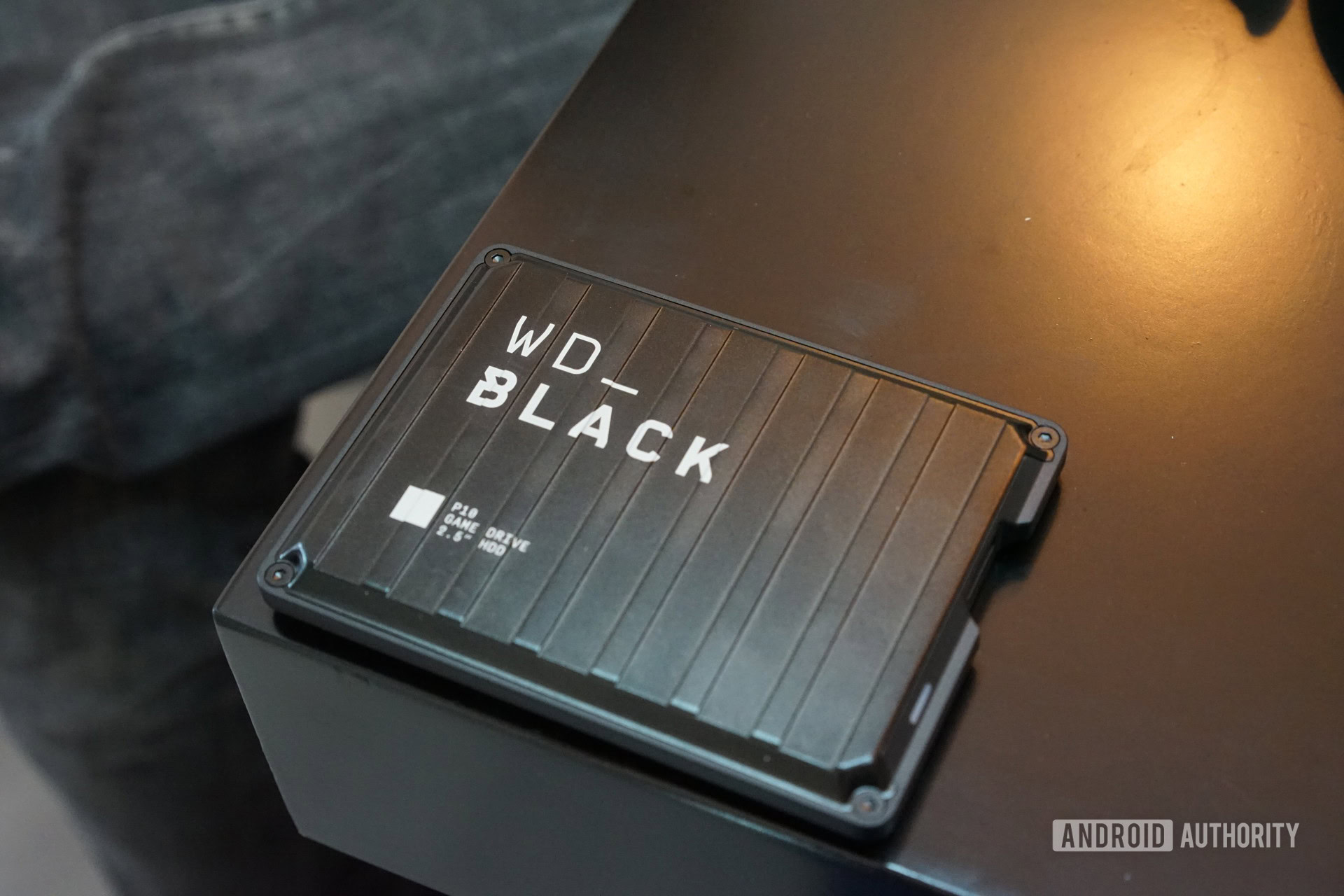
If you own an external Hard Disk Drive (HDD) or Solid State Drive (SSD), you’ll want to make sure this is set up with your PS5 before downloading any games. While PS5 games must be downloaded to the custom SSD inside your PS5, PS4 games can be downloaded anywhere and still run. If you don’t already have external storage, we have a few favorite options to check out.
Of course, if you want to take advantage of enhanced visuals or performance of specific PS4 games, you’ll probably want to download them to the PS5’s internal SSD. If you’re playing a regular old PS4 game that hasn’t been enhanced in any way, put it on your external drive to save precious space on your PS5’s SSD. Your PS5’s SSD only starts with about 667GB of usable download space, so make sure you use it wisely.
You can set default download locations in your PS5 settings to make sure you’re downloading all your PS4 games to the right place. To make your external storage drive the default download location for PS4 games, here’s what you need to do.
- Go to Settings > Storage > Extended Storage
- Then, turn on Install PS4 Games to Extended Storage
Sony has now activated the internal SSD expansion slot for game downloads, so you can finally have more space for all those big PS5 games. If you want, grab yourself an SSD like this one, pop it in under the side panel, let the console do its thing from there, and your expanded storage will be ready in no time!
Transfer save data from your PS4 or PS4 Pro
Sarah Chaney / Android Authority
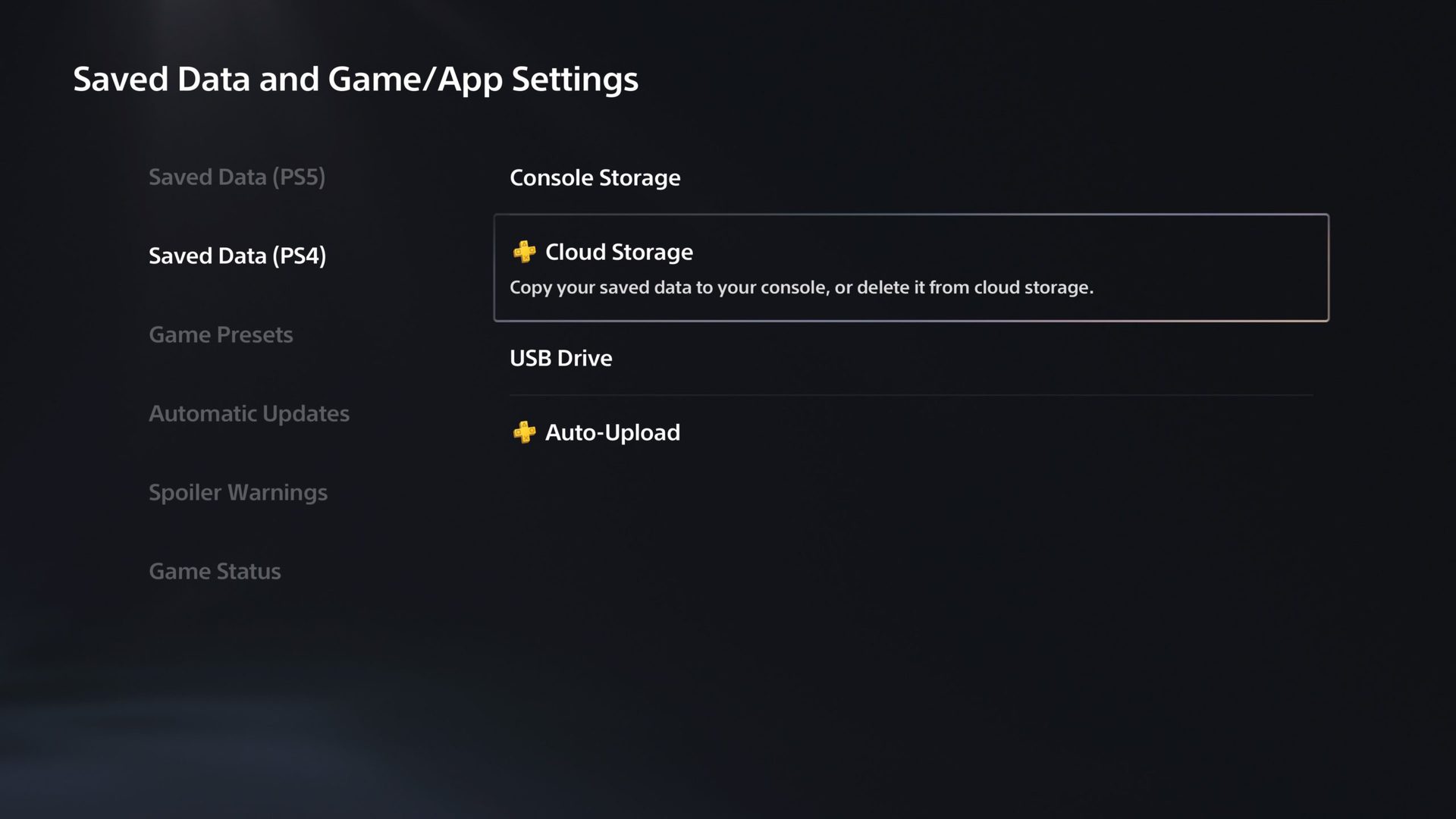
If you owned a PS4 or a PS4 Pro before getting the PS5, you’ll want to make sure you transfer all of your saved data. Then, you can pick up in-game on your new console right where you left off on your old console.
It’s not tricky at all to do this; it’ll just take time to download everything. Here are the steps you need to take:
- Go to Settings > Saved Data and Game/App Settings > Saved Data (PS4)
- You can then choose either Cloud Storage or USB Drive, depending on how you want to transfer your saved data.
- Wait for everything to transfer!
Get your PS5 games downloading

Sarah Chaney / Android Authority
The PS5 has been on the market for over 18 months now, as have all of its launch games. By now, those launch games will probably have a hefty update package when you first install the game. With bugs, patches, content updates, and more, you might be waiting a while before you get to play your new games.
As soon as all of your console and controller updates are finished, get your PS5 games downloaded. Even if you don’t intend to play right away, it’ll be nice to have them downloaded and ready for you when you are ready. Though, let’s be honest, you’ll probably want to play as soon as possible.
While you’re waiting on your PS5 games to download, the other things on this list will keep you entertained.
Get familiar with your PS5’s new UI and settings
Sarah Chaney / Android Authority
The new PS5 UI is much more comfortable to explore and more organized than the PS4 UI. Make sure you budget time to check out the UI and customizable features in your PS5 settings.
Game preset options
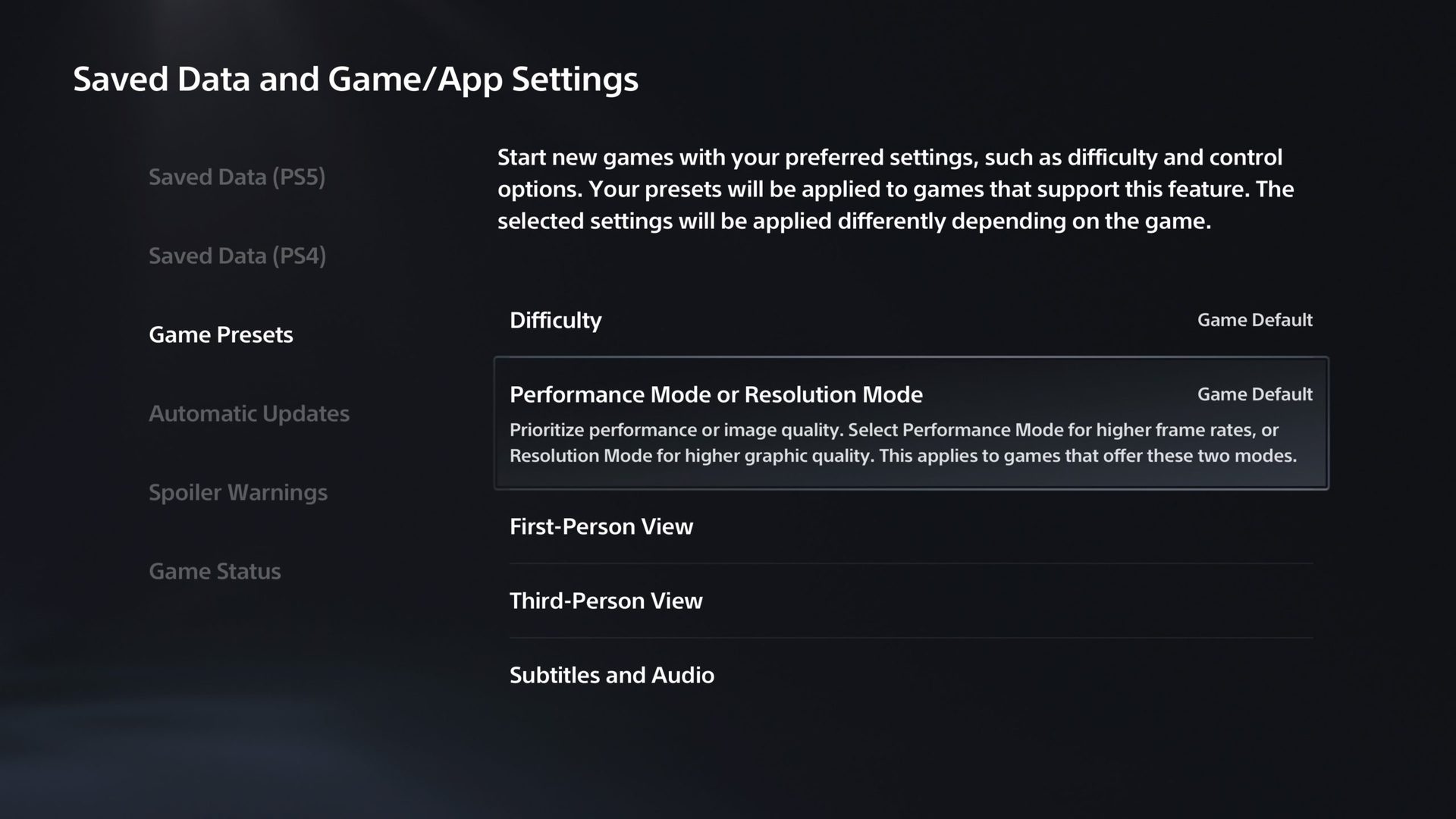
There are certain game preset options that you can choose, and the console will start each new game with these preferred settings. Here are all of the presets you can customize:
- Difficulty
- Performance Mode or Resolution Mode
- First-Person View
- Third-Person View
- Subtitles and Audio
The two most prominent customization options here will be Difficulty and Performance Mode or Resolution Mode.
When you click on Difficulty, it gives you a few different options to choose from — Game Default, Easiest, Easy, Normal, Hard, or Hardest. Of course, not all games have five different difficulty settings, but any new game you launch will try to match the difficulty that you’ve selected as best as it can.
Performance Mode or Resolution Mode is pretty much what it sounds like. You can prioritize whether you want your games to look the best or perform the best with this setting. Essentially what this means is that if a game has a mode where it looks fantastic but runs in 30 frames per second and a mode where the resolution is worse, but it runs in 60 frames per second, you can choose which one you prefer, and it’ll apply to all games that give you this option.
To get to these preset game options, here are the necessary steps:
- Go to Settings > Saved Data and Game/App Settings > Game Presets
- Select which presets you’d like to explore and change your settings from this menu.
Adjust create button shortcuts
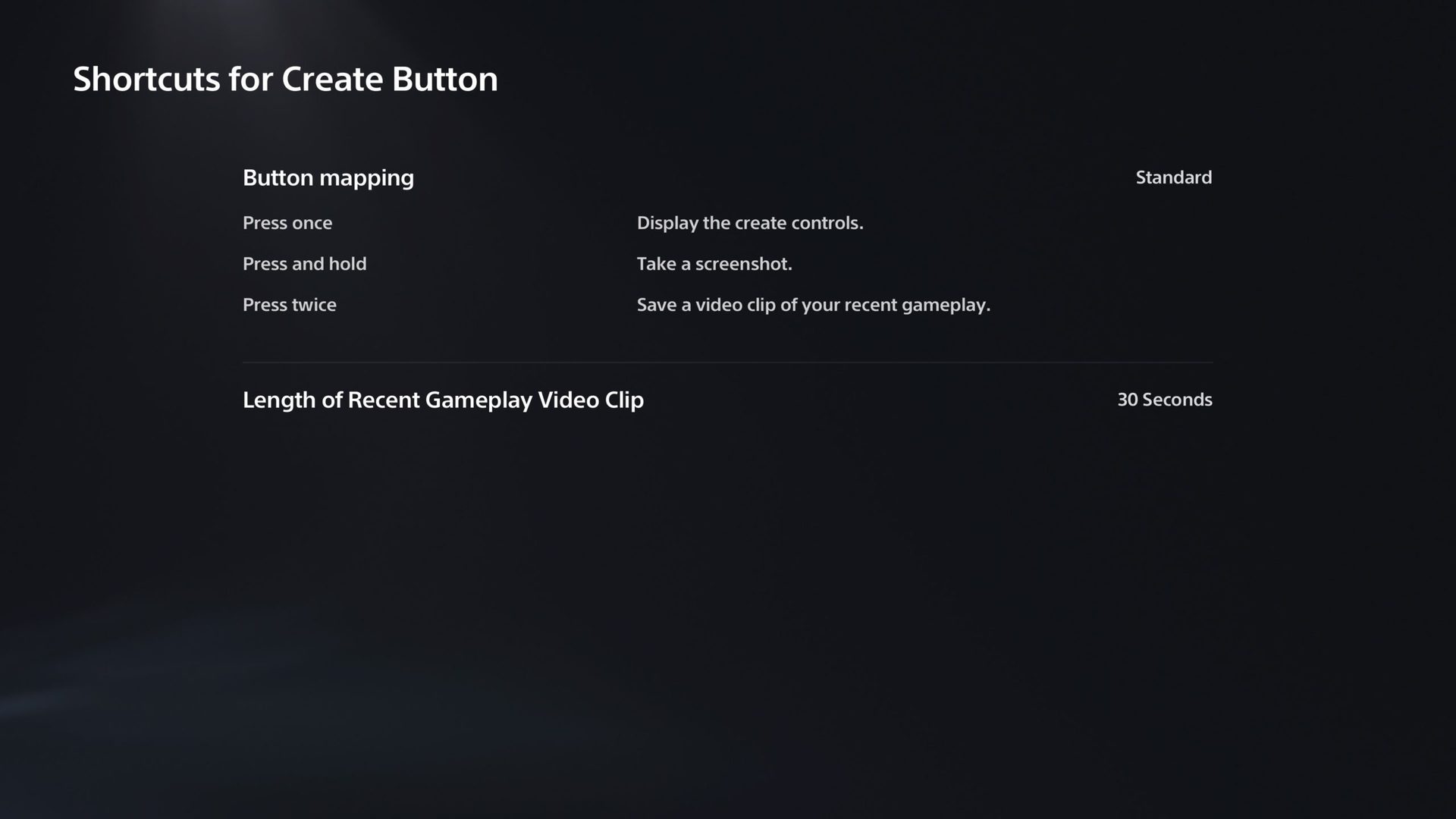
You can easily customize what the Create button does for you on the DualSense controller. If you like to take screenshots over videos, or vice versa, make sure you check out this setting and change it to your liking.
Sarah Chaney / Android Authority
Go to Settings > Captures and Broadcasts > Captures > Shortcuts for Create Button to get to these settings. There are three different button mapping layouts to choose from — Standard, Easy Screenshots, or Easy Video Clips.
Turn on remote play
If you want to stream your games from your PS5 to your phone, tablet, laptop, desktop, or PS4 console, you’ll want to make sure remote play is enabled in your settings.
Go to Settings > System > Remote Play to get to the remote play settings. From here, you can toggle Remote Play on and off, link devices, and see your connection history.
Check your power saving settings
To get to your power-saving settings, go to Settings > System > Power Saving.
From here, you can set how long your PS5 can stay inactive before automatically entering rest mode. Within this particular setting, you can set times separately when playing media and playing games.
You can also check out which features are available in rest mode and toggle those on and off. Then, you can set how long it takes for your controllers to turn off when not in use: after 10 minutes, 30 minutes, 60 minutes, or don’t turn off.
Tweak spoiler settings
Fed up of game spoilers in the PS Store? There’s now a way to ensure you don’t have to see them. Just go to Settings > Saved Data and Gam/App Settings > Spoiler Warnings.
From here, you can choose to hide only spoilers identified by game developers, or spoilers for everything you haven’t seen yet, and the PS store will either hide content or display a “Spoiler” warning.
Check out your PS4 playtimes
Sony’s added a playtime tracker to PS5, and it tracks historic data too, so you can see how much time you spent playing PS4 games. To check it out, tap the PlayStation button, then select your avatar from the menu. Select Profile > Games and you’ll be able to see how much time you’ve sunk into every. Single. Game.
Turn off trophy videos
By default, the PS5 saves a 15-second video in 4K whenever you earn a trophy (and takes a screenshot, too), which will quickly eat up storage space on your console. Before you get started gaming, you can turn this off by going to Settings > Captures and Broadcasts > Trophies. From here, ensure Save Trophy Videos is unchecked.
Check out the PS Store and wishlist your favorite games
Sarah Chaney / Android Authority
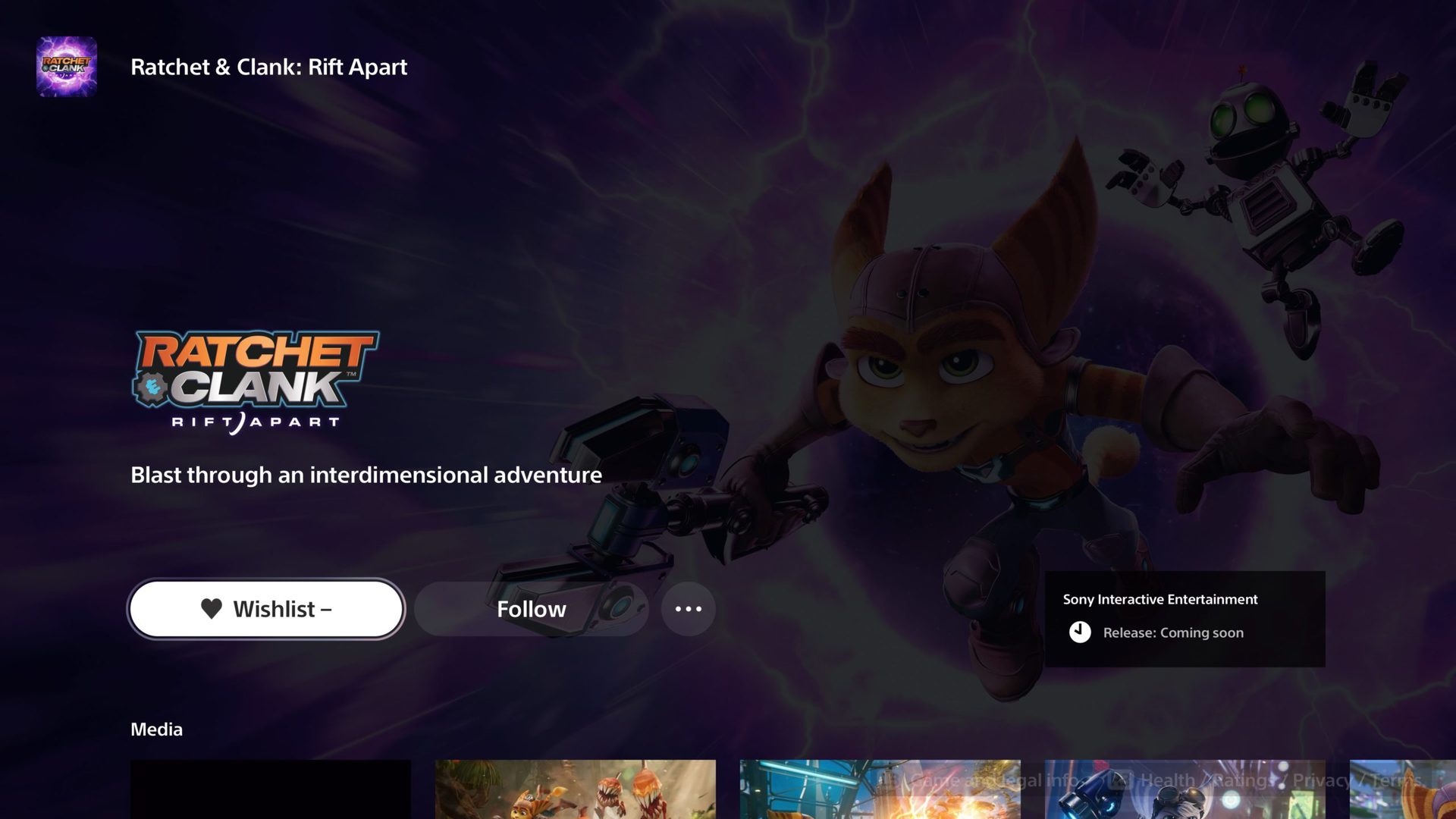
The PlayStation Store is now nicely integrated into your UI and easy for you to get in and out of. If there were upcoming games in Sony’s most recent State of Plays that looked interesting to you, make sure you find them in the Store and wishlist them. You can also follow games to ensure you’re updated with any news regarding the game.
The PlayStation Store will likely upload news first regarding release dates, new features of a game, and more. So if there’s a game — even an indie title — you’re really interested in, make sure you wishlist it and follow it on the Store.
Browse through all-new PS Plus
There are three flexible tiers and over 700 games available with new PlayStation Plus, and here’s a brief breakdown of what each tier includes (and costs):
- PlayStation Plus Essential: You get two PS4 games and one PS5 game to download every month, exclusive discounts on the PS store, cloud storage for saved games, and online multiplayer access for purchased games. This tier costs the same as the current PS Plus price ($9.99 monthly / $24.99 quarterly / $59.99 yearly).
- PlayStation Plus Extra: Includes all the benefits from the Essential tier. You also get access to over 400 downloadable PS4 and PS5 games. ($14.99 monthly / $39.99 quarterly / $99.99 yearly).
- PlayStation Plus Premium: This is the tier to get if you want the benefits of PS Now included, as you get everything from the Essential and Extra tiers, plus an additional 340 past-generation titles (including PS3 games available via cloud streaming and downloadable titles for PS2, PSP, and PlayStation). You also get cloud streaming access (PS4, PS5, and PC), plus time-limited game trials to try select games before you buy.
If you are a current PlayStation Plus member, your membership will be automatically migrated to the PlayStation Plus Essential tier, with your recurring membership fee and payment date staying the same. If you have both a PlayStation Plus and PlayStation Now subscription, you’ll be migrated to PlayStation Plus Premium. You should get an email from Sony confirming your new subscription fee and payment date.
Play Astro’s Playroom
Astro’s Playroom
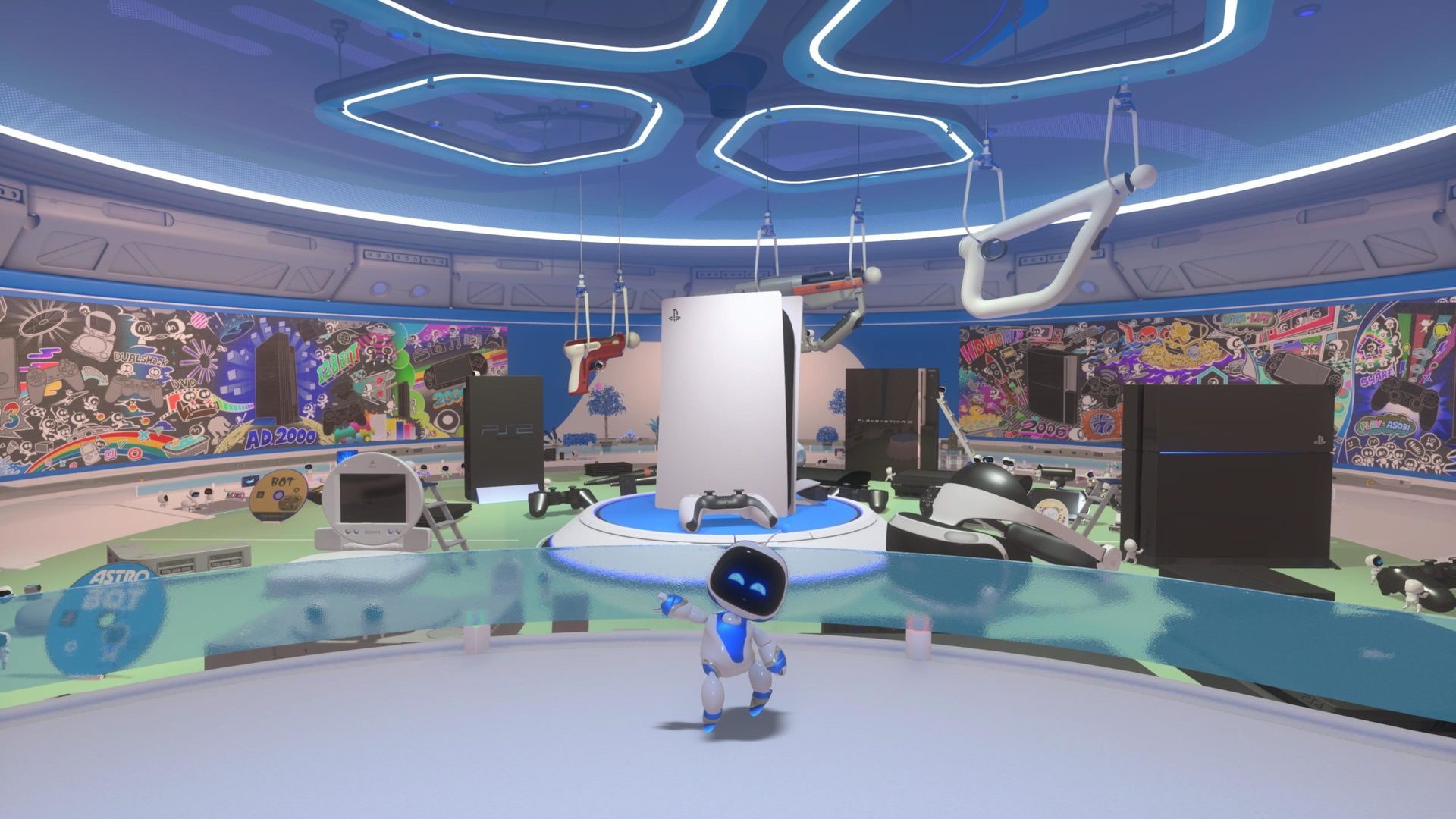
Astro’s Playroom is a free game that comes pre-installed on your console. So if you’re waiting on other games to download, you can go ahead and play this one in the meantime.
This is such a cute game that you should definitely play, if not only to see the DualSense in all its glory. This game was designed to show off all the features of the DualSense, and it does a fantastic job. Apart from utilizing the DualSense to its fullest potential, Astro’s Playroom is a light, relaxing game to experience. It’s super fun to explore the world within Astro’s Playroom and find all of the PlayStation easter eggs scattered throughout the game.
And there you have it! Hopefully, this has helped you figure out what you should do after getting your new PS5. Have fun exploring your new console, and congratulations on being one of the lucky few to get your hands on one.


Discussion about this post