
Is a Raspberry Pi starter kit worth it? If you’re starting from scratch and don’t have spare parts tucked away in a drawer, it’s the best way to go. When you piece a build together manually, it’s easy to buy incompatible parts or overlook an essential adaptor for a specific project. For that reason, Pi enthusiasts believe a starter kit is the best choice for newbies.
A pre-packaged bundle from reputable, licensed vendors like Vilros, CanaKit, or Adafruit helps you avoid common pitfalls when starting a new build. Tinkerers should shop carefully, as users warn that Amazon kit prices are often heavily marked up. The best practice is to check official distributors or local Microcenters, so builders don’t overpay.
Any good kit starts with the board itself, usually a Raspberry Pi 4 or the newer Raspberry Pi 5. For teenagers and complete beginners, experts recommend the Raspberry Pi 400, which builds a computer into a compact keyboard. Any takers for a modern-day Amiga? There are some very cool and creative ways to use a Raspberry Pi, but first you’ll need a clear idea of what to build.
Proprietary connectivity and power
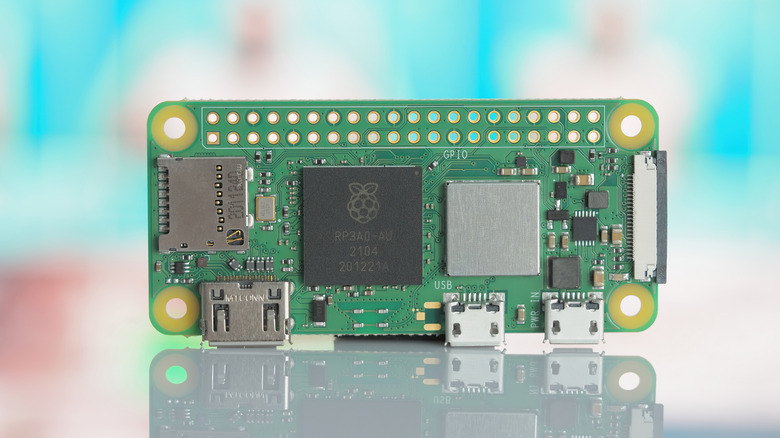
Beyond the board, builders need to consider what a Raspberry Pi starter kit is for. You usually need proprietary cables just to power it on, so it’s worth doing some research first. One of the biggest complaints from new users is realizing that modern Pi boards don’t use standard HDMI ports. For any builds that require high-definition screens, they’ll need micro-HDMI or mini-HDMI to standard HDMI adapters.
The same applies to peripheral connectivity, especially for projects that use smaller form-factor Pi boards. For example, the tiny Raspberry Pi Zero 2 W needs a USB OTG (On-The-Go) adapter or a ‘Y’ cable just to connect a basic mouse and keyboard. This board has only one port, so a starter kit like this is perfect for any project that needs USB accessories.
Power supply requirements are also incredibly strict, so it’s essential to have an official power supply that delivers rated current without dropping voltage during heavy workloads. Once the Pi is powered, users will need to connect it to their network, either by Wi-Fi or the Ethernet port. Be sure to isolate experimental hobby boards, as they can pose a significant security risk when connected to a home network. Check a router’s security features and use a guest network before exposing a new Pi project to the internet.
Cases, cooling, and project accessories
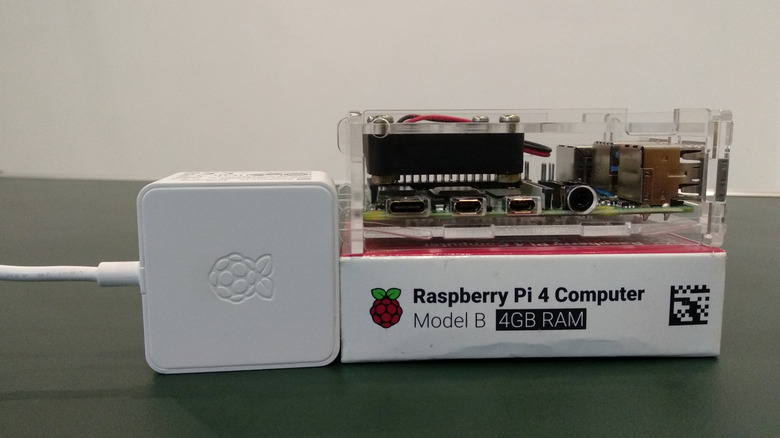
Once you sort out the power and display cables, a proper starter kit should include protective housing and reliable storage. Leaving a bare circuit board sliding around on a desk is a disaster waiting to happen. Expert users insist on sturdy casings for Raspberry Pi projects to prevent accidental short circuits from loose screws or other conductive materials lying around a workshop or desk.
Cooling is easy to overlook, but it’s essential to any Raspberry Pi build. Newer Pi boards run hotter and can be susceptible to thermal throttling, while older models can usually handle workloads without one. Raspberry Pi 4 and Pi 5 kits should include heatsinks and an active cooling fan.
When it comes to storage, choosing a cheap, slow microSD card is another pitfall in some kits. It’s a good idea to buy a kit with a pre-flashed, high-quality SanDisk memory card with at least 16GB of storage, as off-brand cards frequently corrupt operating systems. For specific projects, look for kits that include components. Kits from SunFounder or Elecrow include breadboards, jumper wires, LEDs, and displays, letting beginners practice wiring physical hardware directly to the Pi’s GPIO pins. If you’re looking to get into development, experts say the $4 Raspberry Pi Pico is a great entry point into microcontroller programming.
Discussion about this post