









Even though the stable release of Android 14 has yet to drop, Google went ahead and released the first beta of Android’s next release earlier this week. No, not Android 15, but rather Android 14 QPR1 Beta 1. QPR1 will be Android 14’s first quarterly platform release, an interim update that brings some new features and many bug fixes (but not any new APIs for developers).
Android 14 QPR1 will likely be released for Pixel phones in December as part of that month’s Pixel Feature Drop, Google’s quarterly release of new Pixel-exclusive features. However, Android 14 QPR1 will also be incorporated into Android’s source code, so any OEM can pick the features they find appealing. Few, if any, device manufacturers will roll out software updates based on Android 14 QPR1, though, as they’ll instead choose to wait for Android 15, which will incorporate all changes from QPR1, QPR2, and QPR3.
That means if you want to experience what the upcoming update currently has to offer, you need to have a Pixel phone enrolled in the Android 14 QPR1 beta. If you’re curious about what’s new but don’t want to deal with any of the beta’s bugs, I’ve got a rundown of what to expect.
Note: this breakdown of features in Android 14 QPR1 is based on findings within the Beta 1 build. There will be additional betas, which could add, remove, or change some of these features.
Android 14 QPR1 Beta 1: Every new feature you can try
While not most new features are not explicitly highlighted by Google in its release notes, there are a number of user-facing features that are available for you to try with the QPR1 beta installed on your Pixel phone. Here’s what I found:
Overriding an app’s aspect ratio
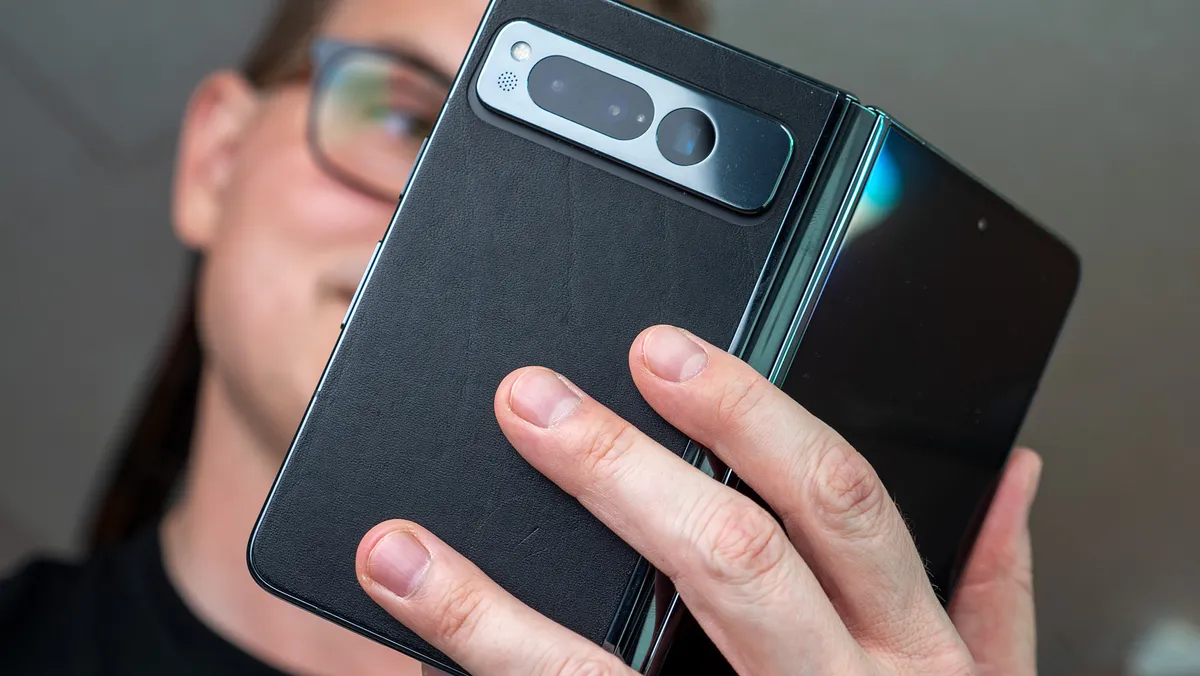
This is the only new feature in Android 14 QPR1 that Google officially documented, and it’s aimed at large-screen devices like the Pixel Fold and Pixel Tablet. Through a new settings menu, you can override an app’s aspect ratio to finally force apps like Instagram and Reddit into full screen. This feature isn’t exclusive to Pixel devices. My article for Android Authority has a bunch of screenshots showing the aspect ratio settings and different modes you can pick from.
Image 1 of 2

Using your phone as a webcam
Most smartphones offer vastly superior video quality than your laptop’s built-in webcam, so why not use your Android phone as a webcam for your PC? While there are plenty of apps that let you do this, they typically require installing some software on your phone and your PC. Android 14 QPR1 on the Pixel 6 and Pixel 7 series adds a new “webcam” option to USB preferences that turns your phone into a wired webcam.

The way this feature works under the hood is a bit complicated, but the benefits are that it works seamlessly with almost any platform (Windows, macOS, Chrome OS, Linux, and even Android itself), and it doesn’t require any additional software. Oh, and this feature also isn’t exclusive to Pixel phones: It’ll be part of Android 14’s source code, but it’ll be up to OEMs to enable it.
Viewing your phone’s battery health
Android 14 QPR1 lets you see some stats about your phone’s battery, namely its cycle count (how many charge and discharge cycles it’s gone through) and manufacture date. These stats can be accessed by going to Settings > About phone > Battery information.

While any Android device can technically show these stats, many aren’t set up to display this info, so your mileage may vary about what information you’ll see here.
Switching to the new “Metro” lock screen clock
One of the key personalization features Google developed in Android 14 for Pixel phones is lock screen clock customization. Pixel users can open the Wallpaper & Styles app to pick from a collection of different clock styles, which now includes a new “Metro” style in Android 14 QPR1.

Keeping apps open when you close the Pixel Fold
One of the features I wanted Google to copy from Samsung’s Galaxy Z Fold 5 is “continue apps on cover screen,” which lets you select apps that you want to continue using on the outer screen when you fold the phone. Android 14 QPR1 sort of has this, except you’re not selecting apps from a menu.
Showing only new notifications on the lock screen
On the Pixel Tablet, there’s a new “show only new notifications on lock screen” toggle under Settings > Notifications. This setting, which is enabled by default, “automatically remove[s] previously viewed notifications from the lock screen.”
Setting a different live wallpaper on the lock screen and home screen
Believe it or not, Android has never before let you set a different live wallpaper on the lock screen and home screen, even though live wallpaper support was introduced back in 2009. Thanks to changes in Android 14, though, the lock screen can now set its own live wallpaper independently of the home screen.
Although this change only went live for Pixels in the Android 14 QPR1 beta, it’s actually part of the core Android 14 OS, so any OEM can enable it. However, Google only enabled this change by default in QPR1, so some OEM flavors of Android 14 may not have this.
Changing a Bluetooth audio device’s type
When Android connects to a Bluetooth device, it communicates with the device to figure out what kind of device it is and what it supports. More obscure devices may sometimes not be recognized and appear mislabeled in settings. That’s why Android 14 QPR1 now lets you choose the “audio device type” of a connected Bluetooth device. You can pick between a speaker, headphones, car kit, hearing aid, or other. Certain features like spatial audio and hearing aid preferences are only available when the device type is set to “headphones” and “hearing aid,” respectively, for example.

Choosing a preferred frequency for your hotspot
The “extend compatibility” toggle in Android’s Wi-Fi hotspot settings has been replaced with a “speed & compatibility” page, which lets you pick between 2.4 and 5GHz or 6GHz frequencies for a hotspot.
Showing physical key presses
Android is adding a new developer option that “show[s] visual feedback for physical key presses.” If you, for example, press the volume up key, a dialog appears at the bottom of the screen that says “VOLUME_UP.”
Android 14 QPR1 Beta 1: Every hidden feature

While there are plenty of user-facing features in QPR1 Beta 1, there are some changes that are not as obvious, or that lay the groundwork for future builds. Here are the ones that I’ve found:
Locating your Pixel phone even when it’s off
If you want to find your lost Android phone, your best bet is to fire up Find My Device on another Android device or PC since Google’s service is baked into every Android phone. However, Find My Device can only currently locate devices that are online, at least until the Find My Device network rolls out. Even then, though, it won’t be able to locate devices that are powered off.
That could change for select Pixel phones in Android 14 QPR1, though, as code within the OS suggests you’ll be able to locate them even when they’re powered off.
Searching your phone using the floating search bar
Android 12 introduced a powerful on-device search engine that lets you search through your apps, contacts, settings, and more. Android 14 QPR1 is preparing a revamp to the way you access that search engine. The new floating search bar sits atop your keyboard in the app drawer instead of at the top of the screen. It also follows you to the recent screen, unlike before. A video of the new floating search bar can be found on Android Authority so you can see how this feature works in action.
Factory resetting your phone before you send it in for repair won’t be necessary
Code within Android 14 QPR1 suggests you’ll be able to enter a “repair mode” on Pixel phones. This repair mode will provide a “secure environment for device repair,” which sounds a lot like Maintenance Mode on Samsung phones. However, it’ll likely work differently than Samsung’s version of the feature.

Bringing back Google Now on Tap…kinda?
Google Now on Tap may have been short-lived, but it was (and still is) a very beloved feature. Its spiritual successor is Google Assistant’s “search screen” button, which is powered by Google Lens. To access that button, though, you have to first call up the Assistant. Android 14 QPR1 is preparing a new long-press screen search gesture that’ll skip that step. Sadly, that gesture currently doesn’t work.
Saving an app pair
Google has been working on letting you save an app pair — a pair of apps that launch side-by-side in split-screen mode — since Android 14 Beta 2. Now, in QPR1, the feature is getting closer to release. While app pairs can now be saved to the home screen and launched, they don’t have an icon and can’t be renamed.
As I previously reported, Android is getting support for saving an app pair, and more progress has been made on this feature. In Android 14 QPR1 Beta 1, you can now actually save and launch an app pair. However, it doesn’t have an icon and can’t be renamed. pic.twitter.com/3AgTJHFcHySeptember 20, 2023
Turning your phone over to landscape while on the lock screen
Android’s lock screen has been locked (no pun intended) to portrait mode since the beginning, except for on tablets and other large-screen devices. In Android 14 QPR1, though, Google is trying to optimize the lock screen so that it can be used in landscape mode on phones.
Image 1 of 2
Editing the home screen
The Pixel Launcher is preparing a new “edit home screen” option that will let you add or remove multiple items from a home screen page without having to constantly reselect items.
Updating the firmware of the Pixel Tablet’s (unreleased) stylus and keyboard
The Pixel Tablet launched without any first-party keyboard or stylus accessories, even though it supports USI 2.0. Earlier this year, a retail demo app leaked the existence of Google’s keyboard and stylus accessories for the Pixel Tablet. Now, new code within Android 14 QPR1 Beta 1 suggests that both accessories will be “smart,” i.e., they’ll be capable of receiving firmware updates. Android’s Settings app will seemingly inform users when either accessory has a firmware update available.
Speaking of which, Android 14 QPR1 also includes a new “motion prediction” machine learning model that’s designed to reduce the perceived latency of drawing/handwriting with a stylus.
Putting bubbles into a bubble bar
Google’s preparing a revamp of Android’s chat bubbles feature, at least on large-screen devices. A new bubble bar will appear at the bottom right that houses your chat bubbles. We don’t know what the bubble bar will look like, though.
Turning on an instant hotspot
Little is known about this hidden setting right now, but there’s an “instant hotspot” feature in the works. My guess is it’ll enhance the hotspot feature of Chromebook’s Phone Hub somehow.

Pixel updates page
The “system update” page might be getting a revamp that shows whether your OS, Project Mainline modules, and Pixel system apps are up-to-date. Currently, this page only shows your OS version.
Using your current lock screen wallpaper as your screen saver
Android 14 QPR1 prepares to sync your lock screen and screen saver. A new setting will let you “use your current lock screen wallpaper” as your “dream” (code-name for screen saver).
That’s everything I found so far in Android 14 QPR1 Beta 1. I know it’s a lot to take in, but QPR1 is usually where the major new features are added since it’s where Google tries to align things with their new Pixel launch. In contrast, QPR2 and especially QPR3 will be lighter on features, as Google will be knee-deep into Android 15’s development by then.






Discussion about this post