
The 17 best free and open source web design software in 2026 depend on the job: Penpot is the strongest UI and prototyping pick; Silex and Webstudio suit visual site building; Code–OSS and Bluefish suit code-first work; Hugo and Eleventy generate static sites; and WordPress handles content publishing. The list excludes proprietary freemium tools.
These applications solve different workflow problems, so a flat ranking would be misleading. This guide separates interface design, visual asset creation, code editing, static-site generation, visual website building, and publishing, then explains which tool fits each job.
Key takeaways
- Penpot is the strongest open-source choice for UI design, wireframes, components, constraints, collaboration, and prototyping.
- Silex and Webstudio are closer to open-source Webflow alternatives because they focus on visually building websites rather than only designing screens.
- Code–OSS, Bluefish, and Vim are code-first tools for readers who want direct control of HTML, CSS, JavaScript, and project files.
- Hugo and Eleventy generate websites from content and templates, so they belong to static-site workflows rather than conventional drag-and-drop page editing.
- WordPress is the most publishing-oriented option in this list, while Grav, Decap CMS, and Publii are notable alternatives with different content models.
What counts as free and open source web design software?
Free and open source web design software must pass three tests: the project exposes its source code under an open-source license, the core workflow does not require a mandatory paid tier, and the software is practical for designing, building, managing, or publishing a website.
A free plan is not automatically open source. A proprietary SaaS product can offer a generous free tier while keeping its source code and project format closed. This comparison therefore favors tools that provide source-code access, local files, self-hosting, portable output, or repository-based control where the project supports those workflows. The 2026 comparison that informed this list also treats active viability and control over deployment as important selection criteria.
#1 Best Overall
Sale
Drawing Tablet XPPen StarG640 Digital Graphic Tablet 6×4 Inch Art Tablet with Battery-Free Stylus Pen Tablet for Mac, Windows and Chromebook (Drawing/E-Learning/Remote-Working)
- Battery-Free Pen: StarG640 drawing tablet is the perfect replacement for a traditional mouse! The XPPen advanced Battery-free PN01 stylus does not require charging, allowing for constant uninterrupted Draw and Play, making lines flow quicker and smoother, enhancing overall performance
- Ideal for Online Education: XPPen G640 graphics tablet is designed for digital drawing, painting, sketching, E-signatures, online teaching, remote work, photo editing, it’s compatible with Microsoft Office apps like Word, PowerPoint, OneNote, Zoom, Xsplit etc. Works perfect than a mouse, visually present your handwritten notes, signatures precisely
- Compact and Portable: The G640 art tablet is only 2 mm thick, it’s as slim as all primary level graphic tablets, allowing you to carry it with you on the go
- Chromebook Supported: XPPen G640 digital drawing tablet is ready to work seamlessly with Chromebook devices now, so you can create information-rich content and collaborate with teachers and classmates on Google Jamboard’s whiteboard; Take notes quickly and conveniently with Google Keep, and effortlessly sketch diagrams with the Google Canvas
- Multipurpose Use: Designed for playing OSU! Game, digital drawing, painting, sketch, sign documents digitally, this writing tablet also compatible with Microsoft Office programs like Word, PowerPoint, OneNote and more. Create mind-maps, draw diagrams or take notes as replacement for mouse
The 17 tools are not interchangeable. Penpot helps plan an interface, Inkscape creates vector assets, Code–OSS edits source files, Hugo builds a static website, Silex visually assembles a site, and WordPress manages ongoing content. Choosing the best tool means identifying the layer of the workflow that is causing the problem.
| Workflow layer | What the tool does | Best-fitting tools | Typical output |
|---|---|---|---|
| UI design and prototyping | Plans screens, layouts, components, and interactions before implementation | Penpot | Design files, wireframes, prototypes, SVG-oriented assets |
| Visual asset creation | Creates graphics, illustrations, photos, textures, or 3D visuals | Inkscape, GIMP, Blender, Krita | SVG, raster images, illustrations, 3D assets |
| Code-first authoring | Writes and edits the files that make a website work | Code–OSS, Bluefish, Brackets, Vim | HTML, CSS, JavaScript, TypeScript, templates, and project files |
| Static-site generation | Combines content and reusable templates into deployable pages | Hugo, Eleventy, Astropress | Generated static pages and website assets |
| Visual website building | Assembles pages through a visual interface and connects publishing services | Silex, Webstudio, Jx Studio, OpenPage | Website projects, exported HTML/CSS, or hosted/self-hosted sites |
| Content publishing | Stores, edits, organizes, and publishes website content over time | WordPress | Collaborative, extensible website content |
Which are the 17 best free and open source web design tools in 2026?
The best choice depends on whether the reader needs a design canvas, an asset editor, a source editor, a site generator, a visual builder, or a content-management system. The table below is a fit guide, not a claim that one application is universally superior.
| # | Tool | Primary workflow | Technical level | Control and collaboration | Best fit |
|---|---|---|---|---|---|
| 1 | Penpot | UI design and prototyping | Beginner to intermediate | Visual canvas, components, constraints, collaboration, SVG-oriented work | Teams seeking an open-source alternative to Figma |
| 2 | Inkscape | Vector asset creation | Beginner to intermediate | Precise vector editing and SVG output | Logos, icons, diagrams, and illustrations |
| 3 | GIMP | Raster-image editing | Beginner to advanced | Pixel-level image preparation and web graphics editing | Photos, image optimization, and bitmap assets |
| 4 | Blender | 3D design and rendering | Advanced | Deep 3D authoring for specialist visual work | Product visuals, 3D assets, and WebGL-oriented projects |
| 5 | Krita | Illustration and bitmap art | Beginner to advanced | Digital painting and hand-created visual assets | Illustrators and art-heavy website projects |
| 6 | Code–OSS | Code-first web development | Intermediate to advanced | Local files, extensions, repository workflows, and direct source control | HTML, CSS, JavaScript, TypeScript, and framework projects |
| 7 | Bluefish | Focused website source editing | Intermediate | Lightweight text-based control over website code | Developers who want a dedicated website-development editor |
| 8 | Brackets | Code-first website editing | Beginner to intermediate | Source editing with current maintenance and distribution requiring verification | Readers who specifically prefer its workflow and can confirm its present status |
| 9 | Vim | Configurable code editing | Advanced | Keyboard-driven, highly customizable, repository-friendly editing | Experienced users who prefer a terminal-centered workflow |
| 10 | Hugo | Static-site generation | Intermediate | Markdown content, reusable layouts, templates, and portable generated output | Fast, content-driven sites with simple deployment |
| 11 | Eleventy | Template-oriented static generation | Intermediate | Flexible content formats and output control without a large application framework | Designers and developers who want control over the build process |
| 12 | Astropress | Website builder and web framework | Intermediate to advanced | Dashboard, media, forms, redirects, multilingual support, and portable-hosting goals | Readers evaluating a newer all-in-one open-source workflow |
| 13 | Silex | Visual and no-code website building | Beginner to intermediate | Visual editing, HTML/CSS export, CMS/API integrations, and hosting flexibility | People seeking an open-source alternative to Webflow |
| 14 | Webstudio | Visual website building | Intermediate | Visual CSS control, headless-CMS connections, and hosting-anywhere positioning | Users who want visual control without giving up deployment flexibility |
| 15 | Jx Studio | Visual IDE for websites and web apps | Beginner to intermediate | Visual development across macOS, Windows, and Linux; current maturity needs checking | Readers interested in a newer cross-platform visual IDE |
| 16 | OpenPage | Self-hosted visual building and prototyping | Beginner to intermediate | Drag-and-drop workflow with a JSON-first architecture | Early adopters who value self-hosting and inspectable project data |
| 17 | WordPress | Content management and publishing | Beginner to advanced | Collaborative content, plugins, themes, and a large ecosystem | Blogs, business sites, and websites maintained by multiple contributors |
Which open-source tools are best for visual UI design and web graphics?
Penpot is the best central choice for open-source UI design and prototyping, while Inkscape, GIMP, Blender, and Krita are specialist companions for the visual assets that a website uses.
1. Penpot: best open-source alternative to Figma
Best for: wireframes, interface design, reusable components, responsive layout planning, and design-to-development collaboration.
Penpot is the strongest starting point when the reader wants to design a website before writing production code. The researched feature set includes frames, components, constraints, collaboration, and SVG-oriented design. Those features place Penpot in the UI and prototyping layer rather than the content-management or final-hosting layer. The source comparison identifies Penpot as the primary open-source UI-design candidate.
Choose Penpot when several people need to discuss screen structure, visual consistency, and handoff before implementation. Do not choose Penpot expecting it to replace WordPress, Hugo, or a visual website publisher; a prototype is not automatically a deployed website.
2. Inkscape: best for SVG web assets
Best for: logos, icons, diagrams, illustrations, and other vector graphics.
Inkscape complements a page-building tool rather than replacing one. Vector artwork can be resized without the same pixel-scaling limitations as raster artwork, making Inkscape useful for logos, interface icons, and illustrations that must appear at multiple sizes. Inkscape is the practical choice when the design problem is creating or editing SVG assets, not arranging an entire website.
3. GIMP: best for photos and raster web graphics
Best for: photo editing, image preparation, and bitmap-based web graphics.
GIMP belongs in a web-design toolkit when the work involves photographs, screenshots, textures, or other pixel-based images. GIMP can sit alongside Penpot, Silex, WordPress, or a code editor: the image editor prepares the asset, while another tool controls the page structure and publishing workflow.
4. Blender: best for 3D website visuals
Best for: 3D models, product visuals, rendered scenes, and WebGL-oriented creative work.
Blender is a specialist rather than a conventional web page editor. Use Blender when a website needs a three-dimensional product representation, rendered image, animation, or asset intended for an interactive WebGL-style experience. Blender is excessive for ordinary page layout, typography, and blog publishing.
5. Krita: best for digital illustration
Best for: hand-created illustrations, painted graphics, and bitmap artwork.
Krita is a better fit than a page builder when the distinctive part of a website is its illustration work. Krita creates the visual artwork; a separate design, coding, static-site, or publishing tool places that artwork into the site. This separation is useful for portfolios, editorial illustrations, landing-page art, and other projects where visual creation matters more than layout automation.
Rank #2
Sale

XPPen Deco 01 V3 10×6 Drawing Tablet, 16K Battery-Free Stylus, 8 Keys
- Word-first 16K Pressure Levels: The upgraded stylus features 16,384 levels of pressure sensitivity and supports up to 60 degrees of tilt, delivering smoother lines and shading for a natural drawing experience. With no battery or charging needed, it operates like a real pen, making it easy for beginners to create effortlessly. This functionality helps novice artists develop their skills and explore their creativity without the intimidation of complex tools
- Designed for Beginners: This drawing pad desinged with 8 customizable shortcuts for both right and left-hand users, express keys create a highly ergonomic and convenient work platform
- Perfectly Adapted for Android: The XPPen Deco 01 V3 art tablet supports connections with Android devices running version 10.0 and above. It is recommended to download the XPPen Tools Android application, which adapts to your smartphone’s screen aspect ratio, ensuring accurate mapping. It also supports mapping on Android screens with different aspect ratios in portrait mode
- Large Drawing Space, Bigger Bold Inspiration: This expansive drawing pad has10 x 6.25-inch helps you break through the limit between shortcut keys and drawing area
- Easy Connectivity for Beginners: The Deco 01 V3 offers USB-C to USB-C connectivity, plus adapters for USB C. This ensures easy connection to various devices, allowing beginner artists to set up quickly and focus on their creativity without compatibility concerns. Whether using a laptop, tablet, or desktop, the Deco 01 V3 provides a seamless experience, making it an ideal choice for those just starting their digital art journey
The Fedora Design Suite overview provides useful context for this group: the Fedora Project describes an open-source design environment covering web-page designs, application interfaces, vector and bitmap editing, photo management, and 3D modeling. The suite context reinforces that web design often requires several specialized applications rather than one universal editor.
Which free open-source tools are best for writing website code?
Code–OSS is the broadest code-first option, Bluefish is the focused website editor, Brackets is a cautious legacy-style choice whose current status should be checked, and Vim is best for experienced users who want maximum configuration.
6. Code–OSS and the Visual Studio Code distinction
Best for: HTML, CSS, JavaScript, TypeScript, front-end frameworks, and repository-based development.
Code–OSS is the open-source core associated with the broader Visual Studio Code ecosystem. The distinction matters: the branded Visual Studio Code distribution and its extension marketplace can involve separate licensing or service considerations, so readers applying a strict open-source standard should evaluate the exact distribution and extensions they install.
Choose Code–OSS when the website is a real codebase rather than a single page being edited in isolation. Code–OSS suits readers who need local project files, extensibility, source control, and a path from plain HTML and CSS to JavaScript, TypeScript, or a front-end framework. Code–OSS gives more direct control than a canvas editor, but that control requires comfort with files, syntax, dependencies, and the project’s build process.
7. Bluefish: best focused website source editor
Best for: readers who want a lightweight, dedicated source editor for programming and website development.
Bluefish is a focused alternative to a broad development environment. Bluefish is described as free and open source and aimed at programming and website development in the Bluefish project reference page. Bluefish makes sense when the priority is editing website source directly without adopting a larger visual design or content-management system.
Bluefish is not a visual replacement for Penpot, Silex, or Webstudio. Bluefish is most appropriate when the reader already understands the relationship between HTML structure, CSS presentation, and the files being deployed.
8. Brackets: a choice that needs a current-maintenance check
Best for: readers who prefer a straightforward code-first website editor and are willing to verify present-day maintenance and distribution.
Brackets should not be presented as an unquestioned leading 2026 recommendation. The researched guidance specifically calls for checking Brackets’ current maintenance, release activity, and distribution status before describing it as a strong choice. That caution is the key trade-off: a familiar workflow is less valuable if current operating-system support, releases, or extensions are uncertain.
Choose Brackets only after confirming that the available build works on the reader’s operating system and that the required extensions or integrations remain available. Choose Code–OSS or Bluefish instead when active project status and a broader current workflow matter more than familiarity.
9. Vim, with Neovim as the related alternative
Best for: experienced developers who want a fast, keyboard-driven, highly configurable code environment.
Vim is a code-first environment, not a drag-and-drop website builder. Vim works for readers who are comfortable navigating files, configuring an editor, and using a separate browser or build process to preview the result. Neovim is a closely related alternative for readers who want a modern Vim-style environment, but this list counts the Vim workflow as one entry rather than treating Vim and Neovim as separate ranked tools.
Vim is a poor first choice for a beginner who expects a visual canvas. Vim is a strong fit for a developer who values direct file ownership, repository workflows, and deep customization over built-in visual controls.
Rank #3
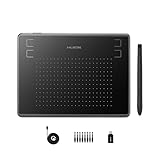
HUION Drawing Tablet Inspiroy H430P Graphic Tablet with 4 Hot Keys for OSU
- Huion H430P supports Linux(Ubuntu), MacOS 10.11 and above, Windows 7 and above, and Android 6.0 and above. It can easily connect to your PC, laptop via USB cable for both left and right handed users.
- Digital pen PW201 is battery-free, no need to be charged. 4096 levels of pressure sensitivity with 233pps report rate provides you responsive and natural drawing and handwriting experience with control. 8 replacement nibs are included.
- 135g in weight,6.3mm in thickness,H430P graphics tablet is portable and compact. 4.8×3 inch active area offers perfect creative space for limited desktop areas.4 express keys on the top can be programed to your favourite shortcuts such as Scroll,Undo,Eraser.It will help you work more smoothly and efficiently.
- Compared with computer mouse,it couldn’t be easier to draw,edit photos,annotate document,take notes,write formulas and equations with a digital pen. H430P is ideal for collegers and teachers to collaborate, share,interact in online class and video conferencing. No need to install driver for basic writing, annotation and OSU playing.
- H430P pen tablet is compatible with most mainstream drawing softwares like Corel Painter, Adobe Photoshop,Illustrator, SAI and so on. It also work with most softwares for education and business meeting such as Word, PowerPoint, OneNote,Google slides,Zoom,Skype and more.
Which open-source static-site generators are best for designers?
Hugo is the clearest choice for Markdown-driven sites with reusable layouts, while Eleventy offers flexible content and template control; Astropress is a newer, broader project that requires a maturity check before a production commitment.
10. Hugo: best for fast, content-driven static sites
Best for: documentation, blogs, portfolios, marketing sites, and other sites that can be generated from content and templates.
Hugo combines Markdown content with reusable layouts and templates, then produces a static site that can be deployed separately from a database-backed application. Hugo belongs to the build and deployment layer, not the same category as a visual canvas editor. A designer who uses Hugo should expect to work with templates, content structure, and the site’s build workflow.
Hugo is a good fit when a reader wants portable generated files and a relatively simple publishing architecture. Hugo is less suitable when nontechnical editors need a full browser-based content-management interface without learning the project’s content and build conventions.
11. Eleventy: best flexible static-site generator
Best for: users who want control over content formats, templates, and generated output without adopting a large application framework.
Eleventy is a template-oriented static-site generator. Eleventy is useful when the project needs a custom content model or several input formats while keeping the output as generated pages and assets. Eleventy gives the developer substantial control, but the workflow is code and template based rather than a visual page builder.
Choose Eleventy over Hugo when the flexibility of the template and content pipeline matters more than adopting Hugo’s particular conventions. Choose Hugo when Markdown, reusable layouts, and a straightforward static-site structure describe the project more closely.
12. Astropress: an emerging all-in-one project to verify carefully
Best for: readers evaluating an open-source builder or framework that aims to cover static sites, dynamic sites, web apps, and administration.
The Astropress project description includes an administrative dashboard, media, forms, redirects, multilingual support, and portable-hosting goals. Those features make Astropress broader than a minimal static-site generator. The Astropress project repository is the appropriate place to verify current documentation, release activity, installation requirements, and feature maturity before using Astropress for a critical site.
Astropress is interesting when one project needs both site-building and publishing features. Astropress should not be ranked above established tools solely because its feature list is broad; the researched material specifically recommends verifying its current project maturity.
Which open-source website builders are closest to Webflow?
Silex and Webstudio are the most direct open-source alternatives to Webflow in this list because both emphasize visual website construction while retaining a stronger open-source and deployment-control angle than a typical closed hosted builder.
13. Silex: best open-source visual and no-code website builder
Best for: beginners and designers who want visual editing, no-code construction, CMS connections, and export or hosting flexibility.
Silex is the most direct choice for a reader asking for a free website builder without vendor lock-in. The official Silex project page describes Silex as free, libre, open-source, visually editable, connected to CMS workflows, and available with hosting included. The Silex repository further describes HTML/CSS export, hosting anywhere, AGPL licensing, and integrations with WordPress, Strapi, Squidex, and GraphQL APIs.
Silex is a better fit than Penpot when the goal is to assemble and publish a website rather than only create a screen design. Silex is a better fit than WordPress when visual page construction and portable output are more important than a large plugin ecosystem. Readers should still check the exact CMS and deployment integration required by their project.
Control your tools, their cost and the websites that you produce with free and open source software.
That is the Silex project’s own description of its purpose on the official Silex website.
14. Webstudio: best for visual control with headless-CMS options
Best for: users who want a visual website builder with detailed CSS control, headless-CMS connections, and the option to host the project independently.
Webstudio is positioned as an open-source visual website builder and Webflow alternative. Its official repository highlights connections to headless CMSs, support for CSS properties, and the ability to host anywhere. That combination makes Webstudio attractive to designers who do not want a closed visual builder to dictate where the finished site lives.
Webstudio and Silex overlap, but they should not be treated as identical. Compare the visual editing model, CMS integration you actually need, deployment process, documentation, and current project maturity before choosing between them. Webstudio is especially relevant when a headless content source and fine-grained CSS control are central requirements.
15. Jx Studio: a newer cross-platform visual IDE
Best for: readers interested in a visual development environment for websites and web applications on macOS, Windows, or Linux.
Jx Studio is presented as a free and open-source visual IDE for websites and web apps across the three major desktop operating-system families. The Jx Studio product page is the source to check for the current release, supported features, and project maturity.
Jx Studio is worth evaluating when a reader wants a visual IDE rather than a narrowly defined image editor or source editor. Because the project is newer than established categories such as WordPress, Vim, or GIMP, verify release activity and feature depth before making it the foundation of a long-lived production workflow.
16. OpenPage: emerging self-hosted visual builder
Best for: early adopters who want drag-and-drop prototyping, self-hosting, and a JSON-first project architecture.
OpenPage is described as an emerging self-hosted visual builder with an MIT license, drag-and-drop prototyping, and a JSON-first architecture. The OpenPage project repository should be used to verify current installation instructions, release status, supported features, and production readiness.
OpenPage’s JSON-first approach may appeal to readers who care about inspectable and portable project data. OpenPage is not the safest default for every business site simply because it is self-hosted; self-hosting transfers responsibility for installation, updates, backups, security, and deployment to the site owner.
Which open-source publishing tool should maintain the finished website?
WordPress is the strongest general publishing choice in this 17-tool list when several contributors need ongoing content management, plugins, themes, and a broad ecosystem.
17. WordPress: best for collaborative publishing
Best for: blogs, business websites, editorial sites, and projects where content will be updated regularly by one or more contributors.
WordPress solves a different problem from Penpot, Silex, or Hugo. WordPress emphasizes collaborative content, plugins, and a large ecosystem, so WordPress is appropriate when the website must be maintained after launch rather than generated once from a developer-controlled repository. The trade-off is a more application-like publishing workflow and greater responsibility for themes, plugins, updates, and hosting choices.
Best Value

Wireless Drawing Tablet HUION Inspiroy Keydial KD200 Art Tablet, 8.9 x 5.6
- Stable Bluetooth 5.0 Connection: you can easily connect the KD200 digital drawing tablet to your Mac, PC, or Android devices wirelessly with the built-in Bluetooth 5.0 technology, offering a strong connection up to 33ft and clutter-free workspace. The high-efficiency battery enables you to enjoy continuous creation for 18 hours minimum with only 1.2 hours of charging time
- Productive Keyboard Design: Huion Inspiroy Keydial KD200 is an innovative graphics tablet and keypad combos. The keyboard is designed with 23 standard keys you use the most on Windows and Mac to give you instant access to your favorite shortcuts. Also, the ergonomic wrist rest can reduce the fatigue of high-intensity creative work
- Dial and 5 Customized press keys: The KD200 drawing tablet is also equipped with a dial for zooming in/out, adjusting brush size, and 5 user-defined press keys to streamline work and boost work efficiency.
- Huion PenTech 3.0: The battery-free pen PW517 is ultra-responsive to every pen movement with amazing accuracy and control. Along with 60° Tilt function and 8192 levels of pressure sensitivity, you’ll feel like using a real pen
- Comfortable and portable: 8.9×5.6inch working area and paper-like matte surface bring you the most natural and comfortable drawing experience. The 8.5mm thickness design makes the KD200 pen tablet easy to carry so you can use it at home, on the go, or at your favorite cafe
WordPress is not the automatic winner for every open-source website. Choose Hugo or Eleventy when generated static output is the priority, Silex or Webstudio when visual construction is central, and Penpot when the immediate need is interface design rather than publishing.
Notable publishing alternatives: Grav, Decap CMS, and Publii
Grav, Decap CMS, and Publii are important alternatives, but they are not interchangeable with one another or with WordPress:
| Alternative | Core model | Best fit | What to verify |
|---|---|---|---|
| Grav | Flat-file publishing | Readers who want content without the same database-centered model as WordPress | Current project status, licensing, themes, and deployment requirements |
| Decap CMS | Editor interface over Git-based content | Teams that want browser editing while keeping content in a repository workflow | Current integrations, authentication, hosting, and project maintenance |
| Publii | Offline, desktop-driven publishing | Users who prefer creating and publishing from a local desktop application | Current operating-system support, publishing targets, and licensing |
WordPress is counted as number 17 so the list contains exactly 17 individual applications. Grav, Decap CMS, and Publii are notable alternatives rather than additional ranked entries. The source comparison distinguishes these publishing models instead of treating every CMS as a direct replacement for a UI-design or visual-builder application.
What is the difference between Penpot, Silex, Webstudio, and Code–OSS?
Penpot designs and prototypes interfaces, Silex and Webstudio visually build websites, and Code–OSS edits the underlying source code.
| Need | Choose first | Why | What it does not replace |
|---|---|---|---|
| Plan a responsive interface before development | Penpot | It is built around visual UI design, components, constraints, and prototypes | A production CMS or deployed website |
| Build pages visually with little or no code | Silex | It focuses on visual editing, CMS integration, and export or hosting flexibility | A general-purpose code editor or every CMS |
| Use a visual builder with headless content and CSS control | Webstudio | It emphasizes headless-CMS connections, CSS properties, and hosting flexibility | A complete editorial platform by itself |
| Own and edit the website’s source files | Code–OSS | It is suited to HTML, CSS, JavaScript, TypeScript, frameworks, and repository workflows | A visual no-code canvas |
How should you choose among these tools?
Choose the workflow first and the application second. The following decision path avoids comparing tools that operate at different layers.
- Start with interface planning. Choose Penpot if the immediate deliverable is a sitemap, wireframe, component system, prototype, or developer handoff.
- Identify the visual asset problem. Choose Inkscape for vector artwork, GIMP for photographs and pixel-based graphics, Krita for illustration, or Blender for 3D assets.
- Decide whether you want to write code. Choose Code–OSS for a broad extensible environment, Bluefish for a focused website editor, or Vim for a highly configurable experienced-user workflow. Treat Brackets as a conditional choice until its current maintenance and distribution are confirmed.
- Decide how content becomes pages. Choose Hugo or Eleventy when content and templates should produce portable static output. Evaluate Astropress when dashboard, media, forms, redirects, multilingual support, and broader application goals matter, but verify its maturity first.
- Decide whether visual construction or editorial publishing is central. Choose Silex or Webstudio for visual site building. Choose WordPress for ongoing collaborative publishing, plugins, and ecosystem depth.
- Decide how much operational responsibility you want. Hosted, local, portable, and self-hosted workflows have different responsibilities. Self-hosting can improve control but requires the owner to manage updates, backups, security, and deployment.
How do self-hosting and portable deployment change the decision?
Self-hosting and portable deployment matter when the reader wants control over where the website runs, how files are stored, or which provider operates the service.
| Tool or workflow | Deployment angle in the researched material | Decision implication |
|---|---|---|
| Silex | Hosting is described on the official site; the repository describes HTML/CSS export and hosting anywhere | Useful for visual construction when the owner wants export or hosting flexibility |
| Webstudio | The repository highlights the ability to host anywhere | Useful when visual editing must coexist with deployment choice and headless content |
| Astropress | The project description includes portable-hosting goals | Potentially useful for a broader site or app workflow, subject to maturity verification |
| Hugo or Eleventy | Generated static output is suited to portable deployment | Useful when the build process can remain separate from the production server |
| WordPress | Publishing depends on the selected WordPress hosting and application setup | Useful when editorial features outweigh the simplicity of generated static files |
Readers choosing Silex, Webstudio, Astropress, Hugo, or a similar project may also need to compare open-source website hosting before committing to a deployment model. No specific hosting provider is recommended here because the available research did not verify a current partner program or establish that one provider is best for every open-source workflow.
What should beginners avoid when choosing open-source web design software?
Beginners should avoid choosing a tool solely because it appears on a list or has the word free in its description.
- Do not confuse a free plan with open source. Check whether the source is available and whether the core workflow is usable without a mandatory paid tier.
- Do not compare a prototype with a publishing system. Penpot can help design an interface, but WordPress, Hugo, Silex, or Webstudio may still be needed to build and publish the website.
- Do not assume self-hosting is maintenance-free. Self-hosted software gives the owner more control but also creates responsibility for updates, backups, security, and deployment.
- Do not treat every newer project as production-ready. Astropress, Jx Studio, and OpenPage require checks of current releases, documentation, supported features, and maturity. Brackets also requires a current maintenance and distribution check.
- Do not select an asset editor as a page builder. Inkscape, GIMP, Blender, and Krita create visual assets; they do not fill the same role as a website builder or CMS.
- Do not assume code ownership means no technical work. Code-first tools preserve direct control over files, but the reader must understand the project structure, preview process, dependencies, and deployment path.
Research and maintenance note
This comparison is organized from the supplied 2026 research dossier and is not a hands-on installation test or performance benchmark. No download totals, market-share figures, speed percentages, user counts, or personal testing claims are included. For emerging or cautiously rated projects, check the project’s current repository, release activity, documentation, license, and operating-system support before adopting the tool for a critical site.
Frequently Asked Questions
What is the best open-source alternative to Figma?
Penpot is the strongest choice when the goal is an open-source alternative to Figma for UI design, wireframes, reusable components, constraints, collaboration, and prototyping. Penpot does not replace a CMS or a deployed website by itself.
Is there an open-source alternative to Webflow?
Silex and Webstudio are the closest open-source alternatives to Webflow in this comparison. Silex emphasizes visual editing, CMS integration, HTML/CSS export, and hosting flexibility, while Webstudio emphasizes visual CSS control, headless-CMS connections, and hosting anywhere.
Is Visual Studio Code open source?
Code–OSS is the open-source core associated with the broader Visual Studio Code ecosystem, but the branded Visual Studio Code distribution and its extension marketplace can involve separate licensing or service considerations. Readers applying a strict open-source standard should evaluate the exact distribution and extensions they use.
Which free web design software is best for beginners?
Beginners should choose Penpot for visual interface planning, Silex for visually building a website, or WordPress for ongoing content publishing. The best beginner choice depends on whether the immediate task is design, page construction, or content management.
The Bottom Line
Bottom line: Choose Penpot for open-source UI design, Silex or Webstudio for visual website building, Code–OSS or Bluefish for direct code editing, Hugo or Eleventy for static generation, and WordPress for collaborative publishing. Use Inkscape, GIMP, Blender, or Krita as visual-asset companions, and verify the current maturity of Astropress, Brackets, Jx Studio, and OpenPage before relying on them for production.
Product prices and availability are accurate as of the date/time indicated and are subject to change. Any price and availability information displayed on Amazon at the time of purchase will apply.
Discussion about this post