• Home
  • Insight
  • Blog
  • Business
  • Entertainment
  • Health
  • Politics
  • Shop
    • Gift Shop
    • Value Shop
    • Store
    • Bargain Shop
    • Discount
  • Sports
  • Tech
  • Travel
  • USA
  • Video
  • World
    • Asia
    • Africa
    • South America
    • North America
    • Europe
    • Oceania
Wednesday, November 18, 2026
No Result
View All Result
Subscribe Now
  • Home
  • Insight
  • Blog
  • Business
  • Entertainment
  • Health
  • Politics
  • Shop
    • Gift Shop
    • Value Shop
    • Store
    • Bargain Shop
    • Discount
  • Sports
  • Tech
  • Travel
  • USA
    Mary Peltola Emerges Victorious in Alaska Senate Race, Making History for Democrats

    Mary Peltola Emerges Victorious in Alaska Senate Race, Making History for Democrats

    Stranded in Conflict: Palestinians Navigate the Tenuous Balance of War and Peace Amid Ceasefire Efforts

    Stranded in Conflict: Palestinians Navigate the Tenuous Balance of War and Peace Amid Ceasefire Efforts

    Trump Administration Revokes Pay Increase for Head Start Educators

    Trump Administration Revokes Pay Increase for Head Start Educators

    Unexpected Triumph: Gay Candidates Achieve Unforeseen Victories in Challenging Races

    Unexpected Triumph: Gay Candidates Achieve Unforeseen Victories in Challenging Races

    Microsoft Outlook Experiences Prolonged Outage Affecting Users Nationwide

    Microsoft Outlook Experiences Prolonged Outage Affecting Users Nationwide

    Gunfire Erupts in D.C.: Authorities Search for Suspect Amid Rising Concerns Over Public Safety

    Gunfire Erupts in D.C.: Authorities Search for Suspect Amid Rising Concerns Over Public Safety

    LAUSD Takes Strong Action Against Hate Speech Following Racial Slur Incidents

    LAUSD Takes Strong Action Against Hate Speech Following Racial Slur Incidents

    Beloved Former Los Angeles Times Columnist Steve Harvey Passes Away at 80

    Beloved Former Los Angeles Times Columnist Steve Harvey Passes Away at 80

    Exploring Diversity: ‘Ten Lives’ Showcases the Varied Economic Journeys of Americans

    Exploring Diversity: ‘Ten Lives’ Showcases the Varied Economic Journeys of Americans

  • Video
  • World
    • Asia
    • Africa
    • South America
    • North America
    • Europe
    • Oceania
The Insight Post
  • Home
  • Insight
  • Blog
  • Business
  • Entertainment
  • Health
  • Politics
  • Shop
    • Gift Shop
    • Value Shop
    • Store
    • Bargain Shop
    • Discount
  • Sports
  • Tech
  • Travel
  • USA
    Mary Peltola Emerges Victorious in Alaska Senate Race, Making History for Democrats

    Mary Peltola Emerges Victorious in Alaska Senate Race, Making History for Democrats

    Stranded in Conflict: Palestinians Navigate the Tenuous Balance of War and Peace Amid Ceasefire Efforts

    Stranded in Conflict: Palestinians Navigate the Tenuous Balance of War and Peace Amid Ceasefire Efforts

    Trump Administration Revokes Pay Increase for Head Start Educators

    Trump Administration Revokes Pay Increase for Head Start Educators

    Unexpected Triumph: Gay Candidates Achieve Unforeseen Victories in Challenging Races

    Unexpected Triumph: Gay Candidates Achieve Unforeseen Victories in Challenging Races

    Microsoft Outlook Experiences Prolonged Outage Affecting Users Nationwide

    Microsoft Outlook Experiences Prolonged Outage Affecting Users Nationwide

    Gunfire Erupts in D.C.: Authorities Search for Suspect Amid Rising Concerns Over Public Safety

    Gunfire Erupts in D.C.: Authorities Search for Suspect Amid Rising Concerns Over Public Safety

    LAUSD Takes Strong Action Against Hate Speech Following Racial Slur Incidents

    LAUSD Takes Strong Action Against Hate Speech Following Racial Slur Incidents

    Beloved Former Los Angeles Times Columnist Steve Harvey Passes Away at 80

    Beloved Former Los Angeles Times Columnist Steve Harvey Passes Away at 80

    Exploring Diversity: ‘Ten Lives’ Showcases the Varied Economic Journeys of Americans

    Exploring Diversity: ‘Ten Lives’ Showcases the Varied Economic Journeys of Americans

  • Video
  • World
    • Asia
    • Africa
    • South America
    • North America
    • Europe
    • Oceania
No Result
View All Result
No Result
View All Result
Home Mobile

How to download the sixth public beta of macOS 13 Ventura to your Mac right now

by Theinsightpost
September 21, 2022
in Mobile
0 0
0
How to download the sixth public beta of macOS 13 Ventura to your Mac right now


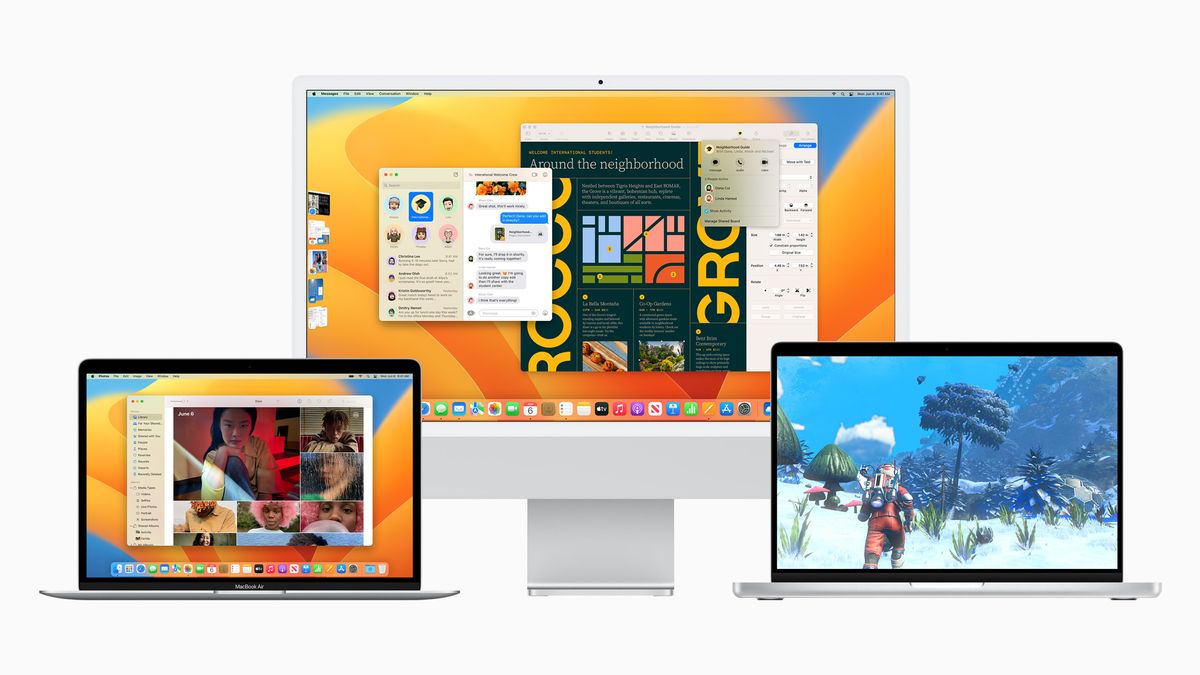
The time has come. You can now download the macOS 13 Ventura public beta on your Mac. It’s not an overly complicated process, but we’re here to walk you through it and if you need it, a place to get extra help.

Apple occasionally offers updates to iOS, iPadOS, watchOS, tvOS, and macOS as closed developer previews or public betas (opens in new tab). While the betas contain new features, they also contain pre-release bugs that can prevent the normal use of your iPhone, iPad, Apple Watch, Apple TV, or Mac, and are not intended for everyday use on a primary device. That’s why we strongly recommend staying away from developer previews unless you need them for software development, and using the public betas with caution. If you depend on your devices, wait for the final release.

What’s new in macOS 13 Ventura?

August 26, 2022: Apple releases the sixth public beta of macOS 13 Ventura

Apple has released the sixth macOS 13 Ventura beta for members of the public Beta Software Program. If you already have the macOS public beta installed, head to System Preferences > Software Updates and download away. If you’ve been waiting for macOS 13 Ventura to get started with macOS testing, now’s the time to grab it! It works on all the best Macs and others that support it.

August 26, 2022: Apple releases the fourth public beta of macOS 13 Ventura

Apple has released the fourth macOS 13 Ventura beta for members of the public Beta Software Program. If you already have the macOS public beta installed, head to System Preferences > Software Updates and download away. If you’ve been waiting for macOS 13 Ventura to get started with macOS testing, now’s the time to grab it! It works on all the best Macs and others that support it.

August 9, 2022: Apple releases the third public beta of macOS 13 Ventura

Apple has released the third macOS 13 Ventura beta for members of the public Beta Software Program. If you already have the macOS public beta installed, head to System Preferences > Software Updates and download away. If you’ve been waiting for macOS 13 Ventura to get started with macOS testing, now’s the time to grab it! It works on all the best Macs and others that support it.

July 28, 2022: Apple releases the second public beta of macOS 13 Ventura

Apple has released the second macOS 13 Ventura beta for members of the public Beta Software Program. If you already have the macOS public beta installed, head to System Preferences > Software Updates and download away. If you’ve been waiting for macOS 13 Ventura to get started with macOS testing, now’s the time to grab it! It works on all the best Macs and others that support it.

Apple has released the second macOS 13 Ventura beta for members of the public Beta Software Program. If you already have the macOS public beta installed, head to System Preferences > Software Updates and download away. If you’ve been waiting for macOS 13 Ventura to get started with macOS testing, now’s the time to grab it! It works on all the best Macs and others that support it.

July 11, 2022: Apple releases the first public beta of macOS 13 Ventura

Apple has released the first macOS 13 Ventura beta for members of the public Beta Software Program. If you already have the macOS public beta installed, head to System Preferences > Software Updates and download away. If you’ve been waiting for macOS 13 Ventura to get started with macOS testing, now’s the time to grab it! It works on all the best Macs and others that support it.

How to make a backup of your Mac

Before joining the public beta, you need to make a backup of your Mac. That way, if something goes wrong, or if you’re not happy and want to revert to macOS Monterey, you can go right back to where you started.

Even if you back up every night, you’ll want to make double, triple sure you’re covered. So make a manual backup now. Here’s how to do it with Time Machine. If you use something different or additional, like SuperDuper!, make sure you manually start a backup now.

  1. Click on the Time Machine icon in your Mac Menubar.
  2. Click on Backup now.

Let the backup finish before proceeding. 

Note: If you’re not averse to the Terminal, you can also make a bootable macOS Ventura installer as a way to jumpstart reversion, if needed.

How to register your account for the latest macOS public beta

If you’ve already joined a public beta for macOS in the past, you don’t need to register again for macOS 13 Ventura. Sign in with the same Apple ID. If you’ve never joined a public beta before, you’ll need to start by signing up with your Apple ID.

  1. Go to beta.apple.com (opens in new tab) in Safari on your Mac.
  2. Click on Sign up to get started. (If you’ve already signed up for a previous public beta, Click on Sign in and skip to “How to enroll your Mac” below.)
  3. Enter your Apple ID email address and password.
  4. Click Sign in.

Once you’re signed up and signed in, it’s time to start downloading.

How to enroll your Mac in the latest macOS public beta

Downloading the macOS 13 Ventura public beta is done through System Preferences in the Software Updates.

  1. Go to beta.apple.com (opens in new tab), if you’re not there already.
  2. Click on the macOS tab if it’s not highlighted already.
  3. Click the Download macOS Public Beta Access Utility button.
  4. Open the file from your Downloads window.
  5. Double-click the package to run the installer.

System Preferences will automatically open to the Software Updates section when the installer is finished downloading. Click Update to download and install the public beta software. After the software has been downloaded, your Mac will automatically restart.

If the latest public beta does not appear on the Updates list, restart your Mac. Then, open System Preferences and click the Software Updates pane.

The public beta update can take a long time to finish downloading, depending on the size. You can check the status in the Software Updates preference pane of System Preferences.

How to install the latest macOS public beta

The macOS public beta installer will automatically open when it’s downloaded. If it doesn’t, or if you prefer to do it later, you open Install macOS Public Beta at any time via Spotlight or Launchpad or from the Application folder in the Finder.

  1. Launch Install macOS Public Beta app if it’s not launched already.
  2. Click Continue at the bottom.
  3. If prompted to make a backup and you didn’t before, click Continue in the drop-down. If you just made a backup, click Cancel.
  4. Click Continue at the bottom once your backup completes or if you skipped it.
  5. Click Agree to accept the licensing terms.
  6. Click Agree again to confirm.
  7. Click on the drive you want to install onto (if you have multiple options, most people won’t.)
  8. Click Install.
  9. Enter your administrator password and click OK.
  10. Click Restart (if your Mac doesn’t restart automatically, or you don’t want to wait).

Once your Mac reboots, it’ll be running the macOS public beta. There’s a brief bit of setup you’ll need to go through, however, as the system will have changed enough that it’ll need your login to complete the update.

Once that’s done, you’ll be ready to rock macOS 13 Ventura.

How to update to a new version of the macOS public beta

To download updates of the macOS public beta from now on:

  1. Open System Preferences from your Dock or Applications folder.
  2. Click Software Update.
  3. Click Update Now if there is an update available for your Mac.
  4. Click the checkbox next to Automatically keep my Mac up to date if you want your Mac to download and install software updates in the future automatically.






Source link

ShareTweetSend
Previous Post

Kenya eyes Korea fund for export promotion

Next Post

Foreign prisoners, some facing execution, freed from east Ukraine jail

Related News

Understanding the Recent Apple Outage: Causes and Implications for Users
Mobile

Understanding the Recent Apple Outage: Causes and Implications for Users

November 18, 2026
Unlocking Potential: Exploring the FDE Model in Enterprise AI Solutions
Mobile

Unlocking Potential: Exploring the FDE Model in Enterprise AI Solutions

November 14, 2026
Unlocking the Scoop: Upcoming Sale Dates, Price Highlights, and Previous Bargains
Mobile

Unlocking the Scoop: Upcoming Sale Dates, Price Highlights, and Previous Bargains

November 14, 2026
Unlocking Website Security: The Marketbyte Edge in Open Source Solutions
Mobile

Unlocking Website Security: The Marketbyte Edge in Open Source Solutions

November 13, 2026
Next Post
Foreign prisoners, some facing execution, freed from east Ukraine jail

Foreign prisoners, some facing execution, freed from east Ukraine jail

Discussion about this post

Subscribe To Our Newsletters

    Customer Support


    1251 Wilcrest Drive
    Houston, Texas
    77042 USA
    Call-832.795.1420
    e-mail – news@theinsightpost.com

    Subscribe To Our Newsletters

      Categories

      • Africa
      • Africa-East
      • African Sports
      • American Sports
      • Arts
      • Asia
      • Australia
      • Business
      • Business Asia
      • Business- Africa
      • Canada
      • Defense
      • Education
      • Egypt
      • Energy
      • Entertainment
      • Europe
      • European Soccer
      • Finance
      • Germany
      • Ghana
      • Health
      • Insight
      • International
      • Investing
      • Japan
      • Latest Headlines
      • Life & Living
      • Markets
      • Mobile
      • Movies
      • New Zealand
      • Nigeria
      • Politics
      • Scholarships
      • Science
      • South Africa
      • South America
      • Sports
      • Tech
      • Travel
      • Travel-Africa
      • UK
      • USA
      • Weather
      • World
      No Result
      View All Result

      Recent News

      Stephen A. Smith Stands Firm in Defense of Trump Interview Amidst Fact-Check Criticism

      Stephen A. Smith Stands Firm in Defense of Trump Interview Amidst Fact-Check Criticism

      November 18, 2026
      Vintage Photo of Robert Pattinson and Daniel Craig Gains New Significance Amid Bond Casting Developments

      Vintage Photo of Robert Pattinson and Daniel Craig Gains New Significance Amid Bond Casting Developments

      November 18, 2026
      Top 7 Retirement Threats and Effective Strategies to Navigate Them

      Top 7 Retirement Threats and Effective Strategies to Navigate Them

      November 18, 2026
      Charting the Future: Unveiling the TEFCA 2026-2027 Workplan and Innovative Monthly Metrics

      Charting the Future: Unveiling the TEFCA 2026-2027 Workplan and Innovative Monthly Metrics

      November 18, 2026
      • Home
      • Advertise With Us
      • About Us
      • Corporate
      • Consumer Rewards
      • Forum
      • Privacy Policy
      • Social Trends

      Theinsightpost ©2026 | All Rights Reserved. Theinsightpost is an Elnegy LLC company, registered in Texas, USA

      Welcome Back!

      Login to your account below

      Forgotten Password?

      Retrieve your password

      Please enter your username or email address to reset your password.

      Log In

      Add New Playlist

      We are using cookies to give you the best experience on our website.

      You can find out more about which cookies we are using or switch them off in .

      No Result
      View All Result
      • Home
      • Insight
      • Blog
      • Business
      • Entertainment
      • Health
      • Politics
      • Shop
        • Gift Shop
        • Value Shop
        • Store
        • Bargain Shop
        • Discount
      • Sports
      • Tech
      • Travel
      • USA
      • Video
      • World
        • Asia
        • Africa
        • South America
        • North America
        • Europe
        • Oceania

      Theinsightpost ©2026 | All Rights Reserved. Theinsightpost is an Elnegy LLC company, registered in Texas, USA

      The Insight Post
      Powered by  GDPR Cookie Compliance
      Privacy Overview

      This website uses cookies so that we can provide you with the best user experience possible. Cookie information is stored in your browser and performs functions such as recognising you when you return to our website and helping our team to understand which sections of the website you find most interesting and useful.

      Strictly Necessary Cookies

      Strictly Necessary Cookie should be enabled at all times so that we can save your preferences for cookie settings.

      Cookie Policy

      More information about our Cookie Policy