








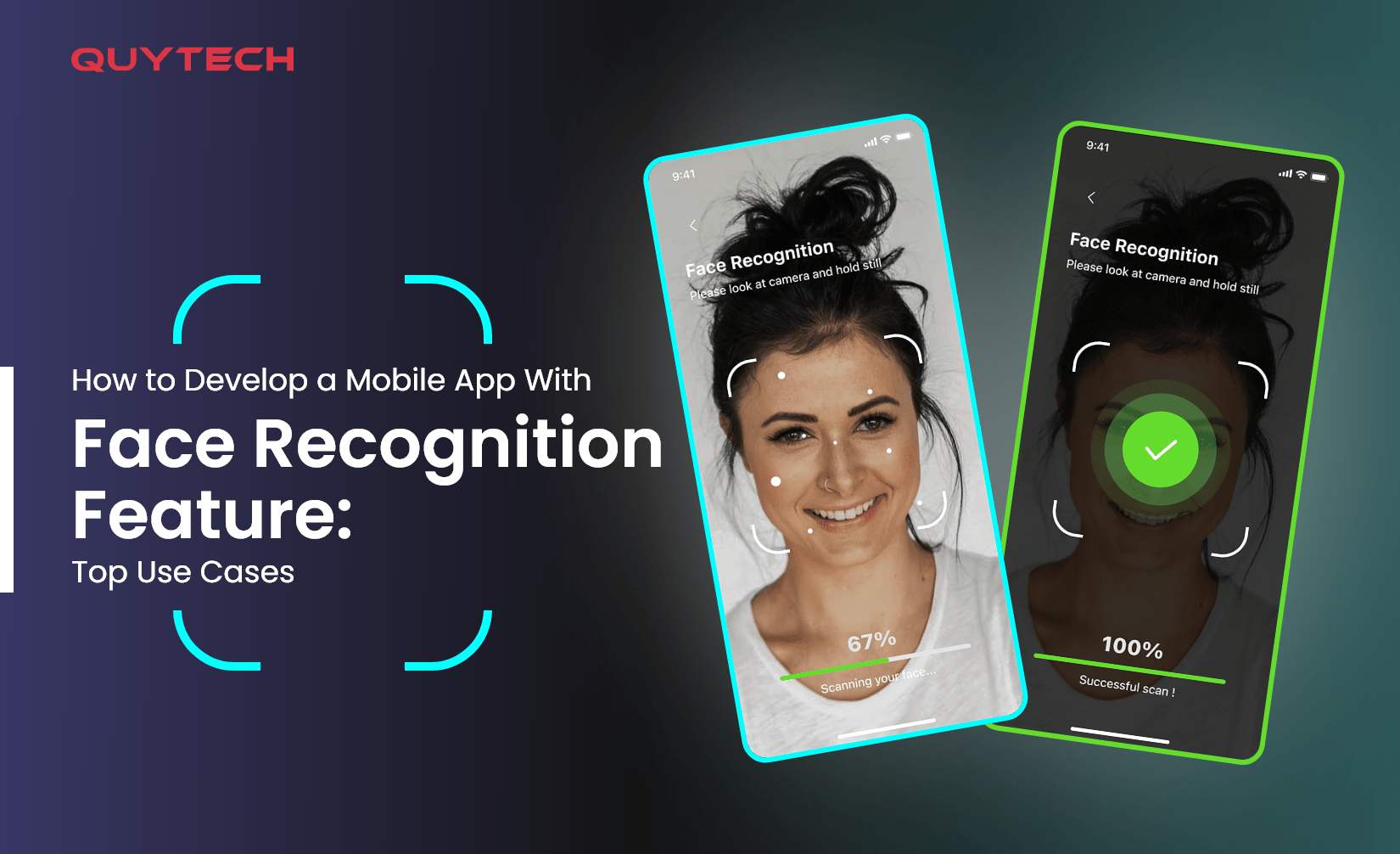
Facial Recognition feature, or FR, provides an additional layer of security, nearly impossible to crack, in mobile applications.
Unlike passwords or PINS, facial recognition in mobile apps scans face biometrics and compares them with stored data to determine identity. If it matches, access is granted; if not, access is denied.
Users like face recognition in mobile apps as it improves their user experience. Hence, businesses across various industries have started implementing it into their apps and software.
This is why the market size of facial recognition technology is growing exponentially and is estimated at $8.44 billion by 2030, growing at a CAGR of a whopping 9.34%, in the forecast period.
Source: Statista
By reading the title, you must know that today’s blog is about developing a mobile app with a face recognition feature. Also, we have explained the top use cases and benefits of building a mobile app with a FR feature.
So, without further ado, let’s start.
How Does Facial Recognition Work?
Before diving into the development of a mobile app with facial recognition features, it is crucial to understand the workings of FR technology.
The following points explain the detailed working of face recognition technology in mobile apps.
- First, a user needs to register the facial biometrics for the database in the mobile application. Usually, the mobile app asks for 4 to 5 pictures or video samples of the face to store them in the database.
- While accessing the mobile app, the front camera of the device captures the photo/video of the user, analyzes it, and compares it with the records stored in the database.
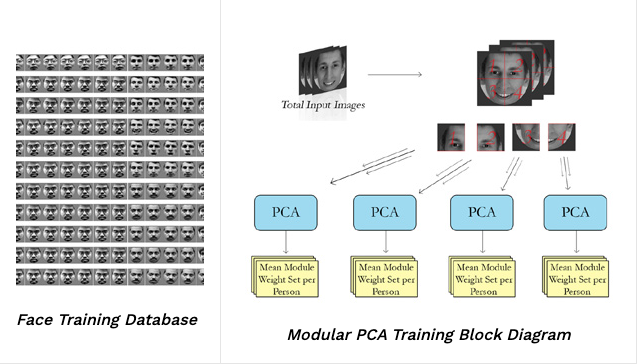
- The face recognition system is trained in advance leveraging the database, containing face images and videos. This allows the system to recognize faces in real-time.
- The training images stored in the database are input into the Modular PCA (Principle Component Analysis) training algorithms that calculate general feature vectors, such as the distance between the eyes, or the shape of the nose, of the user.
Source: University of Dayton
- The face recognition system in the mobile app uses the input image and compares it with images in the database. If the features of the face image/video match with the database image, access is given. If not, the access is denied.
- Moreover, the top AI developers train the algorithms to be a little lenient for image processing, allowing users to access the app, even if they have minor changes, such as aging, glasses, or facial hair, on their faces.
So, this is how face recognition features work in mobile apps. Now, let’s proceed and learn about developing a mobile app with a facial recognition feature.
Step-by-Step Guide to Develop A Mobile App With Face Recognition Technology
The following is the comprehensive guide to building a mobile app integrated with a face recognition feature.

Step1. Define Requirements
The first step for developing a mobile app loaded with face recognition features is determining the requirements.
You must determine the use of face recognition technology in your application. Will it be for authentication or identity verification?
Also, you must decide the target audience and other functionalities of the mobile app before starting the development.
Step2. Set Up Development Team
The next step is to set up the development team. Developing a mobile app with a facial recognition system requires a deep understanding of artificial intelligence, machine learning, computer vision, deep learning, mobile app development, and more.
Therefore, we recommend hiring dedicated developers to build your mobile app. Moreover, you can also outsource your project to the top mobile app development company in India to develop the app professionally.
Step3. Choose a Face Recognition SDK or API
To integrate the feature of face recognition in the mobile app, you will require face recognition SDK (software development kit) or API (application programming interface).
Thus, choose the ideal face recognition SDKs or APIs that perfectly align with your specific requirements.
Some popular face recognition APIs and SDKs are OpenCV, FaceSDK, Microsoft Azure Face API, and Amazon Rekognition.
Step4. Integrate the Chosen API/SDK
Once you choose the API/SDK, integrate it into the mobile app development environment.
Moreover, keep in mind to follow the provided documentation and guidelines to implement the essential codes for face recognition.
Step5. Train the System
Collect numerous facial images to train the face recognition system. It is crucial to include images having variations, such as different facial expressions, poses, and lighting conditions, to ensure the high accuracy of the system.
After you have the image, leverage them to train the face recognition system.
Depending on the API/SDK you have chosen, you might need to fine-tune pre-trained models, train custom models from scratch, or use transfer learning techniques, while training the face recognition systems.
Step6. Implement User Interface
Post-training face recognition models, design and implement the user interface for the face recognition feature within the mobile app. You must take care of user experience while designing the UI.
Also, the UI of the face recognition feature integration must align with the existing features of the mobile app, ensuring a successful app development.
Step7. Testing
After implementing the user interface, conduct thorough testing of the face recognition feature. Test it on various devices, such as tablets and smartphones, and platforms, such as Android and iOS, to ensure its functionality, accuracy, and reliability.
Step8. Deploy and Monitor
After the successful testing, deploy the mobile app with the face recognition feature on the app store, that is, Google Playstore and App Store.
Moreover, continuously monitor the app’s functioning, user feedback, and performance indicators, and update the app to keep it relevant for a long time.
Therefore, this is how you can develop a mobile app with a face recognition feature. Now, let’s explore how face recognition is used in different ways in mobile apps.
Top Use Cases of Face Recognition in Mobile Applications
The following are the top uses of face recognition in mobile apps developed for businesses in various industries.
- Authentication and Security
Face recognition feature in mobile apps allows users to log in to the app, by only showing their face to the front camera.
It provides convenience and more security compared to traditional methods of login, such as passwords and PINs.

- Access Control
Another use of face recognition feature in mobile apps is that it offers access controls for restricted areas, such as homes, offices, or secured facilities.
The face recognition feature allows access only to authorized individuals, reducing the chances of unauthorized access.
- Payment Authentication
The face recognition systems in finance mobile apps provide an additional layer of security within the app. It is used to authorize payments and transactions.
- Attendance Tracking
Mobile Apps with face recognition features are used to track attendance for events, classes, or meetings.
This eliminates the need for manual attendance tracking and ensures accurate attendance as adding a proxy attendance is impossible in face recognition.
- Identity Verification
Face recognition in mobile apps is also used to verify the identity of users for various purposes.
Popular examples are verifying age before providing access to age-restricted content and identity verification while creating an account in the mobile app.
- Social Networking
Face recognition in social networking apps enables users to identify and connect with friends or contacts via face recognition. This facilitates social interactions and networking within the app.
- Safety and Surveillance
Mobile apps with integrated face recognition models are leveraged for safety and surveillance purposes.
In fact, half of North America is using facial recognition surveillance currently.
It is used to identify intruders or potential threats in security camera feeds or public spaces and alerts the authorities if any suspicious person is detected.
- Emotion Detection
Mental health apps having face recognition features are used to detect and analyze users’ facial expressions and emotions.
This helps mental healthcare providers understand the cognitive state of patients.
- Augmented Reality
By integrating face recognition into augmented reality (AR) features of the mobile app, you can allow users to apply virtual effects, filters, or masks to their faces in real-time, during video calls or photo/video sharing.
- Customer Service
Face recognition in mobile apps also helps in enhancing customer service. The face recognition technology identifies customers and helps customer service executives provide tailored assistance and support to customers.
Therefore, these are the top use cases of face recognition in mobile apps in various industry verticals.
Develop a Secure and Scalable App With Face Recognition Technology!
Get a Consultation
Get in Touch
Benefits of Developing Face Recognition Integrated Mobile Apps
The benefits of building a mobile app with a face recognition feature are as follows:
- Enhanced Security
The major benefit of developing a mobile app with face recognition is that it adds an extra layer of security compared to methods like passwords or PINs.
It allows only authorized users to unlock and access the app, and prevent unauthorized access.
- Convenience
Face recognition in mobile apps provides convenience to users. Users can quickly and easily log in just by looking at their devices.
They don’t need to remember and input passwords or other credentials.
- Increased Efficiency
Face recognition in mobile apps automates various tasks and processes, such as attendance tracking, identity verification, and payment authorization.
This enhances the efficiency of business and reduces errors, benefitting both businesses and users.
- Saves Cost
Face recognition in mobile applications eliminates manual intervention in various processes, such as attendance tracking and identity verification, saving costs and other resources for a business.
- Competitive Advantage
Last but not least, offering face recognition in mobile apps gives businesses a competitive advantage by differentiating their app from competitors.
Face recognition technology also attracts users who are highly conscious of security, convenience, and personalization.
Hence, these are the benefits of developing a mobile app with face recognition features.
Popular Mobile Apps with Face Recognition Features
Below is the list of popular mobile apps that have in-built face recognition features.
- Snapchat
Snapchat is one of the most popular social media apps that have an in-built face recognition features. It allows users to put different filters and AR-based lay-ons by analyzing their face features.

- Zoom
Zoom is one the best online video conferencing apps used to host online meetings. It offers a face recognition-based virtual background feature for video conferencing, enhancing the user experience.

- Google Photos
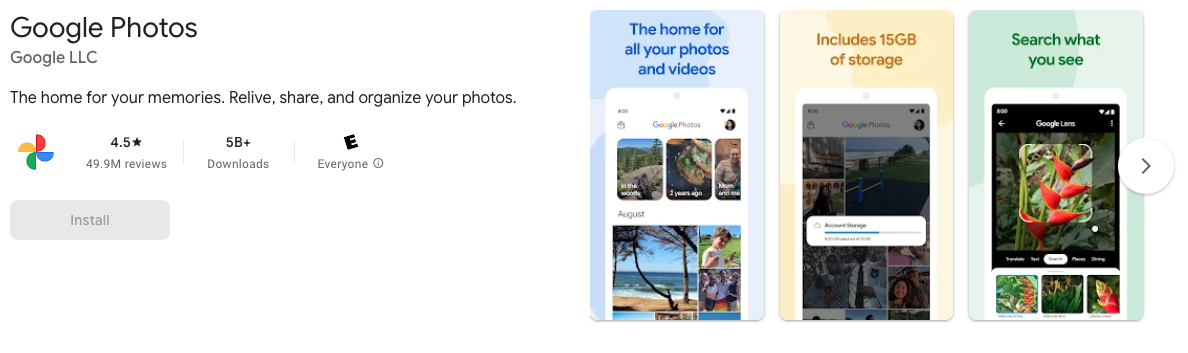
Google Photos is another popular app that has an in-built face recognition feature. It automatically organizes and tags photos using facial recognition technology for easy searching and sharing.
LinkedIn is another popular app used for finding jobs and making professional connections. The app uses face recognition technology for profile photo tagging and suggested connections.

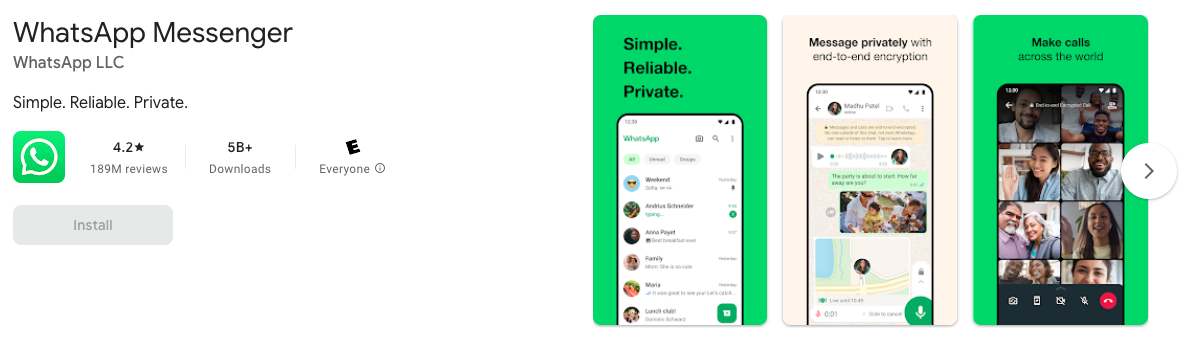
Whatsapp is an instant messaging app that has an in-built face recognition feature. Users can unlock the app on supported devices by just looking at the screen, thanks to face recognition technology.
Hence, these are the popular mobile apps that have face recognition features.
Get Develop Your Dream Application With Our Industry Experts!
Get a Consultation
Get in Touch
Concluding Thoughts
Face recognition is one of the best technology to integrate into a mobile app. It offers high security while accessing the app and providing convenience to the users. It eliminates the need for entering passwords or PINs to access applications.
Also, it automates various tasks, such as payment authorization, identity verification, attendance tracking, and more, benefiting businesses and startups.
Therefore, if you want to integrate face recognition into your app, or build a mobile app with a face recognition feature from scratch, reach out to team Quytech.
We are the top mobile app development company that empowers businesses and startups through cutting-edge technologies.
We develop mobile apps and software with high-end technologies, such as artificial intelligence, blockchain, AR/VR, and IoT, that help businesses increase sales, automate operations, and gain competitive advantage.
Visit www.quytech.com for more information.
Post Views: 8









Discussion about this post