
• Home
  • Insight
  • Blog
  • Business
  • Entertainment
  • Health
  • Politics
  • Shop
    • Gift Shop
    • Value Shop
    • Store
    • Bargain Shop
    • Discount
  • Sports
  • Tech
  • Travel
  • USA
  • Video
  • World
    • Asia
    • Africa
    • South America
    • North America
    • Europe
    • Oceania
Wednesday, October 7, 2026
No Result
View All Result
Subscribe Now
  • Home
  • Insight
  • Blog
  • Business
  • Entertainment
  • Health
  • Politics
  • Shop
    • Gift Shop
    • Value Shop
    • Store
    • Bargain Shop
    • Discount
  • Sports
  • Tech
  • Travel
  • USA

    Washington state man charged with helping Canadian mass shooter plan for attack

    Border Security, Public Safety, and American Sovereignty with Markwayne Mullin

    Students injured as NJ high school bleachers collapse in scary scene

    California man in incest case busted in Mexico; teen daughter rescued

    Cornell president calls gang rape allegations ‘deeply disturbing’ : NPR

    France’s violent student protests raise warning for America: ‘A cautionary tale’

    Birmingham’s WBHM Public Radio Station Forced to Use “Gulf of America”

    Eminem gets online backlash from fans over Kid Rock Christian album collab

    Trump leans into Iran war, admits it could cost Republicans the midterms

  • Video
  • World
    • Asia
    • Africa
    • South America
    • North America
    • Europe
    • Oceania
The Insight Post
  • Home
  • Insight
  • Blog
  • Business
  • Entertainment
  • Health
  • Politics
  • Shop
    • Gift Shop
    • Value Shop
    • Store
    • Bargain Shop
    • Discount
  • Sports
  • Tech
  • Travel
  • USA

    Washington state man charged with helping Canadian mass shooter plan for attack

    Border Security, Public Safety, and American Sovereignty with Markwayne Mullin

    Students injured as NJ high school bleachers collapse in scary scene

    California man in incest case busted in Mexico; teen daughter rescued

    Cornell president calls gang rape allegations ‘deeply disturbing’ : NPR

    France’s violent student protests raise warning for America: ‘A cautionary tale’

    Birmingham’s WBHM Public Radio Station Forced to Use “Gulf of America”

    Eminem gets online backlash from fans over Kid Rock Christian album collab

    Trump leans into Iran war, admits it could cost Republicans the midterms

  • Video
  • World
    • Asia
    • Africa
    • South America
    • North America
    • Europe
    • Oceania
No Result
View All Result
No Result
View All Result
Home Tech

Bluestacks X allows you to experience Android games on the big screen

by Theinsightpost
July 4, 2022
in Tech
0 0
0
Bluestacks X allows you to experience Android games on the big screen


The staple Android emulator for PC, Bluestacks, has been around for the better part of the last decade, allowing users to run Android apps and games on PC seamlessly.

I remember using it to run a modded Pokémon Go version (yeah I’m not proud of it, but catching and showing off Pokémon that weren’t available in my country was cool at the time), playing Flappy Birds on a big screen and even using WhatsApp for messaging when it wasn’t available as a web version.

Since then, I’ve been out of the Bluestacks loop and recently realized that the company launched a new free-to-use ‘Bluestacks X’ service with cloud gaming.

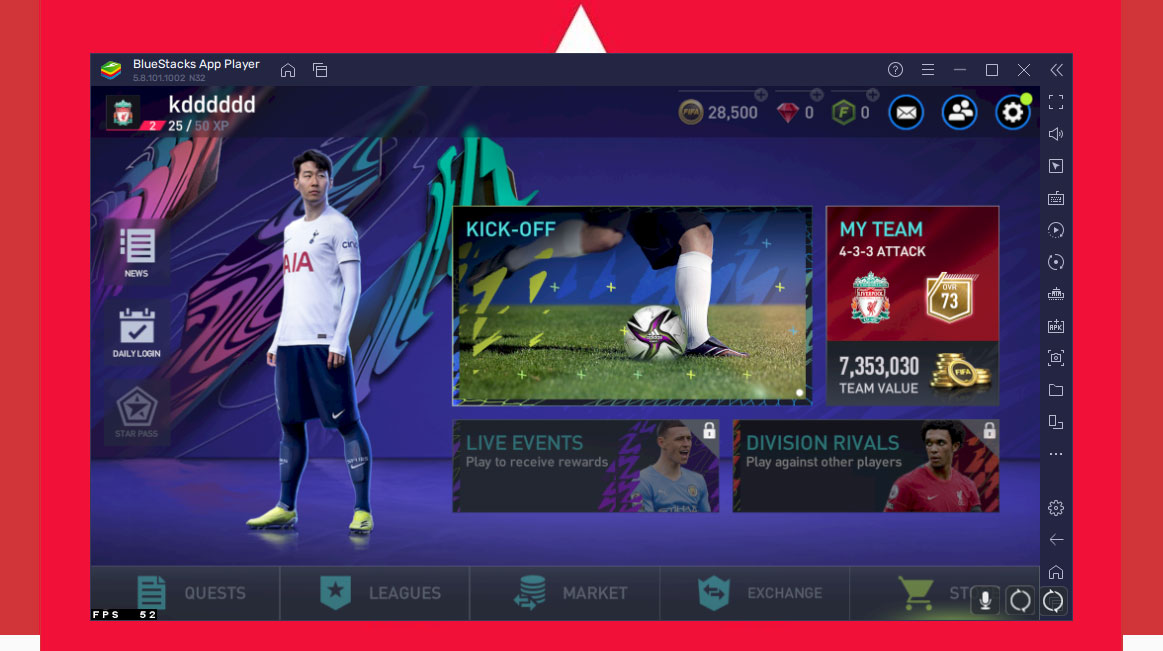
The emulator allows you to sign in to your Google Play account and virtually download any applications or games you like and run them on your PC. Additionally, since Bluestacks is an Android emulator that can run games via the cloud, it doesn’t require a beefy PC.

Bluestacks X is available on the web and as a downloadable emulator that lives on your PC. The former allows you to play titles on the cloud, without having to download any files or software on your PC, whereas the latter stores data on your machine, and doesn’t offer cloud gaming, while offering a larger selection of applications.

For the web version of Bluestacks X, the company partnered with now.gg and hosts the service on Amazon’s AWS Graviton servers. At the time of launch, the web Bluestacks X featured about 15 games, though that number has grown to over 60 titles, with new ones added every week.

Some of the games featured include Grand Mafia, Nova Empire: Space Commander, PUBG: Mobile, State of Survival, Guns of Glory and many more.

It’s worth noting that I initially thought the games would run the way I’m used to playing PC games, with a high resolution and a fast refresh rate, though I was quickly disappointed. This has less to do with Bluestacks and more to do with the games. Considering these are mobile titles, they only run on the maximum settings they’ve been designed for, which might feel smooth on a smartphone, but isn’t satisfying on a PC.
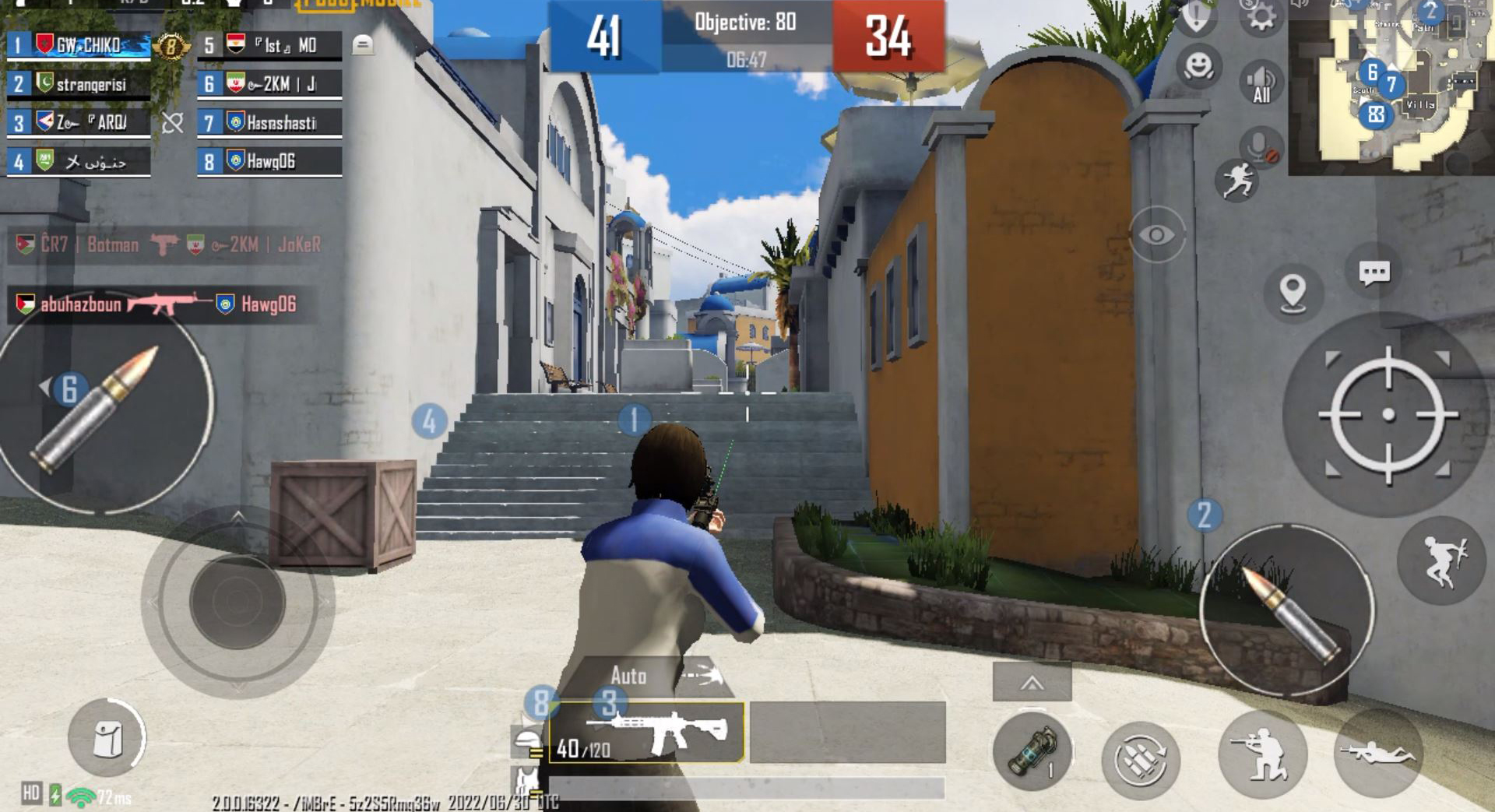
Regardless, if you’re an Android gamer and want to experience the games you play on a bigger screen with more range of controls (Bluestacks supports both keyboard & mouse and controllers), without having to download an application and save those games on your device, the Bluestacks X web service is worth trying. Oh, and it’s free to use.

On the other hand, if you’ve got space on your machine and aren’t particularly interested in cloud gaming, but still want to experience Android titles on the big screen, the Bluestacks X emulator is your go-to.

The emulator, unlike the web version of the application, doesn’t have any limitations when it comes to titles or applications. It features a built-in Google Play Store and can run all applications available on it, from Netflix, Instagram, Spotify, Pinterest, Duolingo and TikTok to EA’s FIFA Soccer, NBA 2K: Mobile, Call of Duty Mobile, Genshin Impact, Among Us, Final Fantasy VII and even Apex Legends Mobile.
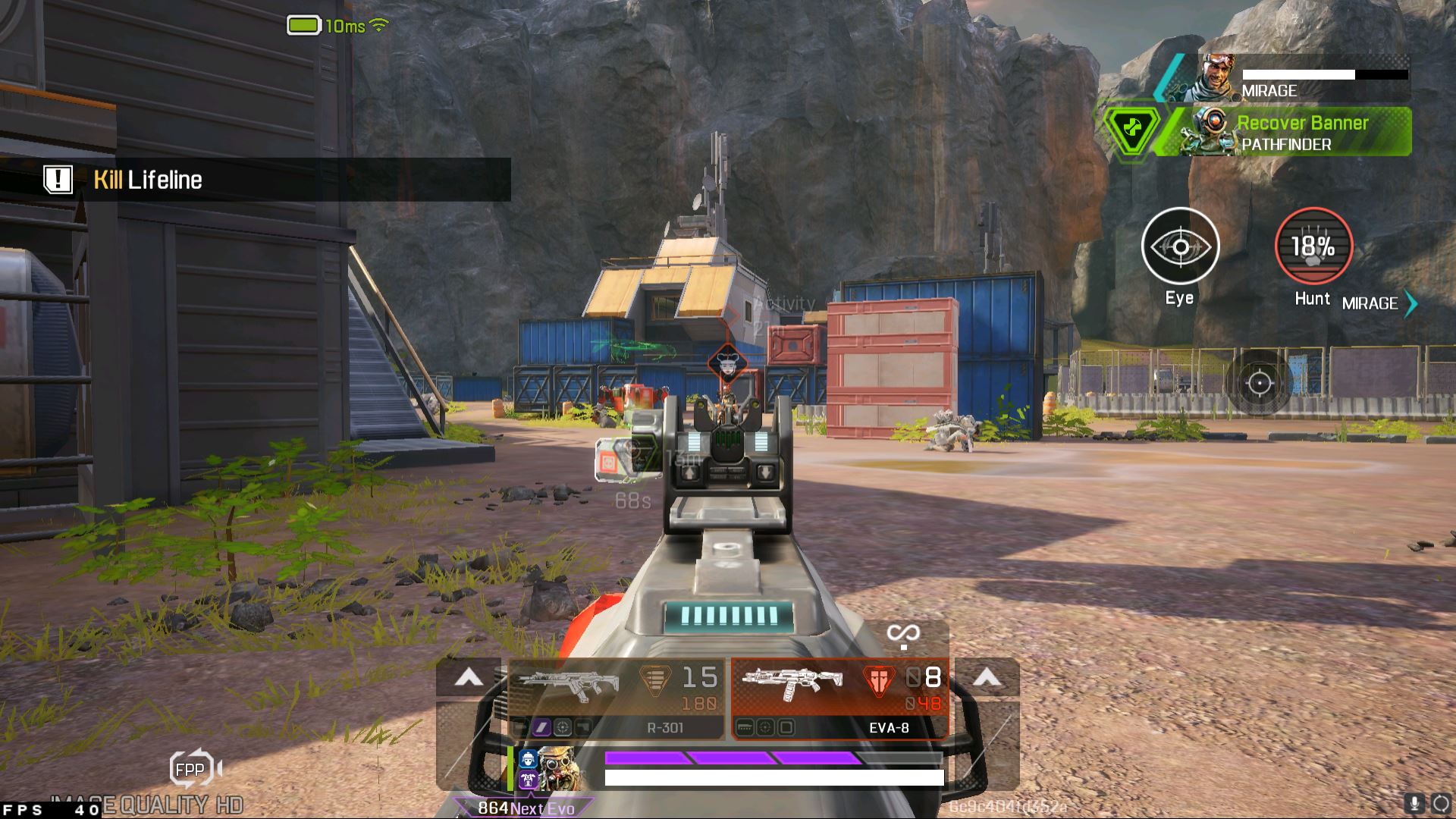
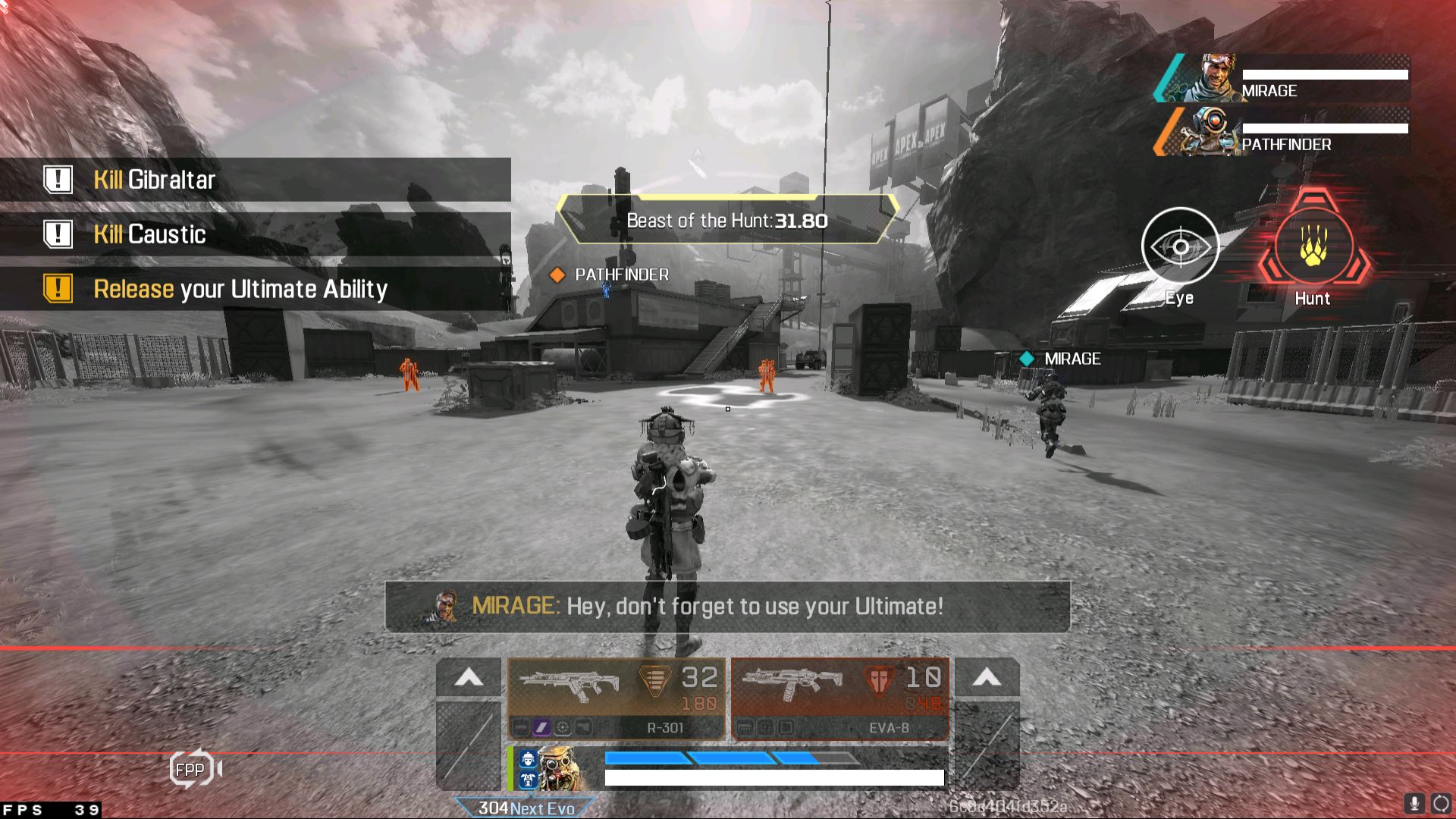
The emulator acts as an Android device, with a dedicated home screen with your downloaded applications available in one place.

The emulator also allows you to set up macros, clear memory, install APKs from third-party websites like APKMirror, take screenshots, change the orientation of the application (portrait and landscape), set shortcuts, and more.

Heading to settings allows you to set the maximum frame rate of the emulator and games, however, no matter how high you set it, the game will only run on the frame rate that it allows. Additionally, all audio, controller and performance-related setting can be adjusted depending on your machine.
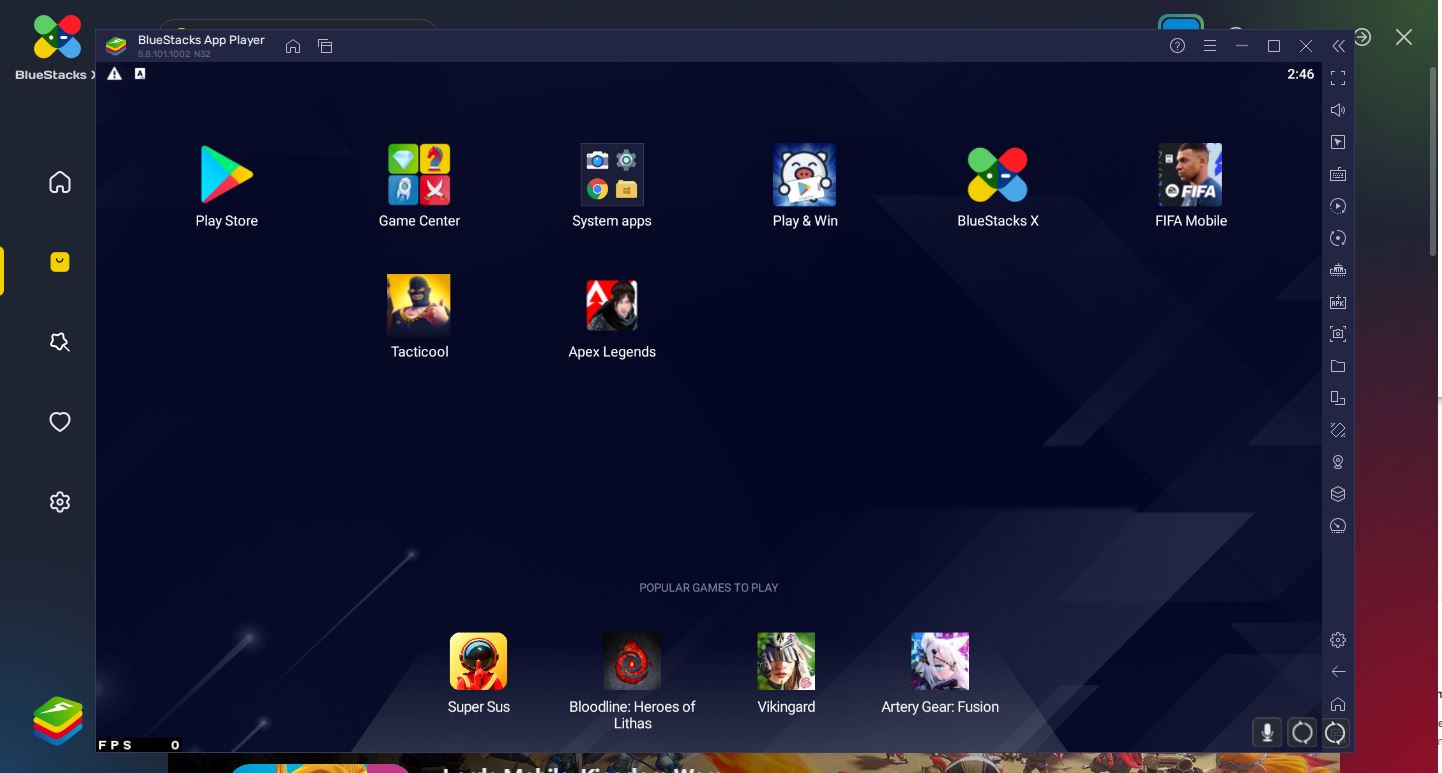
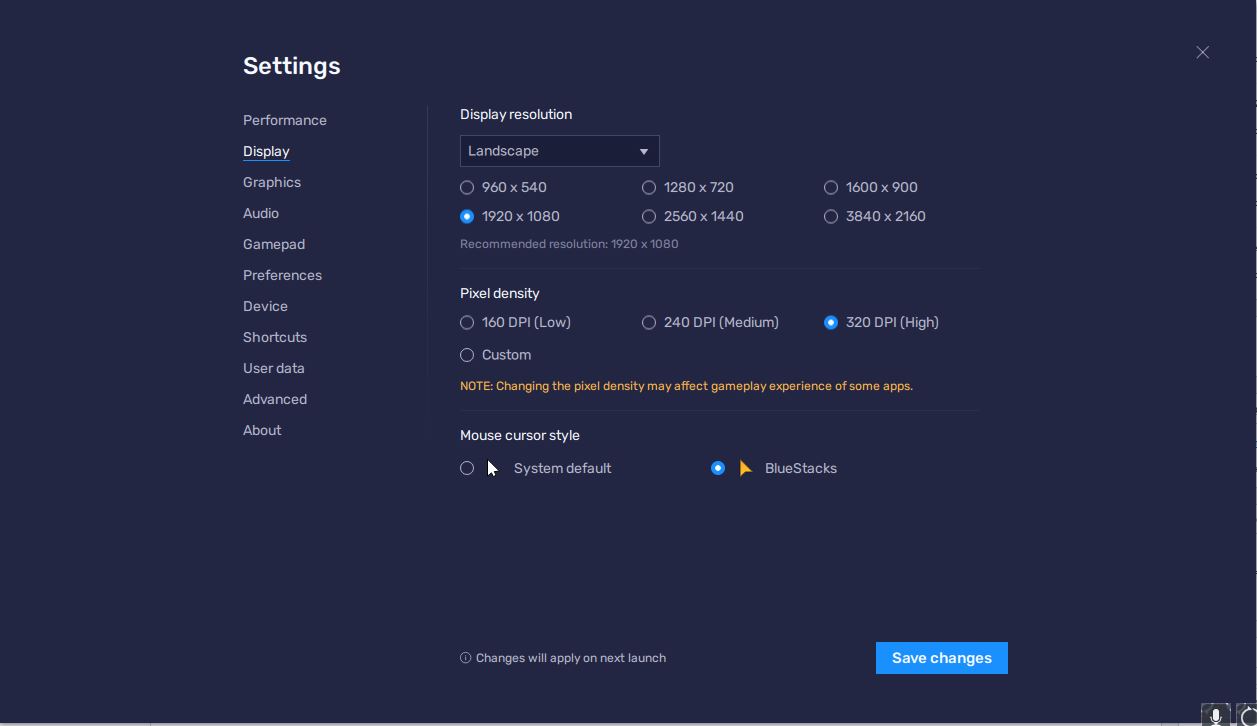
In my experience using the emulator the past week, I can say that this is a big upgrade from the old Bluestacks I know and used to love. The UI is way more polished and doesn’t freeze unnecessarily, like back in the day. The ability to custom-set resolutions and frame rate is a big addition. When you first launch the application and jump into a game, controls would feel all over the place, though they can easily be fixed to set as your regular PC gaming keybinds.

That being said, playing mobile games feel best when you’re playing it on a — you guessed it — mobile, but having the option to experience your favourite titles on the big screen is always a plus.

If you want to check out Bluestack X’s cloud gaming service, head here. If you want to download the Bluestacks Android emulator, head here. The service is available for both Windows and Mac users.


Source link

ShareTweetSend
Previous Post

Ukrainian soldiers describe eastern front

Next Post

Arsenal agree personal terms with Mikel Arteta’s top target with £45m deal done

Related News

Tech

You Probably Aren’t Going to Get the Plague

October 6, 2026
Tech

Sources: the FBI removes an Accenture contractor over a breach exposing thousands of employees’ data; the FBI says a contractor failed to apply a security patch (Reuters)

October 6, 2026
Tech

Amazon hires a veteran Microsoft AI leader to help build its tools for coding and work

October 5, 2026
Tech

Cleaning Windows: EcoVacs Winbot W3 Omni Review

October 5, 2026
Next Post
Arsenal agree personal terms with Mikel Arteta’s top target with £45m deal done

Arsenal agree personal terms with Mikel Arteta's top target with £45m deal done

Discussion about this post

Subscribe To Our Newsletters

    Customer Support


    1251 Wilcrest Drive
    Houston, Texas
    77042 USA
    Call-832.795.1420
    e-mail – news@theinsightpost.com

    Subscribe To Our Newsletters

      Categories

      • Africa
      • Africa-East
      • African Sports
      • American Sports
      • Arts
      • Asia
      • Australia
      • Business
      • Business Asia
      • Business- Africa
      • Canada
      • Defense
      • Education
      • Egypt
      • Energy
      • Entertainment
      • Europe
      • European Soccer
      • Finance
      • Germany
      • Ghana
      • Health
      • Insight
      • International
      • Investing
      • Japan
      • Latest Headlines
      • Life & Living
      • Markets
      • Mobile
      • Movies
      • New Zealand
      • Nigeria
      • Politics
      • Scholarships
      • Science
      • South Africa
      • South America
      • Sports
      • Tech
      • Travel
      • UK
      • USA
      • Weather
      • World
      No Result
      View All Result

      Recent News

      Lauren Ireland and Marianna Hewitt

      October 7, 2026

      The System Worked in the Cornell Seven Case

      October 7, 2026

      Residents of kibbutz destroyed in 7 October Hamas attacks grapple with how to rebuild

      October 7, 2026

      Zion Teasley pleads guilty to Lauren Heike murder

      October 7, 2026
      • Home
      • Advertise With Us
      • About Us
      • Corporate
      • Consumer Rewards
      • Forum
      • Privacy Policy
      • Social Trends

      Theinsightpost ©2026 | All Rights Reserved. Theinsightpost is an Elnegy LLC company, registered in Texas, USA

      Welcome Back!

      Login to your account below

      Forgotten Password?

      Retrieve your password

      Please enter your username or email address to reset your password.

      Log In

      Add New Playlist

      We are using cookies to give you the best experience on our website.

      You can find out more about which cookies we are using or switch them off in .

      No Result
      View All Result
      • Home
      • Insight
      • Blog
      • Business
      • Entertainment
      • Health
      • Politics
      • Shop
        • Gift Shop
        • Value Shop
        • Store
        • Bargain Shop
        • Discount
      • Sports
      • Tech
      • Travel
      • USA
      • Video
      • World
        • Asia
        • Africa
        • South America
        • North America
        • Europe
        • Oceania

      Theinsightpost ©2026 | All Rights Reserved. Theinsightpost is an Elnegy LLC company, registered in Texas, USA

      The Insight Post
      Powered by  GDPR Cookie Compliance
      Privacy Overview

      This website uses cookies so that we can provide you with the best user experience possible. Cookie information is stored in your browser and performs functions such as recognising you when you return to our website and helping our team to understand which sections of the website you find most interesting and useful.

      Strictly Necessary Cookies

      Strictly Necessary Cookie should be enabled at all times so that we can save your preferences for cookie settings.

      Cookie Policy

      More information about our Cookie Policy

      Clear examples do more than decorate an explanation: they show how an idea behaves under recognizable conditions. In education and software documentation alike, strong illustrations begin with a defined goal, then reveal the steps, assumptions, and result without unnecessary detail. A practical test example should state the input, expected output, and boundary condition, because these elements show whether a rule works beyond the simplest case. Including a contrasting case also helps readers distinguish a valid application from a tempting but incorrect one, while concise notes explain why the outcomes differ. When examples are updated with current data and checked against the underlying rule, they remain useful across classrooms, product guides, and professional training.