









This story is part of WWDC 2022, CNET’s complete coverage from and about Apple’s annual developers conference.
What’s happening
Apple will soon release iOS 16, the next major version of its Phone software, but users can test a public beta version before the official software comes out.
Why it matters
iOS 16 will roll out soon to iPhone 8 models and newer. It will include major updates like customized lock screens and the ability to edit and “unsend” iMessage texts.
What’s next
Apple will likely announce the official details on iOS 16 and its release at its “Far Out” event on Sept. 7.
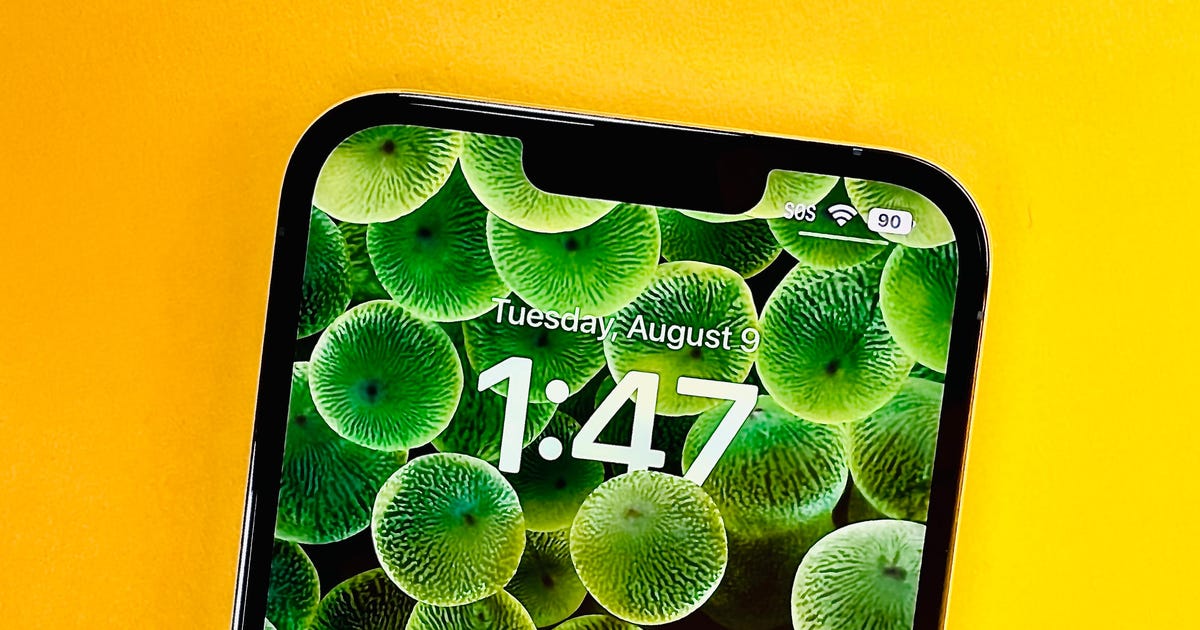
Ever since Apple’s announcement of iOS 16 — the software that powers its iPhone — at its WWDC keynote in June, the company has been releasing beta versions for developers and users to test. Apple’s sixth and latest public beta for iOS16 brings back a much-missed feature for some iPhone users — a percentage number within the battery symbol that shows your iPhone’s exact battery charge.
Along with the heavily rumored iPhone 14, iOS 16 will likely be rolled out to users with compatible iPhones shortly after the Apple “Far Out” event on Wednesday.
We don’t know everything that the final software will include, but the iOS beta indicates several upgrades focused on communication, personalization and privacy. Big changes are coming to the iPhone lock screen, Messages app and Wallet, but lesser-known features lurking in iOS 16 are worth checking out, too.
The new software will work on iPhone 8 models and newer. Here’s every iOS 16 feature you should know about.
Edit and ‘unsend’ messages
“Embarrassing typos are a thing of the past,” Apple SVP of Software Engineering Craig Federighi said as he introduced three of the most requested features for the Messages app.
First, in iOS 16 you’ll be able to edit sent messages. So if you notice a typo after a message, you’ll be able to edit the message after the fact. A tiny “edited” appears in the status under the message.
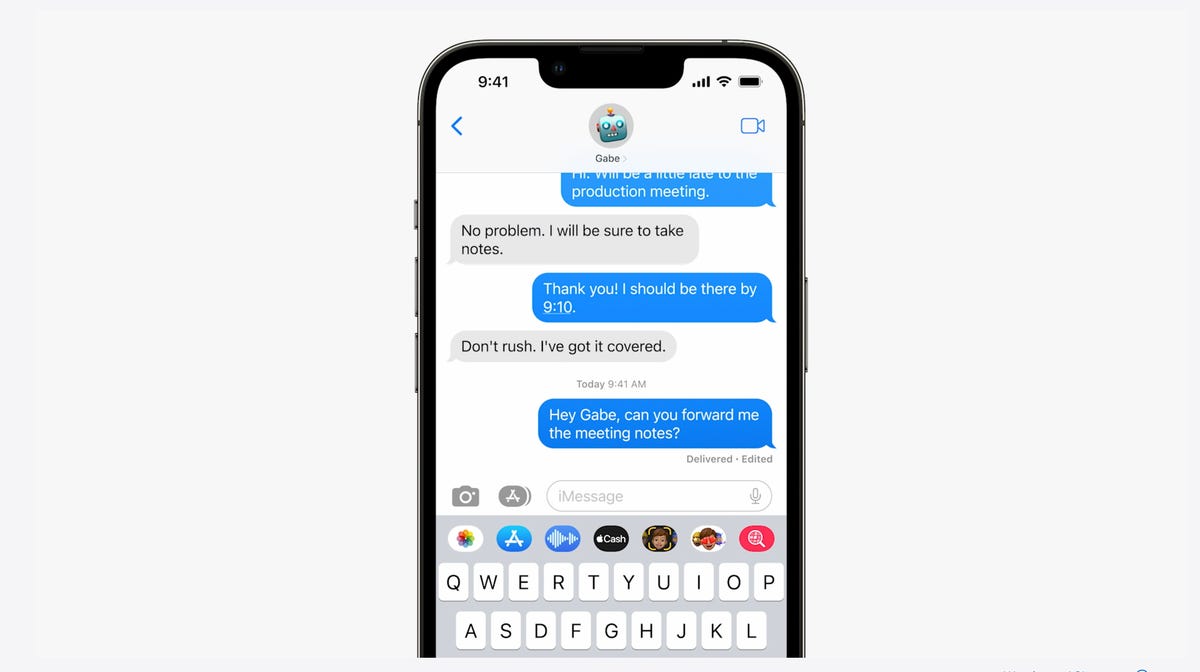
In Messages, you can edit previously sent messages.
Apple
Next, and this might be my favorite new feature, you can immediately recall a sent message. If you accidentally send an unfinished message, you can use the Undo Send tool to prevent it from being read and hopefully look less chaotic to your friends and family.
Last, you can mark messages and threads as unread. This could be an excellent tool for when you don’t have time to respond to a message in the moment, but want to make sure you come back to it later.
A new customizable lock screen
One of the things you look at the most on your iPhone is the lock screen, especially if you have a Face ID-equipped iPhone. iOS 16 brings the most substantial update to the iPhone’s lock screen yet. Press and hold to edit your lock screen. You can swipe to try out several different styles. Each style changes the color filter for the background photo and the font on the lock screen so everything complements each other. This feels a bit like Apple’s take on Google’s Material You, which launched with Android 12.
You can also customize the fonts for the time and date, and add lock screen widgets like temperature, activity rings and a calendar. The widgets are akin to complications on the Apple Watch lock screen.
Your iPhone will become more customizable in iOS 16. You’ll be able to choose how your lock screen looks, down to the font and color.
Apple
You can even set up multiple customized lock screens with different widgets and easily swipe to switch between them. There’s also a photo shuffle option that automatically changes the pictures on your lock screen.
One feature we hoped to see Apple add was an always-on display. It’s something nearly all Android phones have; even the Apple Watch does. There’s hope the iPhone 14 will have one.
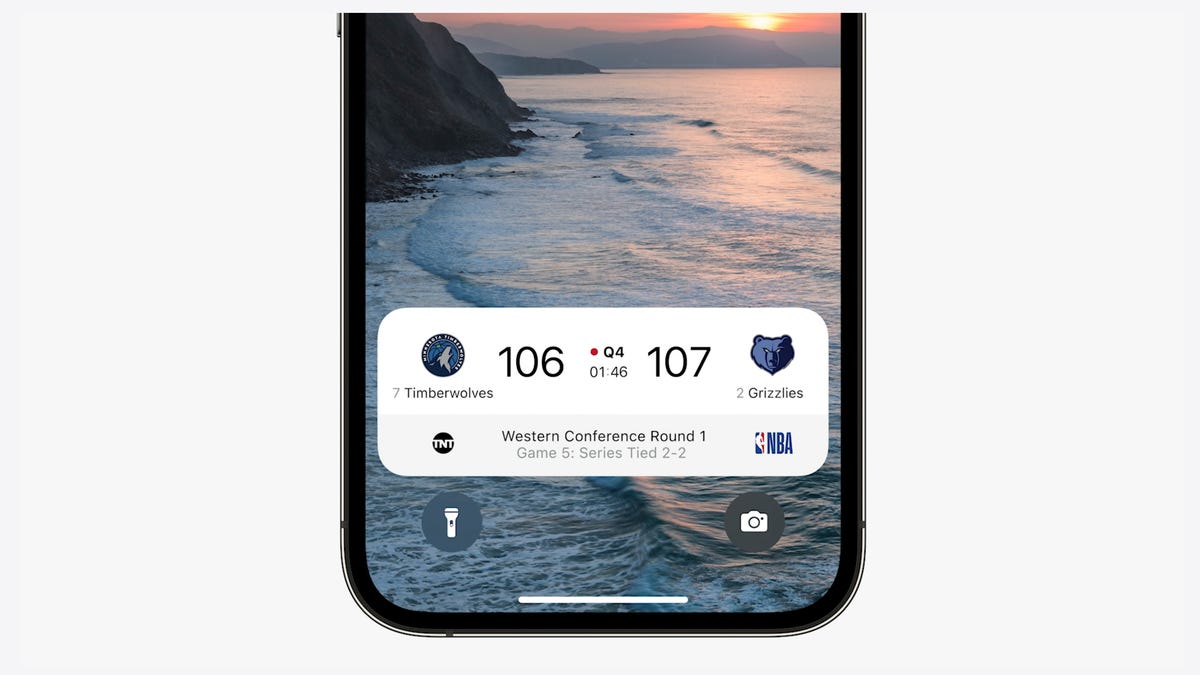
iOS 16 adds a feature that developers can use called Live Activities. This is essentially a mini view of the real-time progress of a workout, sporting event or Uber ride from your iPhone’s lock screen.
Apple
Notifications and live activities
Sometimes notifications can cover up your lock screen’s photo, so iOS 16 moves notifications to the bottom of your display. As you receive them, instead of being compiled into a list, they appear like a vertical carousel. This not only looks better but should be a big help for one-handed use of your iPhone.
iOS 16 also aims to solve another notification problem. Sometimes you get a bunch of notifications in a row from one app, like the score of a basketball game. A new tool for developers called Live Activities makes it easier to stay on top of things happening in real time from your lock screen, instead of getting a series of interruptions.
Live Activities should make it easier to follow sporting events, workouts or even the progress of an Uber ride.
Skip CAPTCHAs using Private Access Tokens
The CAPTCHA — which stands for Completely Automated Public Turing test to tell Computers and Humans Apart — has been a necessary evil across the internet. CAPTCHAs are designed to make sure that a person is accessing a website or service, and not a bot. I find them annoying, as they often involve reading strangely written letters or having to find all the images that have a truck. With iOS 16, Apple plans to start replacing these awkward interactions with Private Access Tokens.
According to a video on Apple’s website demonstrating Private Access Tokens, websites that support the token will essentially log in and authenticate that you are indeed a human without your having to play any of the usual CAPTCHA games. Apple says in the video that the company is working with other companies to roll out support for this feature, so we can’t say the CAPTCHA will be dead after iOS 16 rolls out to the public. But the concept could provide some relief if it gets adopted.
Wallet and Apple Pay Later
ID cards from more states will be available in your Wallet app along with more security and privacy features. In iOS 16 you can also protect your identity and age. So rather than showing your exact birth date, the Wallet app will display your ID and that you’re over 21.
iOS 16 makes sharing keys easier with apps like Mail and Messages. When your friend receives the key, they can add it to the Wallet app on their iPhone. Apple said it’s working to make sure that shared keys are an industry standard and free for others.
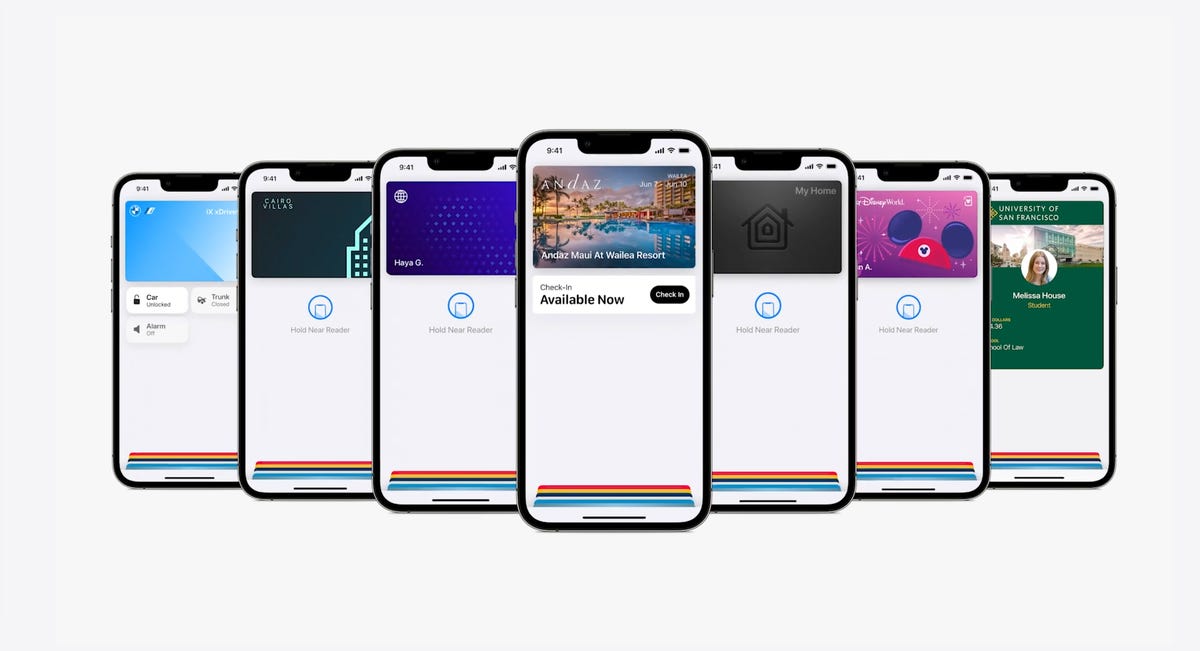
The Wallet app in iOS 16 gets a bunch of small but notable updates, including the Apple Pay Later payment plan.
Apple
Apple Pay will support new types of payments and adds a new feature called Apple Pay Later, a Klarna-like service that lets you split the cost of an Apple Pay purchase into four equal payments spread over six weeks, with zero interest and no fees. Upcoming payments are managed through the Wallet app, making it easy to keep track of dates and payments.
But Apple Pay doesn’t stop there. A new feature will also help you track Apple Pay orders and lets merchants deliver detailed receipts and tracking information. This should make it easier to stay up to date on the status of all your orders.
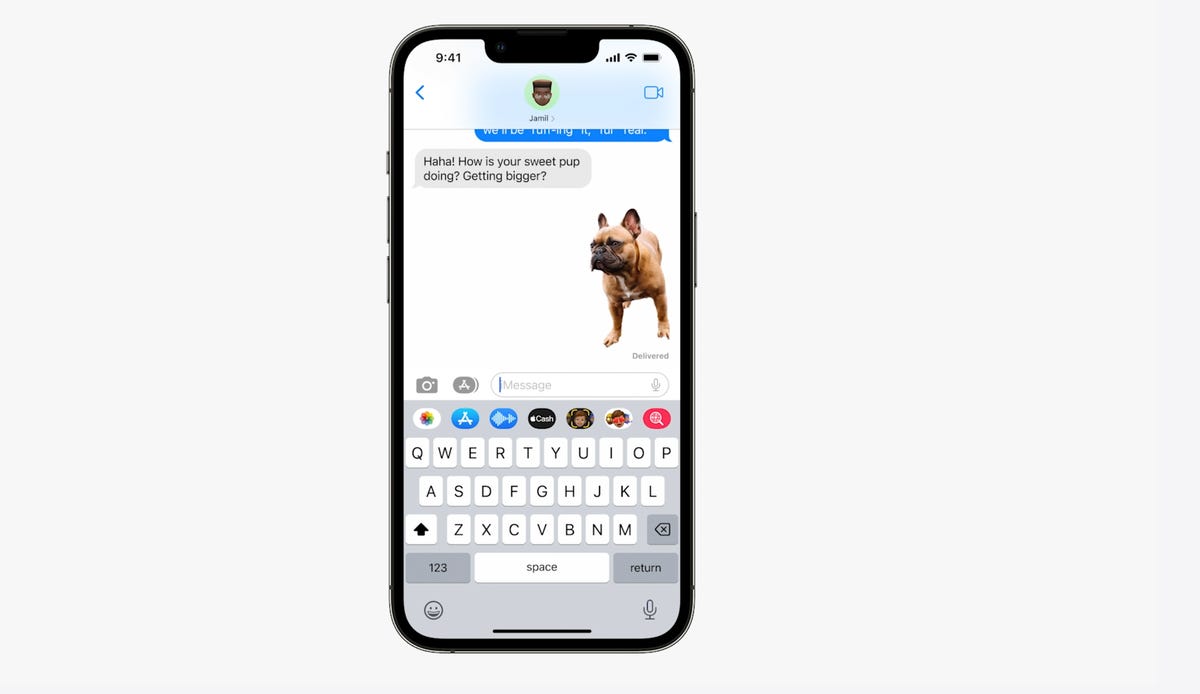
You can tap and hold on the subject of a photo and separate it from the background. Then you can drag it into another app like Messages to share it.
Apple
Visual Look Up’s tap and drag for photos
In iOS 15, Visual Look Up analyzes your photos and can identify objects like plants, landmarks and pets. iOS 16 takes this to the next level. When you touch a photo’s subject like the dog in the image above, you can lift it away from the background and add it to apps like Messages. Essentially it’s a tap-and-hold tool that removes a photo’s background.
Apple sometimes overuses the word “magic,” but this feature truly seems like it.

During the keynote for WWDC, Apple executive Craig Federighi introduces SharePlay for the Messages app.
Apple
SharePlay comes to Messages
SharePlay, which debuted in iOS 15, lets you have a shared experience while connecting with someone over FaceTime. You can watch TV shows, listen to music in sync and other things. iOS 16 adds the ability to discover more apps that support SharePlay from within FaceTime.
But perhaps one of the coolest things Apple did for SharePlay was to make it work within the Messages app. Apple said that this was one of the biggest requests from app developers. Now when you want to share a movie on Disney Plus, you can start SharePlay together with a friend while chatting in Messages.
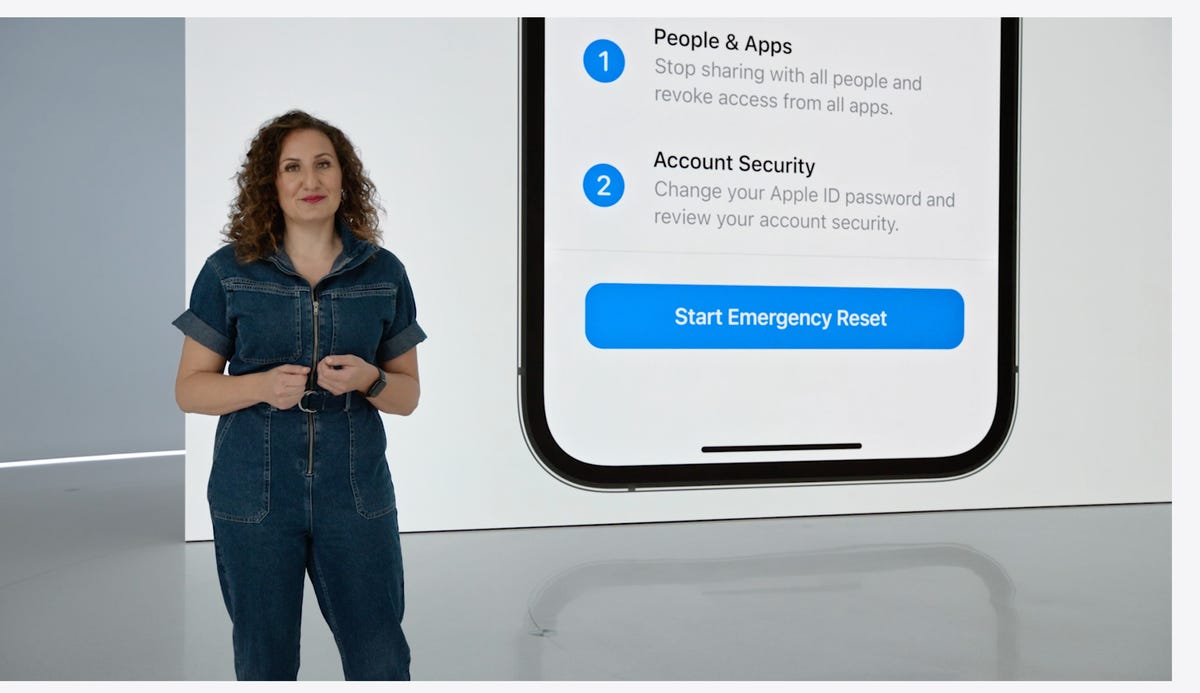
Safety Check lets you quickly reset location sharing and access to passwords. It’s intended to be helpful for people in abusive relationships.
Apple
Safety Check aims to help people in abusive relationships
Safety Check is a new feature intended to be helpful for people in abusive relationships. It lets you review and reset who has access to location information as well as passwords, messages and other apps on an iPhone.
Focus mode updates and Focus filters
Focus mode gets several updates. The first applies Focus behaviors to widgets and lock screen looks. So you could have one lock screen set for when your Work Focus is enabled and another for workouts.
Apple added specific Focus filters that apply your iPhone’s Focus mode within apps. For example, in Safari, you can limit what tabs are shown depending on what Focus mode you have active.
Apple Maps adds transit fare cards
Maps will get several updates. You’ll be able to plan trips with up to 15 different stops along the way. If you start planning a trip with the Maps app on your Mac, you’ll be able to share that to your iPhone.
And in something similar to what Google announced for Google Wallet in Android 13, you’ll be able to see transit fare estimates as well as add more money to a fare card from within Apple Maps.
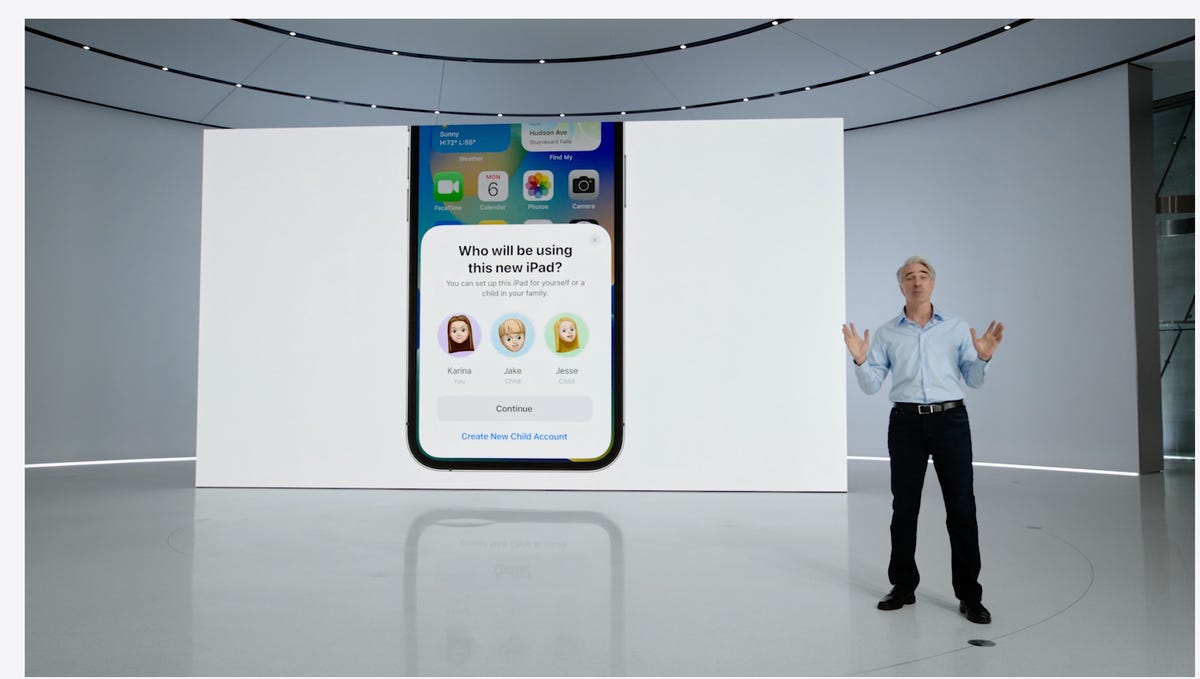
In iOS 16 you’ll be able to customize Quick Start with a specific child’s iCloud parental controls and settings.
Apple
iCloud family checklist
iCloud gets several new features. One of the more interesting ones is the option to quickly set up a new device for your child. When Quick Start appears, you have the option to pick a user for the new device and use all the existing parental controls you’ve previously selected and configured. However, this is not what many of us still want: the ability to set up separate users for the same device.
There’s a new family checklist with tips for updating settings for your kids as they get older, like a reminder to check location-sharing settings or share your iCloud Plus subscriptions.
For more, check out everything Apple announced at WWDC 2022.










Discussion about this post