









Google Unveils November Pixel Drop with Gemini Intelligence Enhancements
Google has commenced the rollout of its November Pixel Drop, a significant update that introduces Gemini Intelligence to the Pixel 10 lineup, with the exception of the Pixel 10a. This update features a suite of tools including Rambler, proactive suggestions, and multi-step task assistance for users of last year’s devices.
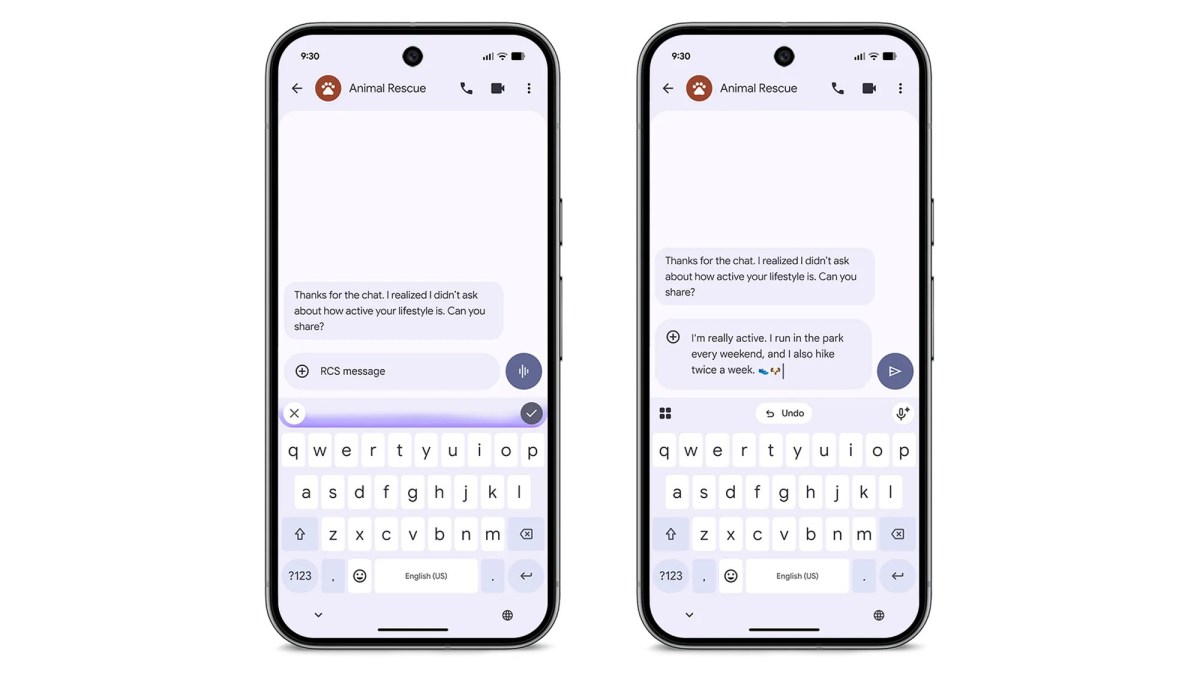
Among the standout features is Rambler, an advanced voice typing function in Gboard that eliminates filler words like “um,” streamlining corrections made mid-sentence while effortlessly switching between languages. Gemini’s capabilities extend to managing multi-step tasks as well, such as grocery ordering, ride-booking, takeout reordering, and making restaurant reservations—all while allowing users to monitor or terminate these tasks anytime. Additionally, proactive suggestions will enable Pixel users to share their estimated time of arrival (ETA) effortlessly upon request.
Custom Widgets and Enhanced Features
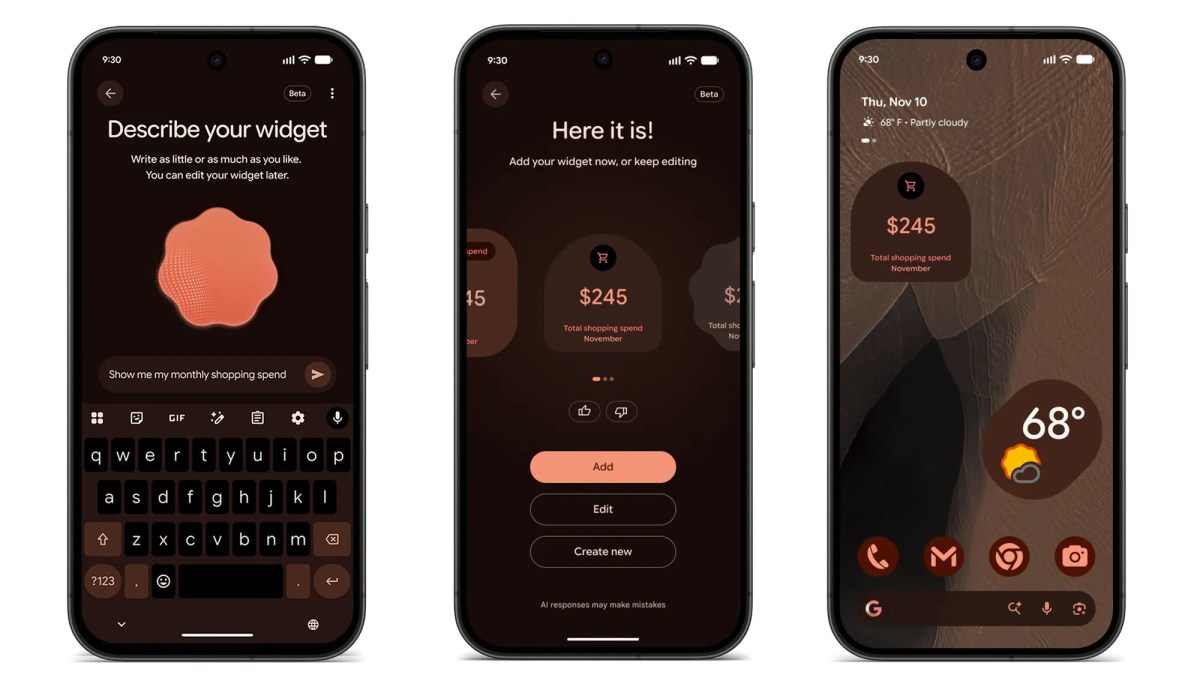
Users can now create personalized widgets, such as monthly spending trackers, game day displays featuring team colors, or countdowns for upcoming trips that automatically synchronize with flight and reservation details. The Pixel Watch 4 will soon receive proactive suggestions, while custom widgets are also on their way to both the Pixel Watch 4 and Pixel Watch 5.
Expanding Communication Features
Google continues to develop its initiative allowing Gemini to make routine phone calls on the user’s behalf. This feature is now accessible to all Gemini beta users with Pixel 10 and Pixel 11 devices. Users can employ this functionality to check a store’s inventory or rearrange appointments while following a live transcript and taking control at any moment. Additionally, the Call Screen feature on Pixel 11 devices in the US has been upgraded, allowing Gemini to pose questions to unknown callers in a more conversational tone until the user decides to respond or terminate the call.
Multilingual Notification Support and Enhanced Features
Notification summaries now support multiple languages including German, French, Spanish, Italian, Hindi, and Traditional Chinese. The Notification Organizer, designed to group and silence lower-priority notifications, now also performs in Japanese and German. Both features require a Pixel 9 or newer device, excluding Pixel 9a and Pixel 10a. Furthermore, Extreme Charging Mode, which halts background activities to accelerate charging, is now available for the Pixel 10 series, again excluding the 10a model.
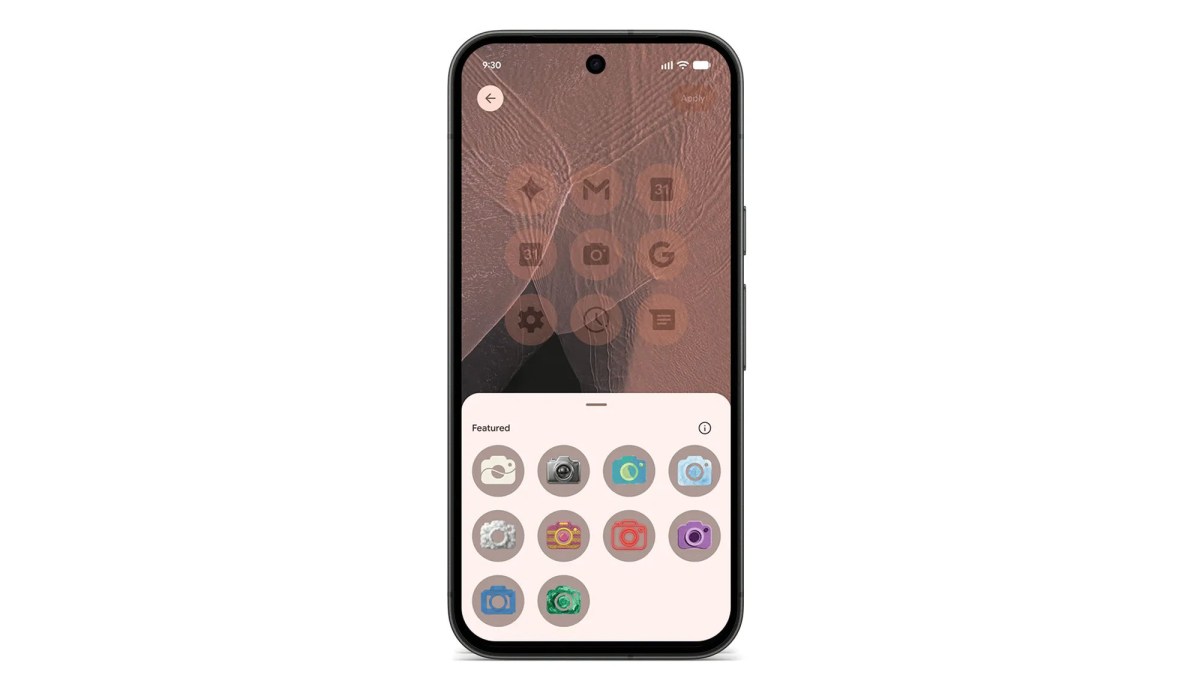
For Pixel 6a and later models, new custom icon styles are now available for home screen icons, and the Pixel search function can efficiently locate vacation photographs, recent emails, messages, calendar events, and settings. The Transit Mode feature has been updated to activate automatically when the device detects train travel, adjusting sound settings, turning on Bluetooth, and activating Motion Assist if required. The Calculator app now includes an “Ask math” feature for natural language step-by-step problem-solving and real-time currency conversions.
Location Sharing and Fitness Tracking
Users can now request and share real-time locations with their designated Pixel VIPs, view full addresses, and even check battery percentages through the VIP hub. A new Family Hub in the Settings menu consolidates location sharing, shared passwords, calendars, and subscriptions like Google One. On the fitness front, Pixel Watch 3 and newer models are set to receive step-by-step workout guidance with rep and weight logging. In the next few weeks, the Pixel Watch will automatically unlock when worn on the wrist, provided that the nearby phone is also unlocked.
Source 1 | Source 2




Discussion about this post