








• Home
  • Insight
  • Blog
  • Business
  • Entertainment
  • Health
  • Politics
  • Shop
    • Gift Shop
    • Value Shop
    • Store
    • Bargain Shop
    • Discount
  • Sports
  • Tech
  • Travel
  • USA
  • Video
  • World
    • Asia
    • Africa
    • South America
    • North America
    • Europe
    • Oceania
Friday, November 20, 2026
No Result
View All Result
Subscribe Now
  • Home
  • Insight
  • Blog
  • Business
  • Entertainment
  • Health
  • Politics
  • Shop
    • Gift Shop
    • Value Shop
    • Store
    • Bargain Shop
    • Discount
  • Sports
  • Tech
  • Travel
  • USA
    Texas Execution Prolonged As Staff Encounter Difficulties Finding Vein, Inmate Reinaldo Dennes Reports Pain

    Texas Execution Prolonged As Staff Encounter Difficulties Finding Vein, Inmate Reinaldo Dennes Reports Pain

    Trump’s Deal Turns Sour as Voters Withdraw Support

    Trump’s Deal Turns Sour as Voters Withdraw Support

    FAA Administrator Takes Responsibility as Mullin Faces Tough Questions Over Nationwide Ground Stop

    FAA Administrator Takes Responsibility as Mullin Faces Tough Questions Over Nationwide Ground Stop

    Mary Peltola Emerges Victorious in Alaska Senate Race, Making History for Democrats

    Mary Peltola Emerges Victorious in Alaska Senate Race, Making History for Democrats

    Stranded in Conflict: Palestinians Navigate the Tenuous Balance of War and Peace Amid Ceasefire Efforts

    Stranded in Conflict: Palestinians Navigate the Tenuous Balance of War and Peace Amid Ceasefire Efforts

    Trump Administration Revokes Pay Increase for Head Start Educators

    Trump Administration Revokes Pay Increase for Head Start Educators

    Unexpected Triumph: Gay Candidates Achieve Unforeseen Victories in Challenging Races

    Unexpected Triumph: Gay Candidates Achieve Unforeseen Victories in Challenging Races

    Microsoft Outlook Experiences Prolonged Outage Affecting Users Nationwide

    Microsoft Outlook Experiences Prolonged Outage Affecting Users Nationwide

    Gunfire Erupts in D.C.: Authorities Search for Suspect Amid Rising Concerns Over Public Safety

    Gunfire Erupts in D.C.: Authorities Search for Suspect Amid Rising Concerns Over Public Safety

  • Video
  • World
    • Asia
    • Africa
    • South America
    • North America
    • Europe
    • Oceania
The Insight Post
  • Home
  • Insight
  • Blog
  • Business
  • Entertainment
  • Health
  • Politics
  • Shop
    • Gift Shop
    • Value Shop
    • Store
    • Bargain Shop
    • Discount
  • Sports
  • Tech
  • Travel
  • USA
    Texas Execution Prolonged As Staff Encounter Difficulties Finding Vein, Inmate Reinaldo Dennes Reports Pain

    Texas Execution Prolonged As Staff Encounter Difficulties Finding Vein, Inmate Reinaldo Dennes Reports Pain

    Trump’s Deal Turns Sour as Voters Withdraw Support

    Trump’s Deal Turns Sour as Voters Withdraw Support

    FAA Administrator Takes Responsibility as Mullin Faces Tough Questions Over Nationwide Ground Stop

    FAA Administrator Takes Responsibility as Mullin Faces Tough Questions Over Nationwide Ground Stop

    Mary Peltola Emerges Victorious in Alaska Senate Race, Making History for Democrats

    Mary Peltola Emerges Victorious in Alaska Senate Race, Making History for Democrats

    Stranded in Conflict: Palestinians Navigate the Tenuous Balance of War and Peace Amid Ceasefire Efforts

    Stranded in Conflict: Palestinians Navigate the Tenuous Balance of War and Peace Amid Ceasefire Efforts

    Trump Administration Revokes Pay Increase for Head Start Educators

    Trump Administration Revokes Pay Increase for Head Start Educators

    Unexpected Triumph: Gay Candidates Achieve Unforeseen Victories in Challenging Races

    Unexpected Triumph: Gay Candidates Achieve Unforeseen Victories in Challenging Races

    Microsoft Outlook Experiences Prolonged Outage Affecting Users Nationwide

    Microsoft Outlook Experiences Prolonged Outage Affecting Users Nationwide

    Gunfire Erupts in D.C.: Authorities Search for Suspect Amid Rising Concerns Over Public Safety

    Gunfire Erupts in D.C.: Authorities Search for Suspect Amid Rising Concerns Over Public Safety

  • Video
  • World
    • Asia
    • Africa
    • South America
    • North America
    • Europe
    • Oceania
No Result
View All Result
No Result
View All Result
Home Mobile

Here are five features to protect your hearing with iPhone, iPad and more

by Theinsightpost
March 3, 2023
in Mobile
0 0
0
Here are five features to protect your hearing with iPhone, iPad and more


If you’ve ever been to a concert and worried that the music was too loud, or answering a call on your iPhone made your ears screech, you’re not alone. Apple is proud of its accessibility features across iOS, iPad OS, and Mac OS and there are many ways for you to protect your hearing on your Apple devices. 

World Hearing Day (opens in new tab) promotes awareness, prevention, and support for hearing loss, and with this in mind, iMore has decided to put together our top five picks to help you help your ears.

Using the Noise app on Apple Watch

Using the Noise app on your Apple Watch can help you be more aware of potentially harmful situations for your ears. The Noise app checks to make sure that your surroundings don’t exceed the recommended sound levels from the World Health Organization. 

How to enable Noise Threshold via Noise app on Apple Watch

(Image: © iMore)

  1. On your iPhone, open the Watch app
  2. Tap the My Watch tab, then tap Noise
  3. Tap Noise Threshold, then choose a decibel level

This feature is very useful if you go to a lot of concerts or spend a lot of time working in noisy environments. The Noise app on Apple Watch also syncs up with your Health app so you can keep on top of your ear health. 

Our Editor-in-Chief, Gerald Lynch, uses his Apple Watch on his daily commute for this exact purpose so that he’s aware when the decibel levels go above the recommended 70 dB over a 24-hour period or 85 dB over a 1-hour period.

Using Adaptive Transparency on AirPods Pro 2

AirPods Pro 2 on a mosaic table

(Image credit: Gerald Lynch / Future)

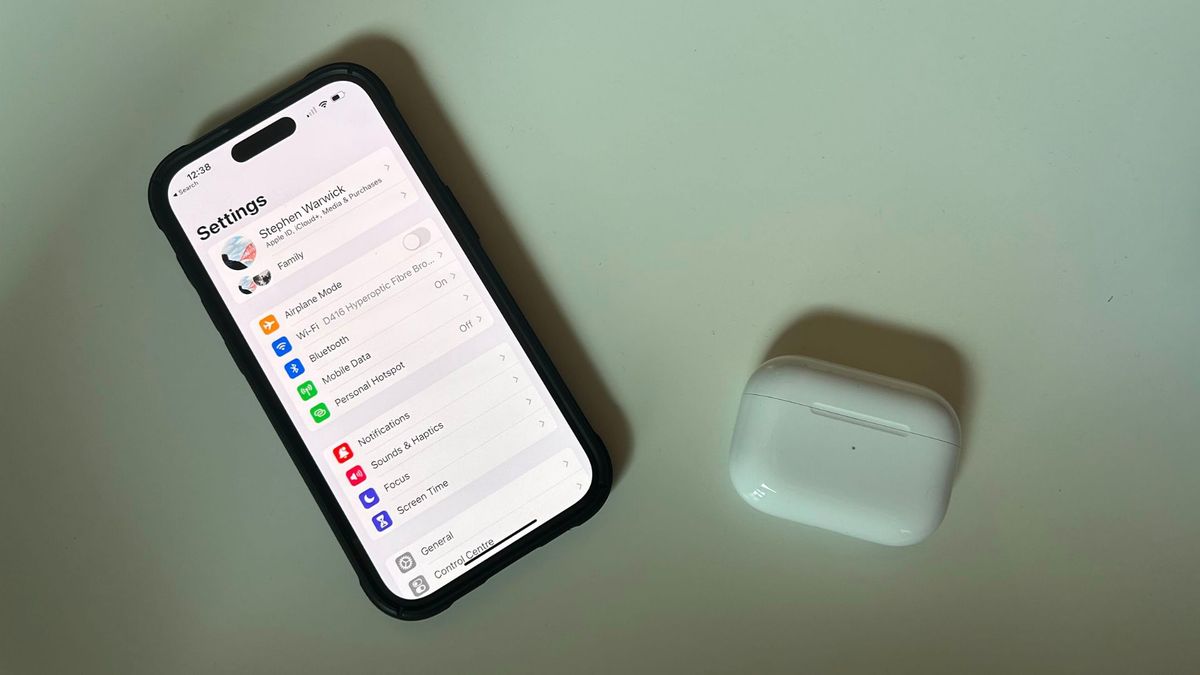
The Adaptive Transparency function on your AirPods Pro 2 is a pretty neat feature. I’ve never been a huge fan of noise cancellation so I use Transparency mode quite a lot. Adaptive Transparency makes your AirPods Pro dynamically reduce the volume in real-time when you’re surrounded by loud environmental noise, like walking past heavy construction on the sidewalk.

  1. Open Settings
  2. Tap your AirPods Pro 2 (they must be connected)
  3. Enable Adaptive Transparency

Adaptive Transparency is the perfect feature for those like me, who love being able to hear outside while listening to music. Give it a try!

Using Sound Recognition on iPhone

There’s an iPhone accessibility feature that you probably didn’t know existed called Sound Recognition. Sound Recognition listens for specific sounds and alerts you when your iPhone hears them.

This can be used to listen for fire alarms, doorbells, household appliances like your kettle, and even your cat’s meow or your dog’s bark. When your iPhone recognizes one of these noises you’ll receive a notification. The feature can be very useful if you’re struggling to hear things around your home or you work in your office and maybe miss package deliveries regularly.

  1. Open Settings
  2. Tap Accessibility followed by Sound Recognition
  3. Tap Sounds, then choose the sound you want your iPhone to listen for

I’ve got Sound Recognition set up for when someone knocks on my door for example, and it works surprisingly well.

Using MFi hearing aids on iPhone

hearing aid

(Image credit: Apple)

During my time working at Apple, I was always amazed at the technology in the hearing aids of customers who needed them. The technology used in third-party MFi hearing aids gives users a seamless experience between their iPhones and their ears, something that was unheard of a decade or two ago. If you currently use an MFi hearing aid and want to sync the device with your iPhone, here’s how.

  1. Open Settings, then select Bluetooth and toggle On
  2. Open the battery doors on your hearing device
  3. On your Apple device, go to Settings, Accessibility, Hearing, and select Hearing Devices
  4. Close the battery doors on your hearing device. Your Apple device will search for your hearing device
  5. Under MFi Hearing Devices, tap the name of your hearing device
  6. Tap Pair when you see the pairing request on the screen. If you have two hearing devices, you’ll get two requests. Pairing can take up to a minute
  7. If you see a checkmark next to your hearing device, you’re all set up!

All headphones – Reduce loud sounds

Any headphones connected to your Apple devices can be set up to protect you against listening to music too loud. If enabled, your device will alert you if you listen to loud noises for too long and automatically lower the volume the next time you connect your headphones. This is a great feature to not get any loud surprises next time you’re on the train.

Headphone safety also allows you to limit the max decibel output of your Apple device, you can do this by following these easy steps.

How to reduce loud sounds using headphones on iOS

AirPods Max with iPhone playing Apple Music

(Image: © Christine Romero-Chan)

  1. Open Settings
  2. Tap Sound & Haptics, then Headphone Safety
  3. Turn on Reduce Loud Sounds and drag the slider to the desired decibel level

Don’t take your hearing for granted

These features are here to help those that need them and those that don’t currently. Our hearing is essential to our daily lives, so whether you have the best iPhone, an iPhone 14 Pro, or an older device make sure to not take your hearing for granted.

I’ve enabled some of these features and they help me daily to remind myself not to overlook the harm of loud environments. If you only enable one, it’s the first step to having more awareness surrounding hearing health and the luckiness we have to not worry about it. 



Source link

ShareTweetSend
Previous Post

Google execs say in all-hands meeting Bard A.I. isn’t all for search

Next Post

year-long war spreads global fallout

Related News

Establishing Your Offshore Development Center in India: A Comprehensive Guide
Mobile

Establishing Your Offshore Development Center in India: A Comprehensive Guide

November 19, 2026
WhatsApp Set to Ditch iCloud and Google Drive Support – But Users Should Brace for Changes
Mobile

WhatsApp Set to Ditch iCloud and Google Drive Support – But Users Should Brace for Changes

November 19, 2026
Understanding the Recent Apple Outage: Causes and Implications for Users
Mobile

Understanding the Recent Apple Outage: Causes and Implications for Users

November 18, 2026
Unlocking Potential: Exploring the FDE Model in Enterprise AI Solutions
Mobile

Unlocking Potential: Exploring the FDE Model in Enterprise AI Solutions

November 14, 2026
Next Post
year-long war spreads global fallout

year-long war spreads global fallout

Discussion about this post

Subscribe To Our Newsletters

    Customer Support


    1251 Wilcrest Drive
    Houston, Texas
    77042 USA
    Call-832.795.1420
    e-mail – news@theinsightpost.com

    Subscribe To Our Newsletters

      Categories

      • Africa
      • Africa-East
      • African Sports
      • American Sports
      • Arts
      • Asia
      • Australia
      • Business
      • Business Asia
      • Business- Africa
      • Canada
      • Defense
      • Education
      • Egypt
      • Energy
      • Entertainment
      • Europe
      • European Soccer
      • Finance
      • Germany
      • Ghana
      • Health
      • Insight
      • International
      • Investing
      • Japan
      • Latest Headlines
      • Life & Living
      • Markets
      • Mobile
      • Movies
      • New Zealand
      • Nigeria
      • Politics
      • Scholarships
      • Science
      • South Africa
      • South America
      • Sports
      • Tech
      • Travel
      • Travel-Africa
      • UK
      • USA
      • Weather
      • World
      No Result
      View All Result

      Recent News

      High Costs of MRI Scans Leave Brain Tumour Patients in Limbo, Experts Warn of Alarming Underdiagnosis

      High Costs of MRI Scans Leave Brain Tumour Patients in Limbo, Experts Warn of Alarming Underdiagnosis

      November 20, 2026
      Liverpool’s Nyoni Declares Odegaard His Most Challenging Rival Yet

      Liverpool’s Nyoni Declares Odegaard His Most Challenging Rival Yet

      November 20, 2026
      Uber Launches Pilot Program for Safe Children’s Rides with Trusted Drivers

      Uber Launches Pilot Program for Safe Children’s Rides with Trusted Drivers

      November 20, 2026
      Bavuma Sets Sights on Expanding Test Captaincy Victory Streak in Upcoming England Series

      Bavuma Sets Sights on Expanding Test Captaincy Victory Streak in Upcoming England Series

      November 20, 2026
      • Home
      • Advertise With Us
      • About Us
      • Corporate
      • Consumer Rewards
      • Forum
      • Privacy Policy
      • Social Trends

      Theinsightpost ©2026 | All Rights Reserved. Theinsightpost is an Elnegy LLC company, registered in Texas, USA

      Welcome Back!

      Login to your account below

      Forgotten Password?

      Retrieve your password

      Please enter your username or email address to reset your password.

      Log In

      Add New Playlist

      We are using cookies to give you the best experience on our website.

      You can find out more about which cookies we are using or switch them off in .

      No Result
      View All Result
      • Home
      • Insight
      • Blog
      • Business
      • Entertainment
      • Health
      • Politics
      • Shop
        • Gift Shop
        • Value Shop
        • Store
        • Bargain Shop
        • Discount
      • Sports
      • Tech
      • Travel
      • USA
      • Video
      • World
        • Asia
        • Africa
        • South America
        • North America
        • Europe
        • Oceania

      Theinsightpost ©2026 | All Rights Reserved. Theinsightpost is an Elnegy LLC company, registered in Texas, USA

      The Insight Post
      Powered by  GDPR Cookie Compliance
      Privacy Overview

      This website uses cookies so that we can provide you with the best user experience possible. Cookie information is stored in your browser and performs functions such as recognising you when you return to our website and helping our team to understand which sections of the website you find most interesting and useful.

      Strictly Necessary Cookies

      Strictly Necessary Cookie should be enabled at all times so that we can save your preferences for cookie settings.

      Cookie Policy

      More information about our Cookie Policy