








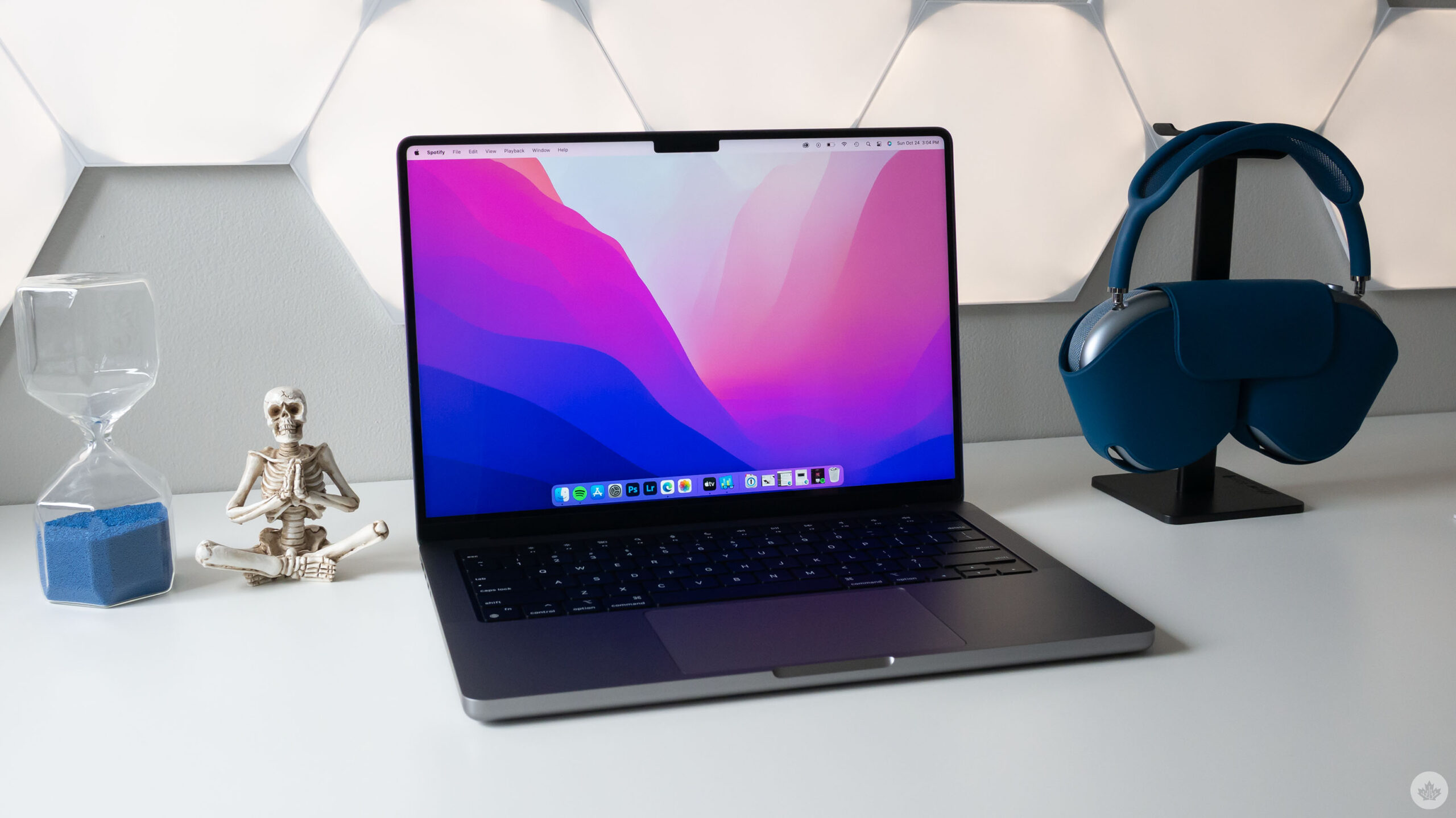
Why do you use a Mac? Is it for the aluminum build? For macOS? Or perhaps you bought it for security. There’s a common misconception that Macs don’t get viruses. This is technically true. Macs don’t get PC viruses. This belief stems from Apple’s “Get a Mac” campaign that aired from 2006 to 2009.
During these ads, the “Mac,” played by Justin Long, and the “PC,” played by John Hodgman, would act out vignettes where an Apple Mac is better than a Microsoft PC. In one of these ads, PC is sick with a computer virus and tells Mac to stay away. Mac replies, “PCs but not Macs.” To this day, this ad that’s over a decade old has perpetuated a belief that Macs don’t get viruses when in reality, Macs don’t get PC viruses.
But there’s more to the story than that.
Viruses vs. Malware
The term “virus” is actually a bit outdated. A virus is software that, when infecting a computer, replicates and maliciously harms it by corrupting system processes or deleting files.
Malware is the more modern term, standing for “Malicious Software.” Where a virus can only replicate on a system or through a user sharing the program, like through an email or flash drive, other types of malicious software can replicate over a network without user involvement or lock down a system until a ransom is paid. These are called worms and ransomware, respectively.
There’s also adware that puts unwanted ads on your computer and spyware that monitors inputs like your microphone, webcam, or keyboard strokes. Malware is the encompassing term for all these different types of malicious programs. Remember this: while all viruses are malware, not all malware are viruses. For the rest of this article, the term “malware” will include viruses and other malicious software.
Similar to regular software like Zoom and Google Chrome, there are operating system-specific versions for Mac, Windows, Linux, iOS and Android. Malware is no exception. So, going back to those “Get a Mac” ads — they weren’t lying. Macs don’t get PC viruses.
However, they can — and do — get Mac viruses.
What is anti-virus software?
The virus was the first malicious program ever thought of as early as 1949. However, the first mainstream virus was programmed in the early 1970s. Over time, virus became the widely used term for all malware, even though it’s not technically correct. So, we have anti-virus software that should be called anti-malware software, as this software today tackles a broader range of digital threats now than back in the 1970s.

Perhaps the best way to understand it is that anti-malware software is what you’re really buying, even though it’s often branded as anti-virus software. As the name suggests, you install anti-virus or anti-malware software on your computer to detect, alert and remediate malware. Some common examples may be MacAfee, Norton, Avast, Malwarebytes and Bitdefender.
How does macOS protect me?
Without a doubt, macOS is a very secure operating system. Apple builds its products with security in mind. Previously, I’ve shared 15 tips on securing your Mac, and Apple even has a detailed guide on its platform security, including a specific section on protecting against malware. There’s a lot that goes into making sure that macOS is a secure operating system. However, for the sake of this article, we’re focused on how macOS prevents malware.
The first layer of defence is how apps are developed, signed, and install on macOS. Ideally, Apple wants like your apps to come from the Mac App Store. This has a few benefits. One, Apple scans every app submitted for malware and App Store guideline violations. Apple can also manually review submitted apps if needed. Two, apps submitted to the App Store need to be “sandboxed,” meaning that an app is isolated to a small dedicated environment and can only access a limited number of select system resources. The idea behind sandboxing is to prevent malware from spreading to the rest of the operating system.
While sandboxing is the only option on iOS and is a requirement for being listed on the Mac App Store, many of our favourite apps can’t use sandboxing to deliver their features and, therefore, cannot be listed on the Mac App Store. To help users know when they’re downloading a trusted piece of software, Apple introduced Notarization. Notarization is an automated process in which a developer submits their app to Apple to be scanned for known malware and then “signed” as approved by Apple for being malware-free and, therefore, a trusted application.
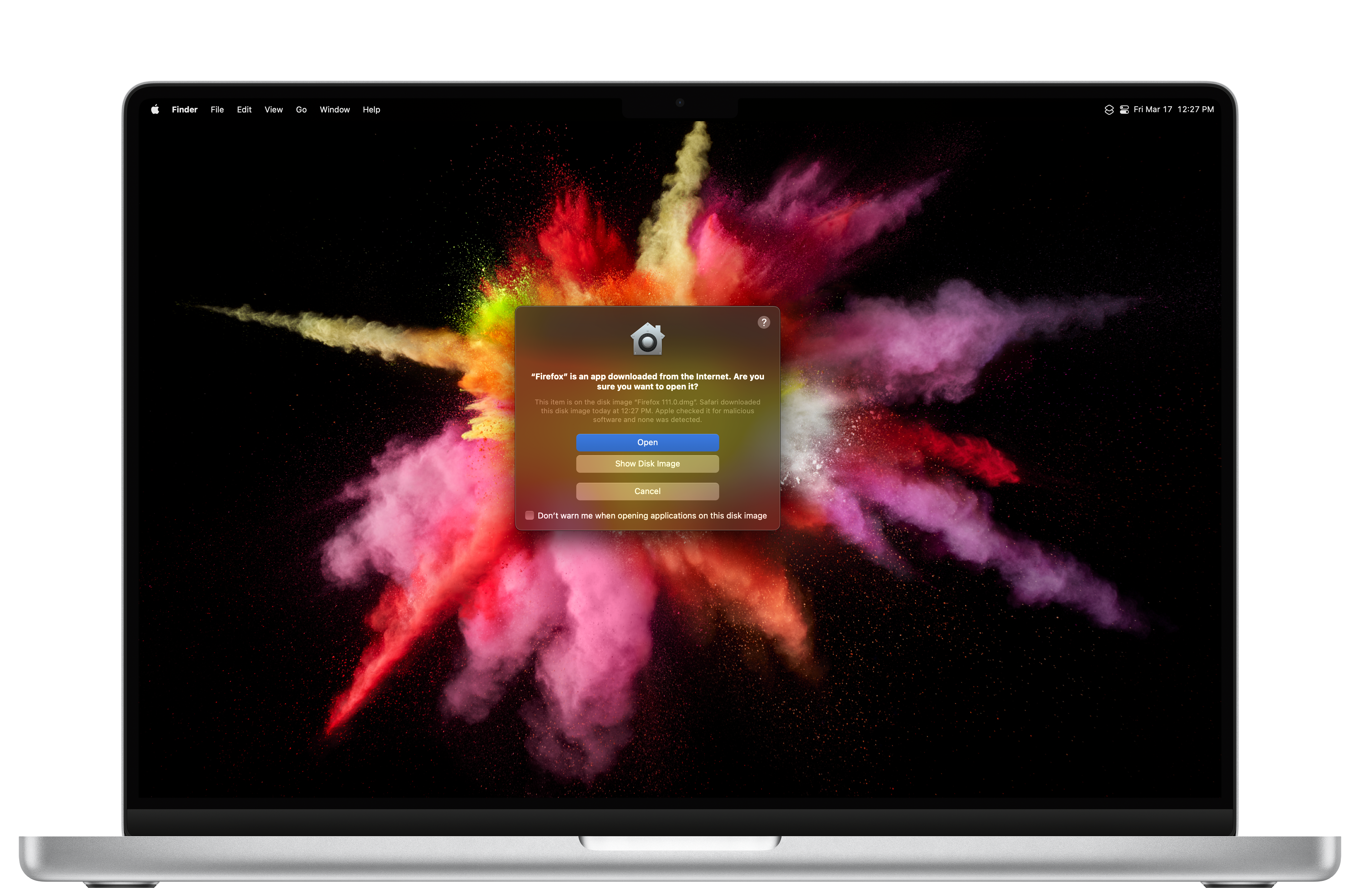
Gatekeeper is the macOS process that prevents any random app from launching. Essentially. Gatekeeper checks every app to see if it came from the Mac App Store, was notarized by Apple, or came from an unidentified developer. Depending on your Mac’s settings, you may need to go to System Settings > Privacy & Security and scroll down to Security to select “App Store and identified developers.” Selecting this setting tells macOS to trust notarized apps. Otherwise, only App Store apps can launch. Apps without Notarization will be blocked unless you navigate to System Settings > Privacy & Security and specifically approve the unidentified app. Apps without Notarization aren’t inherently malicious, but Notarization does offer an easy way to ensure an app is malware free.
XProtect is Apple’s built-in anti-virus program, similar to Windows Defender for Windows 10 users and above. XProtect scans for known malware signatures whenever an app is launched, changed, or has its Notarization signature updated. When XProtect detects malware, it remediates it by quarantining and removing it from the system. XProtect is updated automatically and is entirely invisible to the user. While XProtect is the ideal tool for most, it’s not perfect. This is why some individuals and organizations look for more powerful anti-malware applications.
Lastly, there are app privacy permissions. These are the pop-ups you get whenever an app wants access to your microphone, camera, or location, among many other things. While these prompts can be annoying at times, they offer a solid defence against apps that might want access to critical system resources that they shouldn’t have. For example, while an app may wish to access your location or Bluetooth, it’s helpful to really think if that app actually needs access to the requested service. I also recommend reviewing your privacy permissions semi-regularly (System Settings > Privacy & Security) to protect your privacy and Mac from potential vulnerabilities.
What should I watch out for when considering anti-malware software?
The first significant thing you must remember is that every piece of software you install can expose your Mac to new vulnerabilities. For example, Zoom has had numerous bugs in the past, and because of its robust permission requirements like screen sharing, microphone, and camera, those vulnerabilities were massively risky. Yet, anyone without zoom installed didn’t have to worry about the potential risks Zoom posed.
Anti-malware software is the same way. The nature of the software requires extensive access to your data. After all, it needs to scan every file for potential threats. Picking an anti-malware tool you can trust is imperative because if that app has a bug itself, your data and security could be at greater risk than if you never installed the program in the first place. For that reason, most free anti-malware tools should be off the table. This isn’t the case for all, but certainly most. I know, spending money sucks, but supporting developers for their outstanding work is awesome.
The worst anti-malware software for Mac are the ones simply ported over from Windows with little thought or care. This means every malware scan not only checks for Mac malware but also uses system resources to run against a windows database.
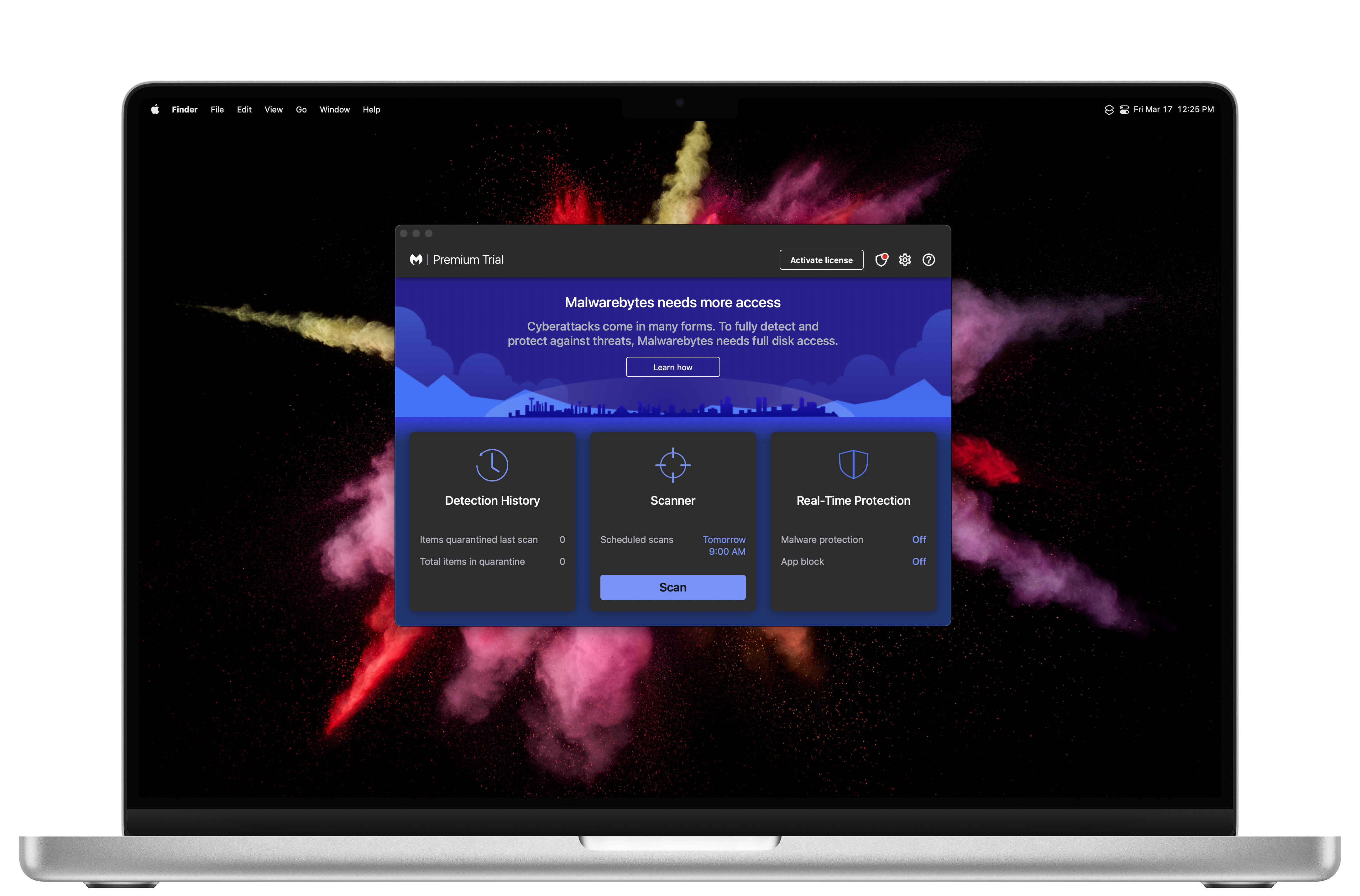
Another thing to watch for is real-time detection (RTD). This is where the app constantly scans for malicious threats. While this sounds great on paper, my two experiences with Malwarebytes’ RTD (several months apart) destroyed my battery life and used excessive system resources.
Finally, there’s network filtering. Eero and Cisco AnyConnect are great examples, as they both offer network-level filtering threat filtering. Eero does this on its routers, while Cisco applies a filter in macOS’s network settings. Again, this sounds great in theory. However, it once again heavily depends on the developer. In my multiple experiences with Eero Secure, reputable websites were being blocked. At the same time, the Cisco AnyConnect filter butchered my WiFi speed.
Is anti-malware software right for me and my Mac?
That previous section had a lot of negatives, I know. But there are some positives, too, I promise. Answering if anti-malware software is right for you is slightly complex and unique to your use case, work environment and risk profile. However, here are some general rules to help you decide for yourself.
First, are you a business or an individual? You could be a one-person shop, a small team, or a medium, large, or enterprise organization. Companies are at greater risk for attack regardless of how many people work there. That’s because there’s financial value in the victim recovering their system so they can continue their business operations. Large organizations can afford security teams, so it’s actually the sole proprietorships and small businesses that are targeted the most. In those cases, anti-malware running real-time detection is likely a good choice.
A good example is Jamf Protect which is built exclusively for macOS. It’s lightweight and runs in the background without impacting performance or battery life by leveraging Apple’s Endpoint Security API. Jamf Protect also offers network filtering for interested organizations. However, Jamf Protect is only available to businesses and not regular consumers.
Since you’re reading MobileSyrup, I wouldn’t be surprised if you were your friends and family’s personal tech support. As a result, you’re likely the first person they call when something goes wrong. While dad or grandma may not have the same risk profile as a business, they likely aren’t very savvy at differentiating a scam from what’s genuine. In these cases, anti-malware with real-time detection or scheduled scans is likely a good choice. Unlike the free version, Malwarebytes Premium is $52 per year and offers real-time detection.
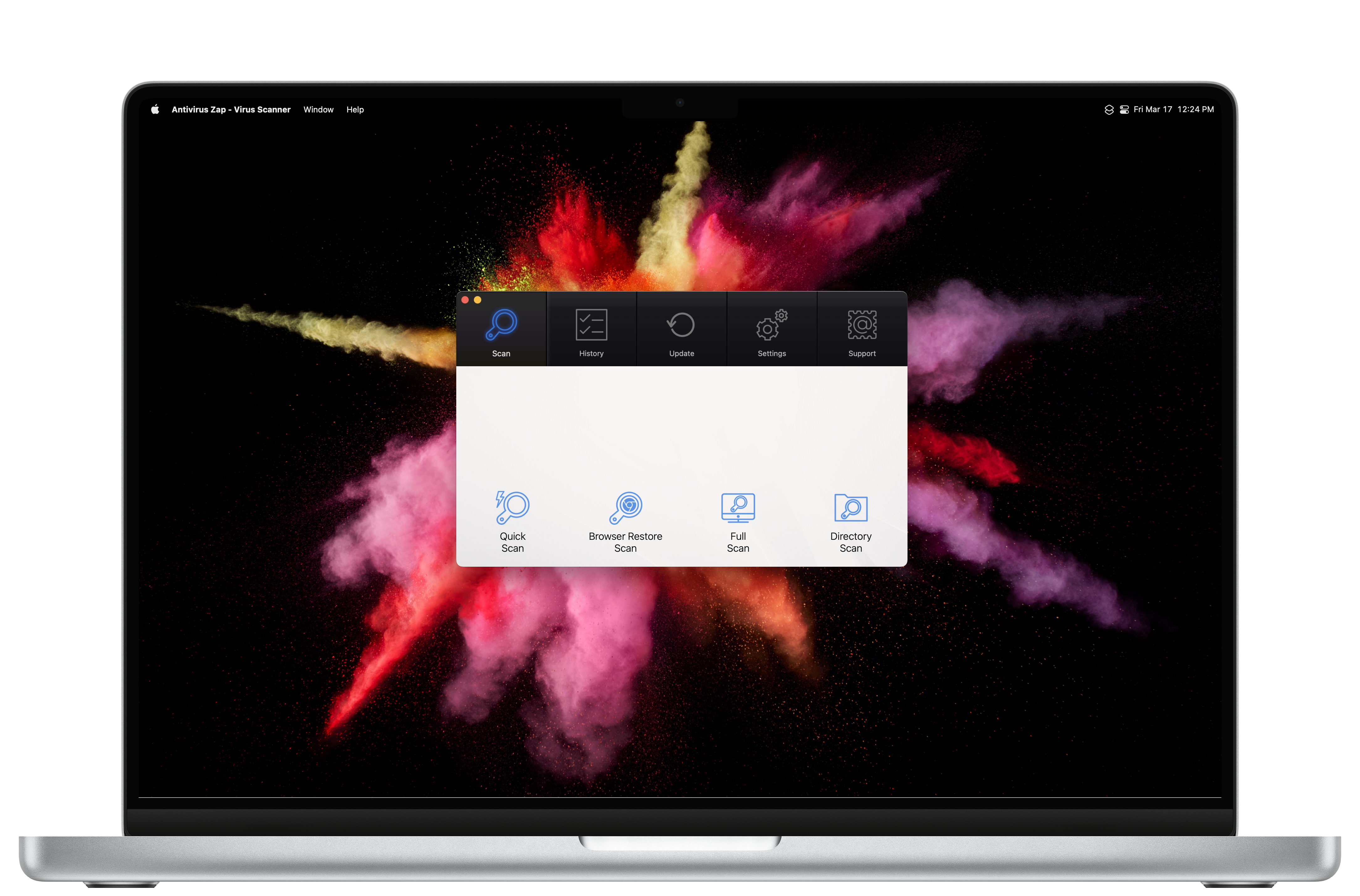
Clean my Mac X is a one-time purchase of $112.08 and offers real-time detection, among many other incredible features. Even with my previous hesitations with real-time detection, one thing to consider is how impacted performance is not as critical for non-power users, and if they are using an iMac, then battery life is not a factor. Alternatively, Anti-virus Zap is an app I’ve quite liked in the past. It offers the ability to schedule scans one or multiple times per day. It’s $10.99 on the Mac App Store, claims not to collect personal information, and is rated 4.7/5.
Lastly, suppose you are not running a business from your Mac and are reasonably diligent about not visiting strange websites, clicking on unexpected links, and downloading random software. In that case, Apple’s built-in tools will likely be fine for you. XProtect, Gatekeeper, and privacy permissions do a great job keeping the average Mac malware-free while keeping users vigilant with permission pop-ups.
Even with that said, that doesn’t mean the occasional malware scan isn’t an excellent housekeeping item to keep your Mac running smoothly. Malwarebytes’ free application is a popular choice for this as it is often used by Apple Support to scan Macs for malware. Personally, I use Clean My Mac X. I love its app uninstaller, so I tried its malware scanner and decided to adopt it into my maintenance routine. Antivirus Zap was the app I used previously to Clean My Mac X, and it’s a far more affordable alternative. With all three apps, a simple one-button click scans your Mac for potential malicious threats and reports them to you for review. You can then optionally remediate the threats, assuming the files aren’t actually important to you.
The story of viruses on Macs is one of misconceptions. While many Mac users can get along fine without anti-virus software, that doesn’t mean Macs don’t get viruses. It especially doesn’t mean Macs are a one-stop beat-all for computer threats. Macs, like Windows PCs, do get malware and viruses. Still, because of the vast multiple of Windows machines, malware is far more plentiful on that OS. Hopefully, this article busted some myths and misconceptions while helping you decide if anti-malware software is right for your Mac based on your own situation, use case, and risk profile. Stay safe.








Discussion about this post