
Rita El Khoury / Android Authority
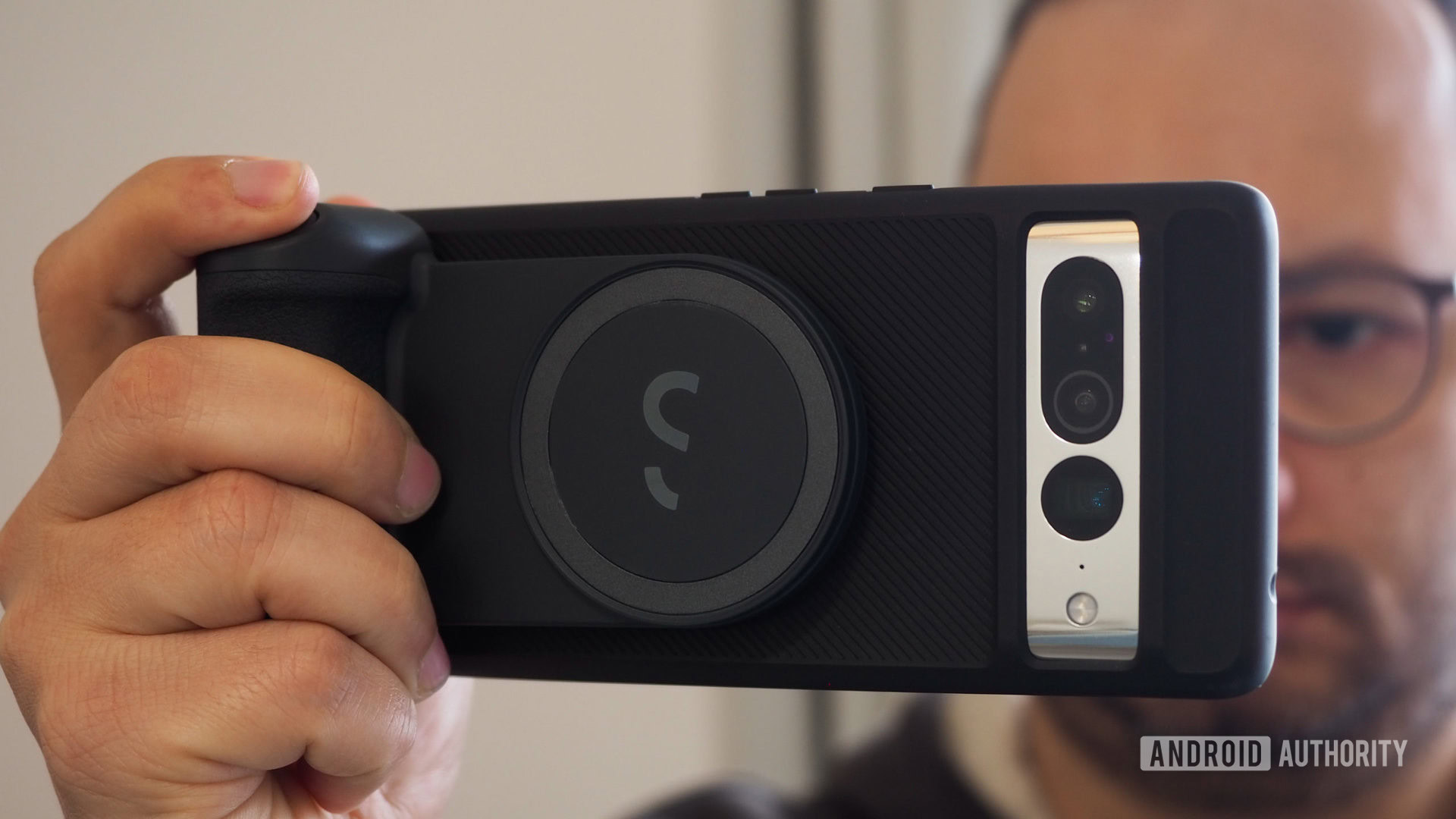
Modern flagship camera phones like the Pixel 7 Pro, Galaxy S23 Ultra, and iPhone 14 Pro are edging closer and closer to the photography experience of a proper standalone camera. Putting aside the physics of small lenses and sensors, there’s no denying that having an excellent camera in your pocket is awesome, but what if you wanted the “feel” of a real camera too? Well, let’s take MagSafe accessories, photography, and a Pixel 7 Pro — three of my favorite topics to talk about — and mix them together. What we get is the ShiftCam SnapGrip, a MagSafe grip that attaches magnetically to your phone and gives it DSLR-like ergonomics.
About this ShiftCam SnapGrip review: I tested the ShiftCam SnapGrip Creator Kit for two weeks. The unit was provided by ShiftCam, but ShiftCam had no say in the direction or published content.
A comfortable MagSafe grip with a few extras
Rita El Khoury / Android Authority
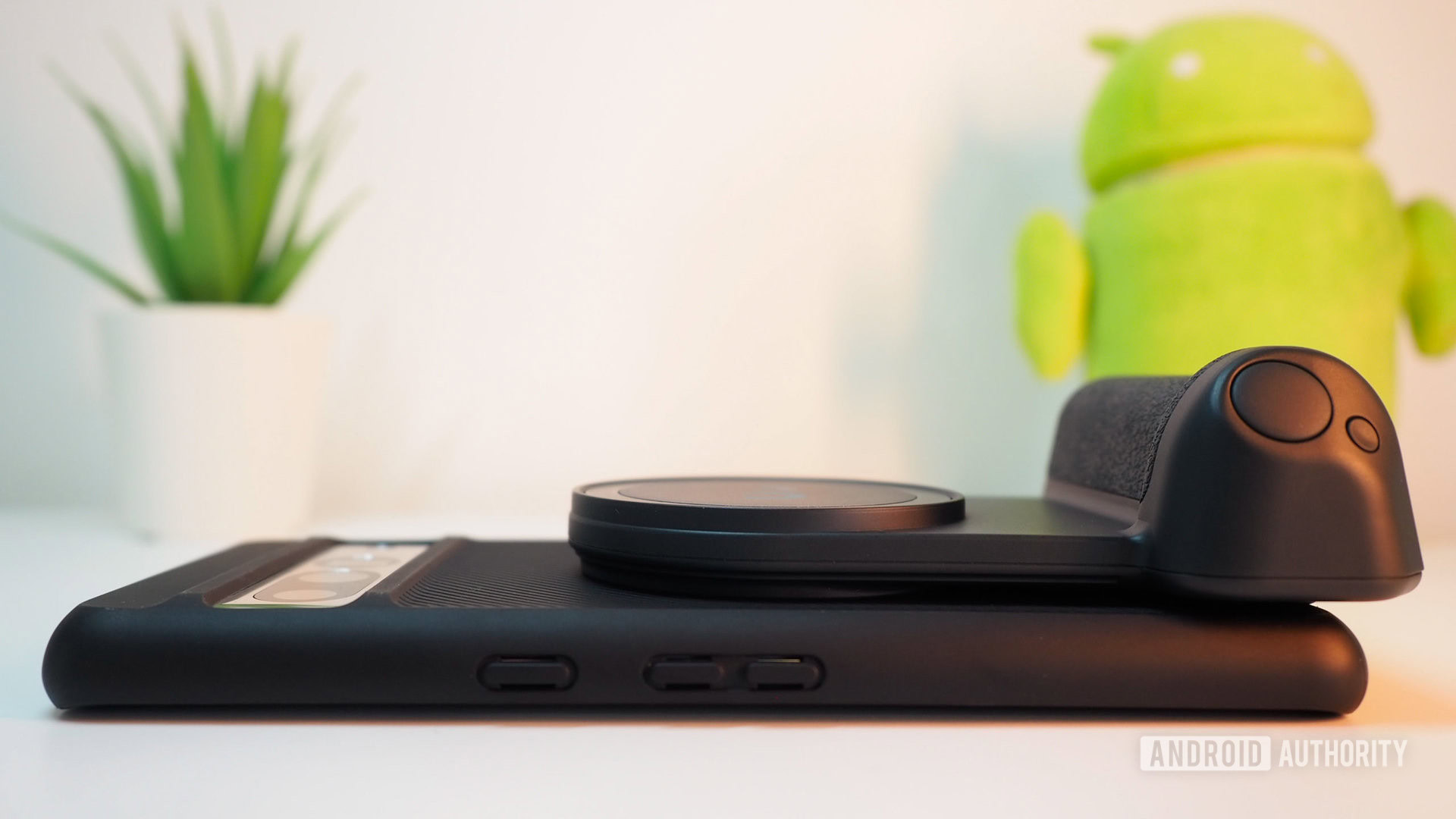
My Pixel 7 Pro often sits in a Moment (M) Force case, which opens up an entire world of MagSafe accessories to me, like the SnapGrip. Even if I didn’t have this case, ShiftCam provides a metallic adapter for any phone. You just stick it on your phone or case and you’re good to go. My iPhone doesn’t need an adapter to use the grip, but a MagSafe iPhone case helps strengthen the magnetic bond while protecting the phone.
Any time I want to use the grip, I just get it close to the back of my Pixel or iPhone and the MagSafe magnets will snap it in place. Simple and easy. Better yet, it doesn’t block any port or button on the phones, unlike other grips that clasp to the sides and end up turning off the screen or messing with the volume.
Yes. All you need is a MagSafe adapter, which can either be a thin round metallic plaque or integrated into a MagSafe-compatible magnetic phone case. Moment, Mous, and Pitaka make some of these MagSafe cases for Samsung Galaxy and Google Pixel phones, but more case brands are jumping on board.
Whatever adapter you choose, you should be able to attach a MagSafe accessory magnetically to your Android phone and use wireless charging if your phone supports it.
In the future, this may be a moot question because Qi2 promises a standard for both charging and magnets, and we know it should work with older MagSafe accessories and phones too.
Rita El Khoury / Android Authority
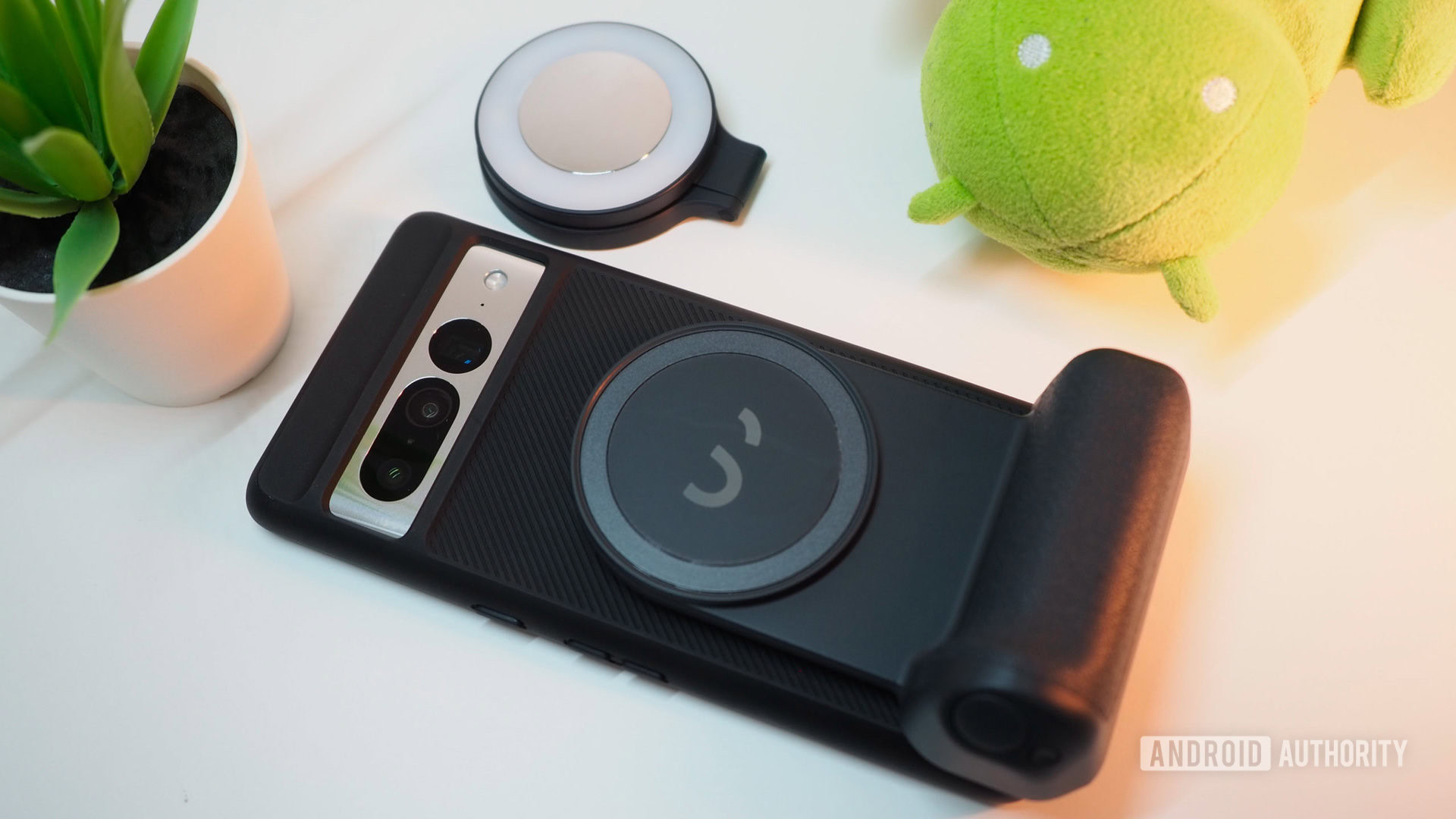
The grip itself looks like it got cut off of a DSLR or mirrorless camera. It has a large protrusion that your hand fits snugly around with a natural place for your index finger to rest on, letting at least two or three other fingers wrap around the back. It’s very ergonomic to hold for long periods of time — way more than clutching a thin smartphone slab will ever be.
I have super steady photography hands (years of taking clear 2MP pics of medicine leaflets to study at home helped me develop that), but still, I love the freedom of not having to worry about balancing my phone while tapping the on-screen shutter button. Instead, I can just physically press the shutter button below my index on the SnapGrip and snap, photo! You can’t argue with that kind of tactile feedback.
You can’t argue with the ergonomics of a camera handle and the tactile feedback of pressing a physical shutter button.
My main gripe? Each time I used the camera grip, I wished it had zoom buttons. Given how excellent the Pixel 7 Pro‘s telescopic lens is, I rely on its zoom to better frame most of my photos. Switching to the touchscreen to adjust that and then going back to the grip feels unintuitive and disruptive. Tactile zoom in/out buttons would make this a lot better for the Android zoom champions of the world — less so for the iPhone.
In my tests, I loved how solid the entire setup felt, even though the grip and phone are two separate entities held together by MagSafe magnets. I wouldn’t trust the grip with my Pixel 7 Pro over a bridge, a body of moving water, or any dangerous void, but I did use it in everyday photography. Streets, tourism, parks, expos, fun events; it can be great for all of them. If you have pets or kids and you’re running after them, this would be ideal; you just need to pair it once over Bluetooth and it’ll automatically connect each time you turn it on.
But the grip does more than just give you a better grasp of your phone. It can be a good vertical or horizontal stand. It also houses a 3,200mAh power bank that can charge the phone wirelessly while it’s attached. LED lights indicate the remaining battery.
The ShiftCam SnapGrip also acts as a stand and a wireless power bank, giving you extra battery life as you snap pics and record videos.
Charging is limited to 5W, but that was enough to keep my Pixel running while I walked around and snapped pics. Again, 10W or more would be better here, but the idea is to avoid draining the battery too fast instead of completely charging your phone.
More MagSafe accessories
Rita El Khoury / Android Authority
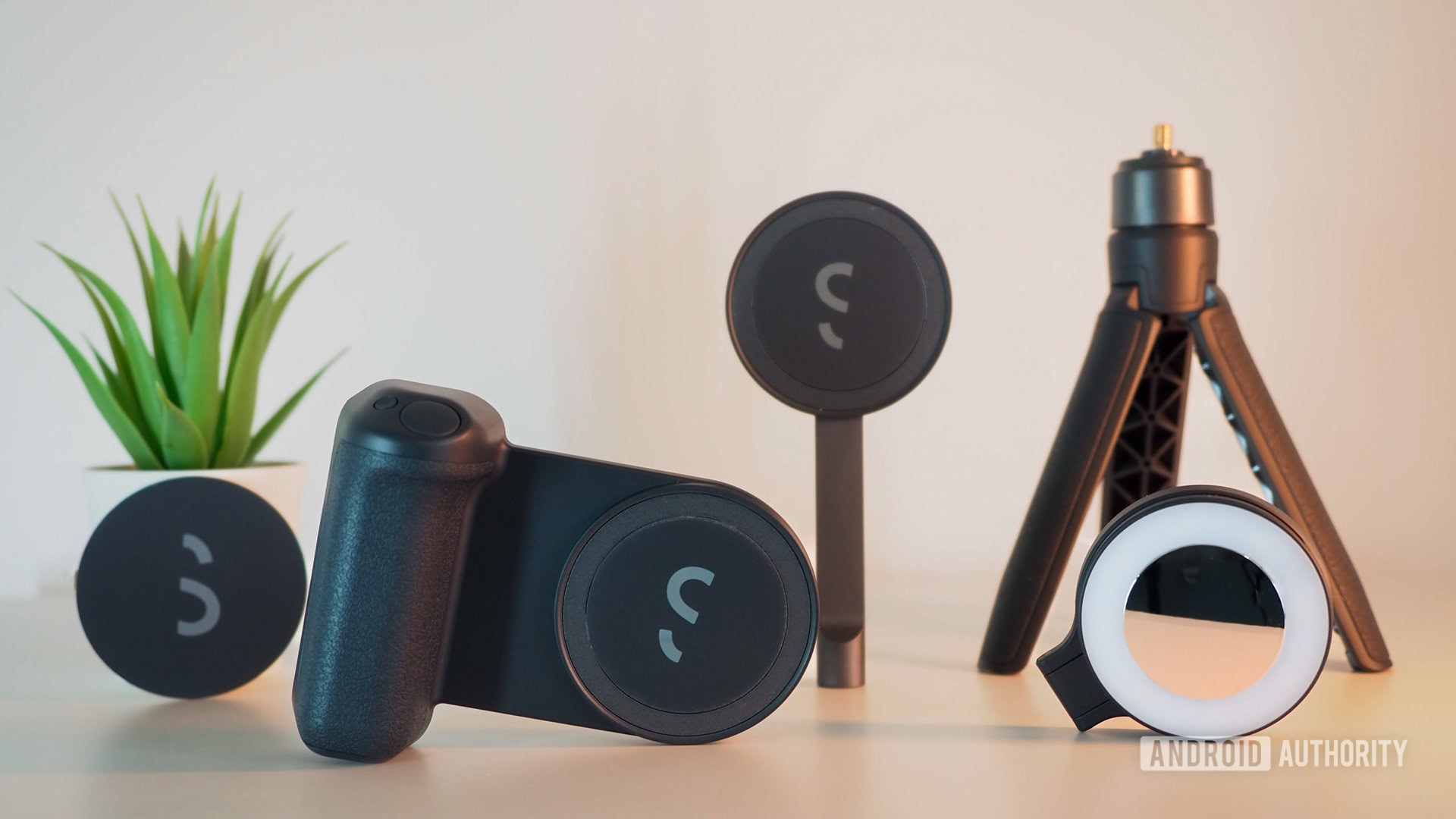
If you opt for the Creator Kit, you’ll get three more accessories with the ShiftCam SnapGrip. All of them can be used alone or together in any kind of combo for maximum versatility. Again, the beauty and simplicity of magnets.
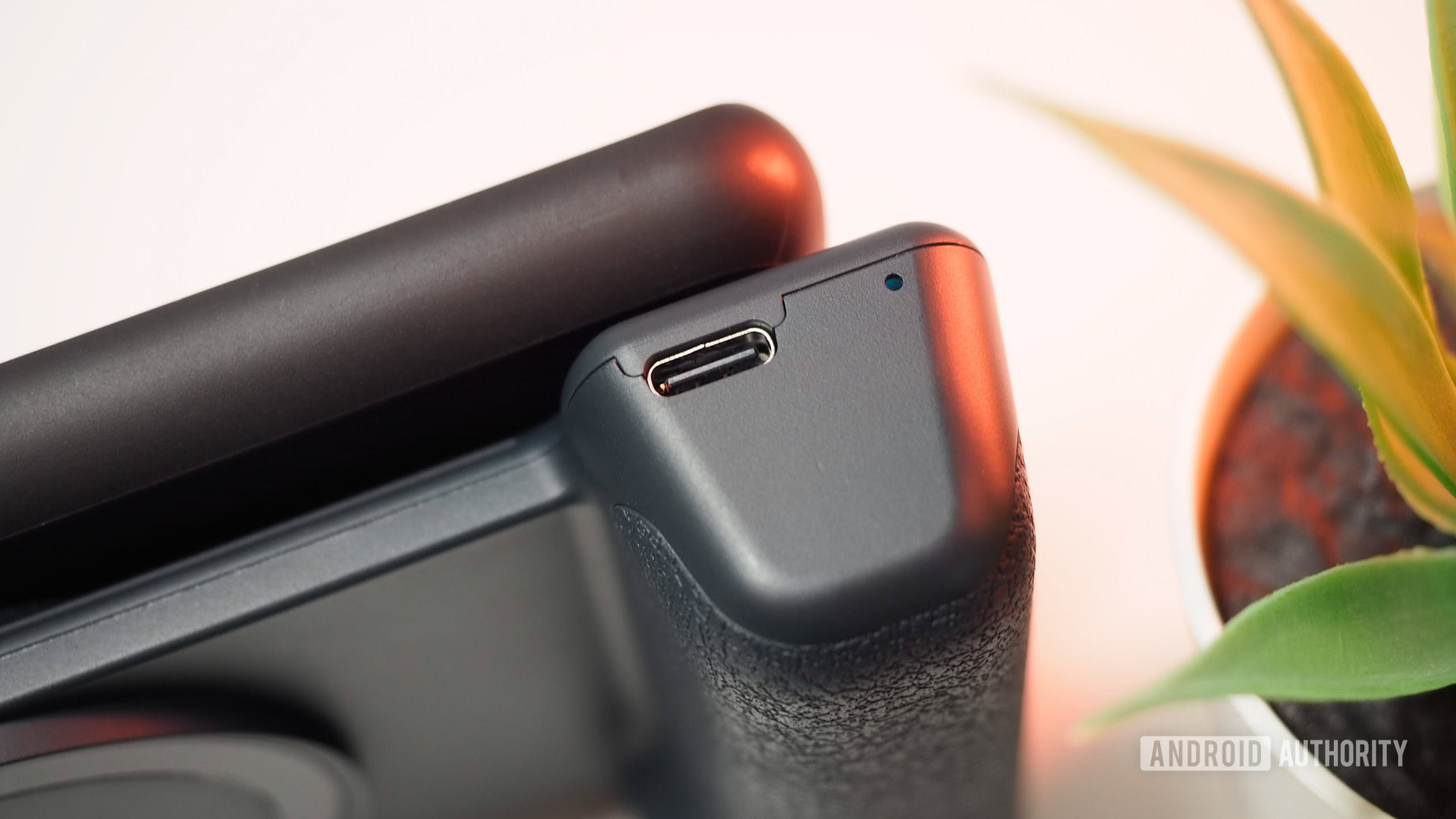
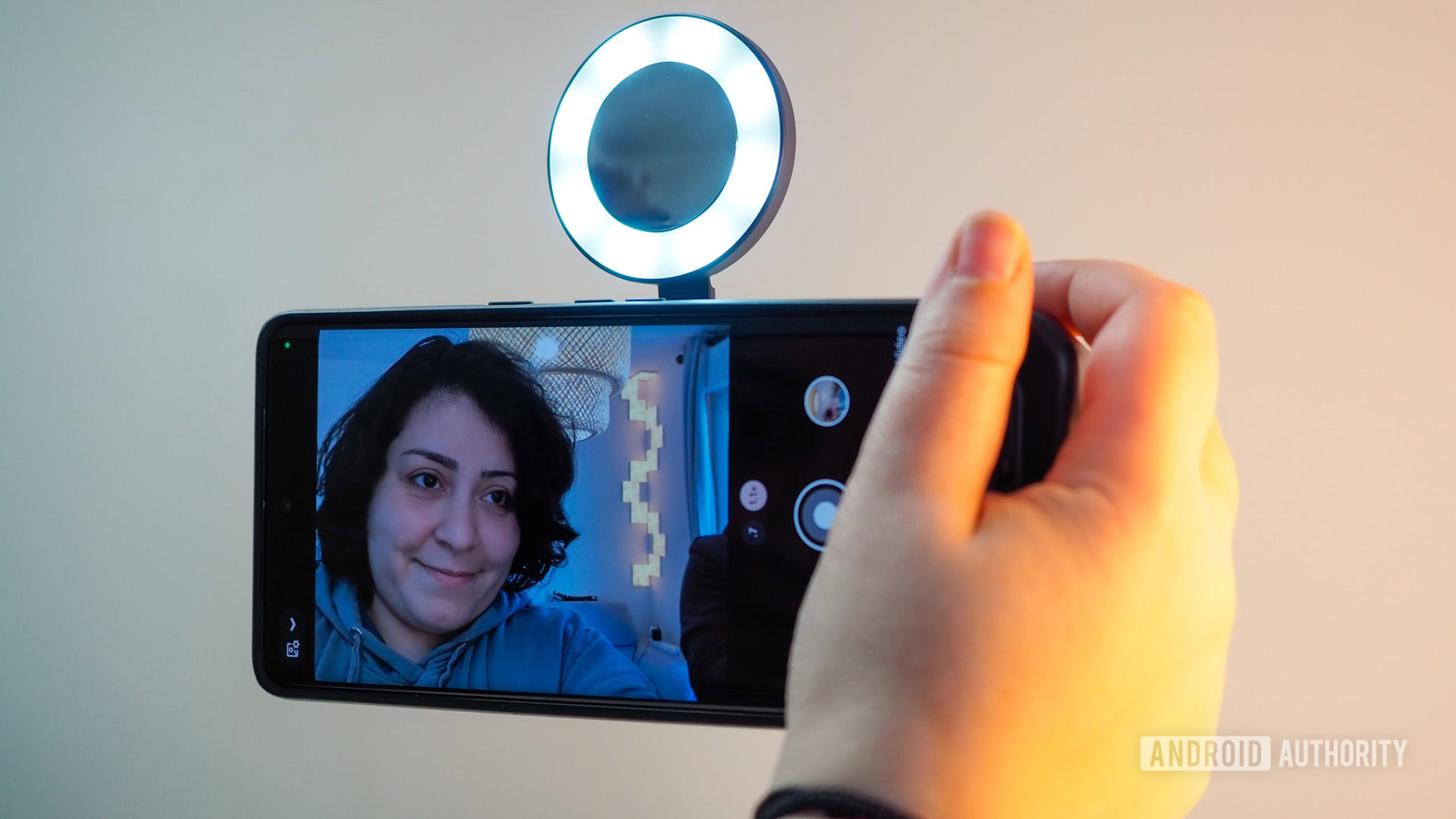
My favorite is a round MagSafe LED light and mirror that opens up, allowing you to point it back at whoever you’re taking a photo of, flip it up towards you for a selfie, or snap it onto any metallic surface or tripod to provide an additional source of light. It just has a USB-C port for charging and a button to switch the LED’s brightness between five different levels.
The MagSafe LED light with USB-C charging and five different intensity levels is an awesome little gadget.
The mirror is a minor but genius addition to help people frame and check themselves before you take a pic of them. Another bonus: You get a case to carry both the grip and light with you.
Rita El Khoury / Android Authority
There’s also a small plastic desk tripod, which does the job on relatively flat surfaces but that I wouldn’t use in unstable environments, plus a MagSafe tripod holder that lets you snap your phone, light, or both. I found this perfect for night and astrophotography because no matter how steady my hands are, they’re not as stable as a phone tripod for long exposure shots.
ShiftCam SnapGrip review: Should you buy it?
The flexibility of all these elements is what makes this setup interesting, especially because all you have to do is snap them together. No plugs, clasps, screws, or anything time-consuming. This puts them among the best smartphone photography accessories for me.
Magnets make this entire setup very flexible. It’s easy to use everything separately or combine two or more elements together.
I’ve used the SnapGrip alone with my phone at times and with the light at other times; I’ve used the tripod holder to prop up my phone with and without the light; and I’ve used the light on the tripod to brighten a scene I was shooting with my phone on the grip. Add the flip-ability of the light for selfies and regular photos, then the stand and wireless charging, and you have a versatile setup that helps with a lot of on-the-go creative photography and videography from streets to people, nature, and astro.
Rita El Khoury / Android Authority

My two biggest concerns with the ShiftCam SnapGrip are price and spontaneity. You either have to plan ahead and carry this MagSafe grip with you when you know you’ll be doing a lot of photography, or you have to keep it with you at all times. When we start adding this many accessories to our phones, we may as well carry a mirrorless camera instead, right?
Pricing also feels prohibitively expensive for what this is at its core: a wireless power bank in a grip shape with a circular magnetic element and a Bluetooth shutter button. $70 for that and $120 for the Creator Kit with the light, tripod, and pouch feels like a stretch. The Apple tax is very real, but hey, you’re getting multiple products in one, which can help justify the investment.

Shiftcam Snapgrip Creator Kit
Ergonomic grip • Wireless charger • Versatile accessory set
A MagSafe camera grip that works with any iPhone or Android phone plus several extra accessories
The ShiftCam Snapgrip is a MagSafe camera grip for iPhones and Android phones that gives you a DSLR-like ergonomic handle with a physical shutter button. It can also act as a stand and a portable wireless charger. Extra accessories in the Creator Kit (light and tripod) add more versatility for all your photography and videography.


Discussion about this post