




• Home
  • Insight
  • Blog
  • Business
  • Entertainment
  • Health
  • Politics
  • Shop
    • Gift Shop
    • Value Shop
    • Store
    • Bargain Shop
    • Discount
  • Sports
  • Tech
  • Travel
  • USA
  • Video
  • World
    • Asia
    • Africa
    • South America
    • North America
    • Europe
    • Oceania
Thursday, July 30, 2026
No Result
View All Result
Subscribe Now
  • Home
  • Insight
  • Blog
  • Business
  • Entertainment
  • Health
  • Politics
  • Shop
    • Gift Shop
    • Value Shop
    • Store
    • Bargain Shop
    • Discount
  • Sports
  • Tech
  • Travel
  • USA
    TX Rep. Brandon Gill Mocks James Talarico Over Fauci Action Figure Post

    TX Rep. Brandon Gill Mocks James Talarico Over Fauci Action Figure Post

    NBA players are ‘being taught’ to flop

    NBA players are ‘being taught’ to flop

    Industry was warned for years about chemical ‘runaway’ dangers. Then came near-catastrophe in O.C.

    Industry was warned for years about chemical ‘runaway’ dangers. Then came near-catastrophe in O.C.

    Trump administration seeks government-wide NDAs to stop leaks : NPR

    Trump administration seeks government-wide NDAs to stop leaks : NPR

    Dog discharges shotgun inside truck, striking woman at Nebraska traffic light

    Dog discharges shotgun inside truck, striking woman at Nebraska traffic light

    Toshifumi Suzuki, Japan’s ‘God’ of Convenience Stores, Dies at 93

    Toshifumi Suzuki, Japan’s ‘God’ of Convenience Stores, Dies at 93

     Judge Sanctioned CoreCivic for Destroying Video in ICE Death Suit

     Judge Sanctioned CoreCivic for Destroying Video in ICE Death Suit

    Suspect dead after opening fire near White House security checkpoint, Secret Service says

    Suspect dead after opening fire near White House security checkpoint, Secret Service says

    Trump trashes Colbert’s high-rated finale as “no ratings”

    Trump trashes Colbert’s high-rated finale as “no ratings”

  • Video
  • World
    • Asia
    • Africa
    • South America
    • North America
    • Europe
    • Oceania
The Insight Post
  • Home
  • Insight
  • Blog
  • Business
  • Entertainment
  • Health
  • Politics
  • Shop
    • Gift Shop
    • Value Shop
    • Store
    • Bargain Shop
    • Discount
  • Sports
  • Tech
  • Travel
  • USA
    TX Rep. Brandon Gill Mocks James Talarico Over Fauci Action Figure Post

    TX Rep. Brandon Gill Mocks James Talarico Over Fauci Action Figure Post

    NBA players are ‘being taught’ to flop

    NBA players are ‘being taught’ to flop

    Industry was warned for years about chemical ‘runaway’ dangers. Then came near-catastrophe in O.C.

    Industry was warned for years about chemical ‘runaway’ dangers. Then came near-catastrophe in O.C.

    Trump administration seeks government-wide NDAs to stop leaks : NPR

    Trump administration seeks government-wide NDAs to stop leaks : NPR

    Dog discharges shotgun inside truck, striking woman at Nebraska traffic light

    Dog discharges shotgun inside truck, striking woman at Nebraska traffic light

    Toshifumi Suzuki, Japan’s ‘God’ of Convenience Stores, Dies at 93

    Toshifumi Suzuki, Japan’s ‘God’ of Convenience Stores, Dies at 93

     Judge Sanctioned CoreCivic for Destroying Video in ICE Death Suit

     Judge Sanctioned CoreCivic for Destroying Video in ICE Death Suit

    Suspect dead after opening fire near White House security checkpoint, Secret Service says

    Suspect dead after opening fire near White House security checkpoint, Secret Service says

    Trump trashes Colbert’s high-rated finale as “no ratings”

    Trump trashes Colbert’s high-rated finale as “no ratings”

  • Video
  • World
    • Asia
    • Africa
    • South America
    • North America
    • Europe
    • Oceania
No Result
View All Result
No Result
View All Result
Home Mobile

Animal Crossing: New Horizons — How to use Creator IDs, Design IDs, and QR Codes

by Theinsightpost
September 21, 2022
in Mobile
0 0
0
Animal Crossing: New Horizons — How to use Creator IDs, Design IDs, and QR Codes


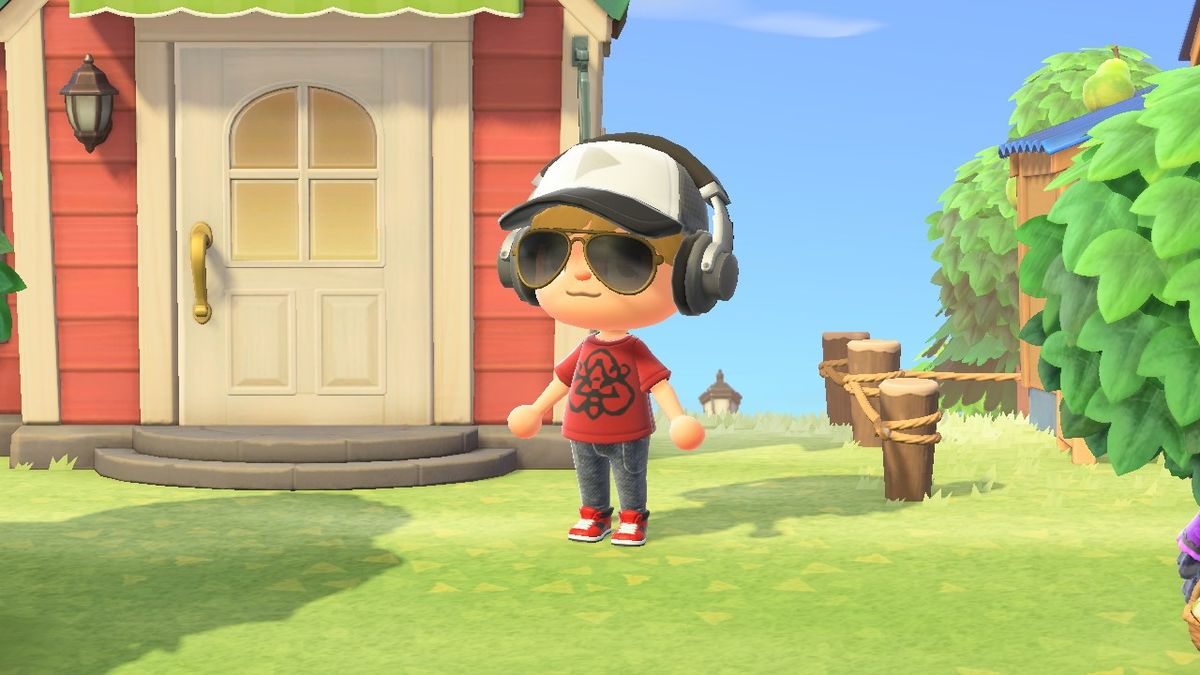
One of the best Nintendo Switch games, Animal Crossing: New Horizons, allows you to decorate your house with custom furniture or to clothe your character with fan-made outfits. Since New Horizons, New Leaf, and Happy Home Designer allow you to create and share your own designs, fans have been able to use some awesome clothing patterns, artwork, and furniture for their islands. We’ve even seen some awesome Zelda outfits, for example.

We’ve rounded up the best QR codes for streets and paths as well as the QR codes for clothing, memes, and fan art to get you started. You can also import other people’s designs using either a QR code, a Creator ID, or a Design ID (although you can’t edit them). Thing is, the process for getting other’s designs into your New Horizons game is kinda tricky. But don’t worry. We’re here to show you how to use QR codes, creator IDs, and design IDs in Animal Crossing: New Horizons.

What are Creator IDs and Design IDs?

Every player in Animal Crossing: New Horizons has their own Creator ID, which is a string of numbers that allows players to search for designs created by specific players. Similarly, every design you make within the game gets its own Design ID. That way, you can give your IDs out to friends or people online making it easier for them to download and use your images, patterns, or clothing in their own New Horizons games. This customization is what makes it one of the best Nintendo Switch games out there.

The thing is, you can only use Creator IDs and Design IDs if you have a Nintendo Switch Online membership, have unlocked the Able Sisters clothing store, and have a good internet connection. In case you haven’t done it yet, here’s a guide for how to bring the Able Sisters tailor shop to your island.

How to share your Creator ID and Designs

Creator IDs and Design IDs only become accessible once you’ve unlocked the Able Sisters clothing store. You could get someone else’s Zelda outfits for example. Here are instructions for how to find your own Creator ID and how to share your designs with others.

How to access the Custom Designs Portal

There are two ways to access this portal. You can either do so by using the kiosk inside the Able Sisters clothing store or by accessing the Custom Designs Portal through the Nook Phone design application.

Here’s how to access the Custom Designs Portal in the Able Sisters store:

  1. Go to the Able Sisters clothing store.

(Image credit: iMore)
  1. Head to the back and interact with the pink kiosk.

How to find your creator ID in ACNH: Interact with the pink kiosk

(Image credit: iMore)
  1. Select Access the kiosk and then wait for your Switch to connect to the internet.

How to find your creator ID in ACNH: Select access the kiosk

(Image credit: iMore)

Access the portal from your Nook Phone

Sometimes the Able Sisters store is closed, making it impossible to access the Custom Designs Portal. Luckily, Nintendo created a way for night owls to access the portal via their Nook Phone. Here’s how:

  1. Open your Nook Phone with ZL and select the Custom Designs app.

Animal Crossing New Horizons Access Design Portal Open Phone

(Image credit: iMore)
  1. Press X.

Animal Crossing New Horizons Access Design Portal Nook Phone

(Image credit: iMore)
  1. Follow the prompt to access the Custom Designs Portal.

Animal Crossing New Horizons Access Design Portal Confirm

(Image credit: iMore)

How to find your Creator ID

  1. Access the Custom Designs Portal by either interacting with the pink kiosk at the Able Sisters Store or by pressing X in the Custom Designs app on your Nook Phone.

How to share your designs in ACNH: Select access the kiosk

(Image credit: iMore)
  1. After you’ve created a design and posted it to the portal, your Creator ID will appear in the bottom left corner of the screen. Simply send it to anyone who you want to share it with.

How to find your creator ID in ACNH: Search for Design ID

(Image credit: iMore)

How to share your Designs

  1. Access the Custom Designs Portal by either interacting with the pink kiosk at the Able Sisters Store or by pressing X in the Custom Designs app on your Nook Phone.

Animal Crossing New Horizons Access Design Portal Confirm

(Image credit: iMore)
  1. Select Post.

How to share your designs in ACNH: Acnh Creator Ids Design Ids

(Image credit: iMore)
  1. Choose the design that you want to share.
    • For patterns, stay on the Custom Designs tab. To choose from PRO Designs for clothing press the R button.

How to share your designs in ACNH: Choose the design you want to share

(Image credit: iMore)
  1. Select Post.

How to share your designs in ACNH: Select post

(Image credit: iMore)
  1. The game will create a new Design ID that others can search for. If your Switch is already connected to your Twitter or Switch account, you can select Share It and it will post to your accounts. Otherwise, write down the code and give to to a friend or post it for others online to use.

How to share your designs in ACNH: When new design ID is created, select share it to post on connected Twitter and Switch accounts

(Image credit: iMore)
  1. Complete the process to post the design. 

How to share your designs in ACNH: Post for others online to use

(Image credit: iMore)

How to search for other players’ Creator IDs and Design IDs

How to search for a Creator ID

  1. Access the Custom Designs Portal by either interacting with the pink kiosk at the Able Sisters Store or by pressing X in the Custom Designs app on your Nook Phone.Source: iMore

How to share your designs in ACNH: Select access the kiosk

(Image credit: iMore)
  1. Select Search for Creator ID.

How to search for a Creator ID in ACNH: Select search for creator ID

(Image credit: iMore)
  1. Enter the ID that you’re looking for. Creator IDs always start with MA-.

How to search for a Creator ID in ACNH: Enter creator ID

(Image credit: iMore)
  1. Select Confirm.

How to search for a Creator ID in ACNH: Select confirm

(Image credit: iMore)
  1. Your game will search for the code and then bring up any IDs connected to it. Select a design you want to look at.

How to search for a Creator ID in ACNH:Select the design you want to look at

(Image credit: iMore)
  1. If you want to use the design, select Save.

How to search for a Creator ID in ACNH: To use the design select save

(Image credit: iMore)
  1. Select Close.

How to search for a Creator ID in ACNH: Select close

(Image credit: iMore)
  1. Select a PRO Pattern that you’re willing to overwrite.

How to search for a Creator ID in ACNH: Select a PRO Pattern space to overwrite

(Image credit: iMore)
  1. Select Overwrite it.

How to search for a Creator ID in ACNH: Select overwrite

(Image credit: iMore)

How to search for a Design ID

  1. Access the Custom Designs Portal by either interacting with the pink kiosk at the Able Sisters Store or by pressing X in the Custom Designs app on your Nook Phone.

How to share your designs in ACNH: Select access the kiosk

(Image credit: iMore)
  1. Select Search for Design ID.

How to search for a Design ID in ACNH: Search for Design ID

(Image credit: iMore)
  1. Enter the ID that you’re looking for. Design IDs always start with MO-.Then select Confirm.

How to search for a Design ID in ACNH: Enter ID and select confirm

(Image credit: iMore)
  1. Your game will search for the code and then bring up any IDs connected to it. If you like the look of the design select Save.

How to search for a Design ID in ACNH: Select save for the desired design

(Image credit: iMore)
  1. Select Close.

How to search for a Design ID in ACNH: Select close

(Image credit: iMore)
  1. Select a PRO Pattern that you’re willing to overwrite.

How to search for a Design ID in ACNH: Select a PRO Pattern space to overwrite

(Image credit: iMore)
  1. Select Overwrite it.

How to search for a Design ID in ACNH: Select overwrite

(Image credit: iMore)

Custom Designs Patterns+

Animal Crossing New Horizons Custom Designs

(Image credit: iMore)

In the October 2021 Nintendo Direct, Nintendo announced the debut of Custom Designs Patterns+ NookPhone app with the 2.0 update on Nov. 5, 2021. Players can select patterns normally used to customize furniture and apply them to clothing designs. These patterns can also be used to decorate the floor, or be used as wallpaper and flooring patterns.

Things you’ll need to scan QR codes

You’ll need to have the following three things in order to scan QR codes into Animal Crossing: New Horizons:

  1. A Nintendo Switch Online account/nintendo-switch-online.
  2. The Nintendo Switch Online app for your iOS (opens in new tab) or Android (opens in new tab) device.
  3. You need to unlock Custom Design Pro Editor by purchasing it with Nook Miles from the kiosk at Resident Services.
  • Note that you cannot scan multiple designs at once. You’ll need to bring them into New Horizons one at a time.

How to scan QR codes

How to scan QR codes in ACNH: Select Yes, please to connect game to phone app

(Image credit: iMore)

If you happen to be online and you see someone else’s awesome Animal Crossing creation complete with a QR code, here’s how to scan it.

  1. Open the Nintendo Switch Online app on your phone.
  2. Tap on the Animal Crossing: New Horizons button.
  3. Now it’s time to turn to the Nintendo Switch. Go to Animal Crossing: New Horizon’s opening screen.
  4. Go to settings by pressing the minus button on the left side of your Joy-Cons or controller.
  5. Tom Nook appears to tell you about setting options. Select NookLink settings.
  6. Now select Yes, please. This will allow your game to connect with the phone app.
  7. You’ll need to restart the Nintendo Switch Online app on your phone. Once that’s done, open it up again.
  8. Select the Animal Crossing: New Horizons button again.
  9. Then select the Designs icon.
  10. Select Scan a QR code.
  11. Scan all QR codes. Note that clothing designs will have four codes that you need to scan.
  12. The design you scanned will appear in the app. Select Save.

Finish the process on your Nintendo Switch

How to scan QR codes in ACNH: Select custom designs app

(Image credit: iMore)
  1. Enter your New Horizons game. Press ZL on the left Joy-Con or left side of the controller to bring up the NookPhone.
  2. Select the Custom Designs app.
  3. Press the + button on the right side of your Joy-Cons or controller.
  4. Select Download.
  5. Select OK when the pattern you scanned with the app appears in the game.
  6. Now choose an open pattern slot for this new design.
  7. Select Overwrite it.
  8. Now the design is in your New Horizons game and ready to use. Simply select the design to use it.

How to make your own QR codes

There are a few different ways to create QR codes for your designs. If you happen to own Animal Crossing: New Leaf or Animal Crossing: Happy Home Designer on the Nintendo 3DS, you can create and share QR codes from those games. However, if you don’t have those games then you’re going to need to use acpatterns.com. This website allows you to scan in pre-existing images and convert them into a format that can be used within Animal Crossing. Just be aware that these converted images will be very pixelated and won’t look nearly as good as the originals.

Another thing you will want to keep in mind is the size. If an image is too large it will need to take up more than one cube of design space. It will also download as multiple QR codes. If you don’t plan to use the design on multiple side-by-side items or as standalones, a wide or tall design will probably not look right. The more square an image space is, the better it will fit into the design pattern.

  1. Go to acpatterns.com then select Editor.

How to make QR codes in ACNH: Animal Crossing How To Make Qr Codes

(Image credit: iMore)
  1. If you want to draw something from scratch, use the drawing tools provided. If you want to convert an existing image like a meme, select Convert.

How to make QR codes in ACNH: Animal Crossing How To Make Qr Codes

(Image credit: iMore)
  1. Upload the image that you want to use.

How to make QR codes in ACNH: Upload your image

(Image credit: iMore, Twitter/@MrAgentStrange)
  1. Adjust the settings until the image looks the way you want it to. Then select Convert!

How to make QR codes in ACNH: Adjust the settings and select convert

(Image credit: iMore, Twitter/@MrAgentStrange)
  1. You might want to touch the picture up using the drawing tools. If you like the way it looks, select Generate QR Code.

How to make QR codes in ACNH: Select generate QR code

(Image credit: iMore, Twitter/@MrAgentStrange)
  1. Scan the QR code using the NookLink section of the Nintendo Switch Online app. For instructions on how to do that go here.

How to make QR codes in ACNH: Scan QR code with NookLink on Nintendo Switch Online app

(Image credit: iMore, Twitter/@MrAgentStrange)

Let the creativity flow! 

There are so many creative people out there making awesome designs for Animal Crossing: New Horizons. Whether you’ve created something in New Leaf, Happy Home Designer, acpatterns.com, or New Horizons, you can share your creations with others. Have fun finding the perfect outfits and furniture patterns. I hope you can deck out your island with some fan-made designs you absolutely love.






Source link

ShareTweetSend
Previous Post

Dennis Itumbi Releases Behind the Scene Photos of Rigathi Gachagua Practising for Debate

Next Post

EC proposes new approach to cancer screening

Related News

Announcing Codemagic Patch: an open-source CodePush rebuild for React Native
Mobile

Announcing Codemagic Patch: an open-source CodePush rebuild for React Native

July 30, 2026
React Native OTA Updates: What You Can (and Can’t) Deploy Over the Air
Mobile

React Native OTA Updates: What You Can (and Can’t) Deploy Over the Air

May 28, 2026
Your phone drawer hides an app designed to “exploit developing brains”
Mobile

Your phone drawer hides an app designed to “exploit developing brains”

May 27, 2026
iPhone 16 has a secret charging upgrade Apple didn’t even mention
Mobile

iPhone 16 has a secret charging upgrade Apple didn’t even mention

May 26, 2026
Next Post
EC proposes new approach to cancer screening

EC proposes new approach to cancer screening

Discussion about this post

Subscribe To Our Newsletters

    Customer Support


    1251 Wilcrest Drive
    Houston, Texas
    77042 USA
    Call-832.795.1420
    e-mail – news@theinsightpost.com

    Subscribe To Our Newsletters

      Categories

      • Africa
      • Africa-East
      • African Sports
      • American Sports
      • Arts
      • Asia
      • Australia
      • Business
      • Business Asia
      • Business- Africa
      • Canada
      • Defense
      • Education
      • Egypt
      • Energy
      • Entertainment
      • Europe
      • European Soccer
      • Finance
      • Germany
      • Ghana
      • Health
      • Insight
      • International
      • Investing
      • Japan
      • Latest Headlines
      • Life & Living
      • Markets
      • Mobile
      • Movies
      • New Zealand
      • Nigeria
      • Politics
      • Scholarships
      • Science
      • South Africa
      • South America
      • Sports
      • Tech
      • Travel
      • UK
      • USA
      • Weather
      • World
      No Result
      View All Result

      Recent News

      US Navy to overhaul torpedo stockpile under new two-war strategy

      US Navy to overhaul torpedo stockpile under new two-war strategy

      July 30, 2026
      Free Cloud Computing Course | AWS Re/Start Program 

      Free Cloud Computing Course | AWS Re/Start Program 

      July 30, 2026
      Thirty Years Later

      Thirty Years Later

      July 30, 2026
      Announcing Codemagic Patch: an open-source CodePush rebuild for React Native

      Announcing Codemagic Patch: an open-source CodePush rebuild for React Native

      July 30, 2026
      • Home
      • Advertise With Us
      • About Us
      • Corporate
      • Consumer Rewards
      • Forum
      • Privacy Policy
      • Social Trends

      Theinsightpost ©2026 | All Rights Reserved. Theinsightpost is an Elnegy LLC company, registered in Texas, USA

      Welcome Back!

      Login to your account below

      Forgotten Password?

      Retrieve your password

      Please enter your username or email address to reset your password.

      Log In

      Add New Playlist

      We are using cookies to give you the best experience on our website.

      You can find out more about which cookies we are using or switch them off in .

      No Result
      View All Result
      • Home
      • Insight
      • Blog
      • Business
      • Entertainment
      • Health
      • Politics
      • Shop
        • Gift Shop
        • Value Shop
        • Store
        • Bargain Shop
        • Discount
      • Sports
      • Tech
      • Travel
      • USA
      • Video
      • World
        • Asia
        • Africa
        • South America
        • North America
        • Europe
        • Oceania

      Theinsightpost ©2026 | All Rights Reserved. Theinsightpost is an Elnegy LLC company, registered in Texas, USA

      The Insight Post
      Powered by  GDPR Cookie Compliance
      Privacy Overview

      This website uses cookies so that we can provide you with the best user experience possible. Cookie information is stored in your browser and performs functions such as recognising you when you return to our website and helping our team to understand which sections of the website you find most interesting and useful.

      Strictly Necessary Cookies

      Strictly Necessary Cookie should be enabled at all times so that we can save your preferences for cookie settings.

      Cookie Policy

      More information about our Cookie Policy

