

This Dart null safety guide is mainly meant for package authors. Though migrating an app will require almost the same steps, you should consider waiting until null safety is in a stable release of Dart to do this.
Dart supports sound null safety in BETA.
This article is written in reference to the official migration guide, which can be found here.
As null safety is currently in beta and is preparing for its stable release soon, this is the perfect time for package owners to try it out and prepare for migration. Let’s take a look at some of the things you should keep in mind before proceeding with Dart null safety.
This article is written by Souvik Biswas
Things to keep in mind
FIRST, it is recommended to migrate the code in order. That is, if your package C has a dependency on B, which is dependent on A, wait for A to get migrated to null safety, followed by B, and then start migrating your package C.
But what if, for example, A has been migrated to null safety but B hasn’t? If you don’t want to wait for B to migrate and rather want to migrate your package C to null safety, you can do so as well.
In this case, you won’t get all the advantages of null safety, and it will work in a sort of hybrid mode, which results in unsound null safety.
SECOND, you have to at least be on the 2.12 beta version of Flutter in order to use null safety with your package. Also, update your dependencies in pubspec.yaml to their null-safe releases (if they exist) to get the advantage of sound null safety.
THIRD, Dart comes with a handy migration tool that helps to introduce null safety to your Dart code. After the tool performs the auto-migration process, it will highlight the parts of the code that it has changed, and you can insert any manual changes before finally approving it.
FOURTH, don’t forget to use the Dart analysis tool to run static analysis on your code, which helps to determine whether your code conforms to style guidelines and also points out any small bugs that might have gone unnoticed.
FIFTH, run your tests on the migrated code. If any of them expect null values, then you might need to update the tests accordingly.
SIXTH, the final step is to publish your package, but before that, make sure the minimum SDK constraint is 2.12 or higher in your pubspec.yaml file. Also, update the version of your package and include the nullsafety suffix.
Now, I will demonstrate how you can migrate a dart package (currently without null safety) to null safety.
Overview
I have a small Dart package called morse_translator, which helps in encrypting and decrypting a string to Morse code and vice versa. It uses a custom pattern based on the International Morse Code standard and supports all lowercase English alphabet characters and special characters.
Some insights into the library are as follows:
class Morse {
  int textLength;
  int morseLength;
  String text;
  String morse;

  Morse({
    this.textLength,
    this.morseLength,
    this.text,
    this.morse,
  });

  factory Morse.fromString(String normalText) {}

  factory Morse.toString(String morseText) {}
}
It uses the fromString and toString factory methods to convert a string to and from Morse code.
The library can be invoked like this:
void main(List<String> arguments) {
  try {
    final m = Morse.fromString(testString);
    print('Text: ${m.text}, length: ${m.textLength}');
    print('Morse: ${m.morse}, length: ${m.morseLength}');
  } catch (ArgumentError) {
    print('Invalid input string: cannot be parsed');
  }
}

const testString = 'hello world';
Currently, the library does not have null safety. So, we will be introducing null safety to it.
Preparation
Before starting the migration process, first switch to the latest beta release of Dart.
You can switch to Dart beta on macOS using the brew package manager as follows:
brew unlink dart
brew install dart-beta
If you are using a Windows or Linux system, check this page.
The Dart version that I am currently using:
Dart SDK version: 2.12.0-133.2.beta (beta) (Tue Dec 15 09:55:09 2020 +0100)
If you are working on a Flutter package, then you can switch to the latest beta release of Flutter by using the following:
flutter channel beta
flutter upgrade
The package contains the following dependencies:
dependencies:
  characters: ^1.0.0

dev_dependencies:
  test: ^1.15.7
As I mentioned earlier, before migrating our package, we should first check if null-safe versions of the dependencies are available or not.
You can check by using this command:
dart pub outdated --mode=null-safety
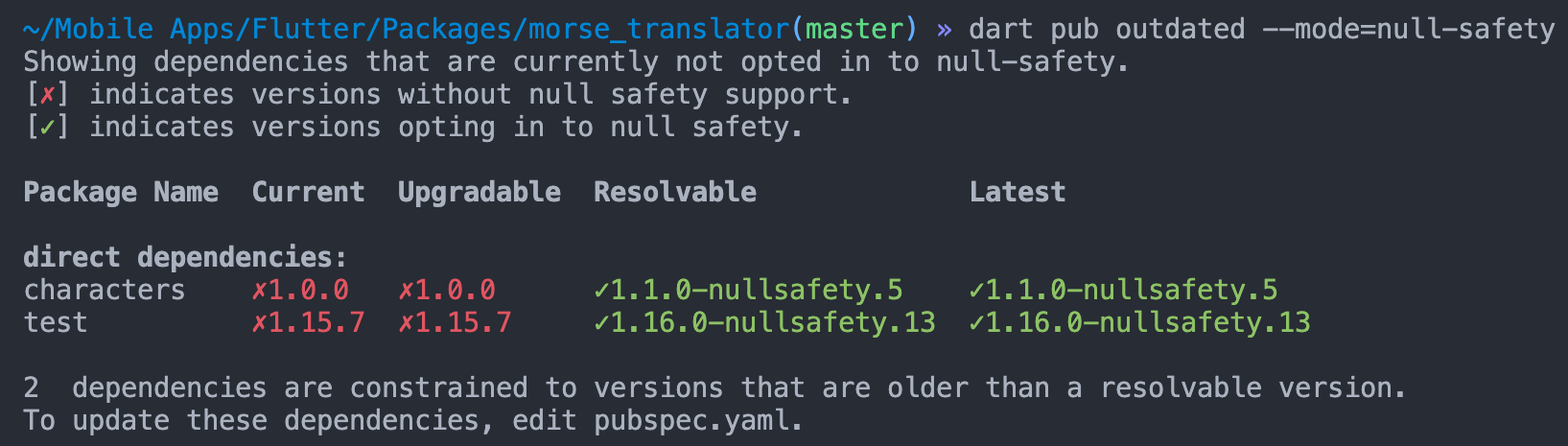
The null-safe versions of all our dependencies are available, so we can update them to the current version with null safety like this:
dependencies:
  characters: ^1.1.0-nullsafety.5

dev_dependencies:
  test: ^1.16.0-nullsafety.13
Then run:
Code migration
You are now ready to migrate your code to null safety. Most of the changes required to make the code null safe are easily predictable, so the best method is to use the dart migration tool.
Before running the migration tool, take a look at my pubspec.yaml, which looks like this:
name: morse
description: A dart library for morse encryption and decryption
version: 1.0.0

environment:
  sdk: ">=2.7.0 <3.0.0"

dependencies:
  characters: ^1.1.0-nullsafety.5

dev_dependencies:
  test: ^1.16.0-nullsafety.13
You will notice that I have still not updated the Dart SDK version to 2.12 or above because the migration tool will automatically do it for you.
Run the migration process:
It will generate a link that you can go to in order to see the changes it has proposed. You can also perform any further changes manually by using the DartPad of the link or directly from your IDE and clicking RERUN FROM SOURCES on the DartPad.
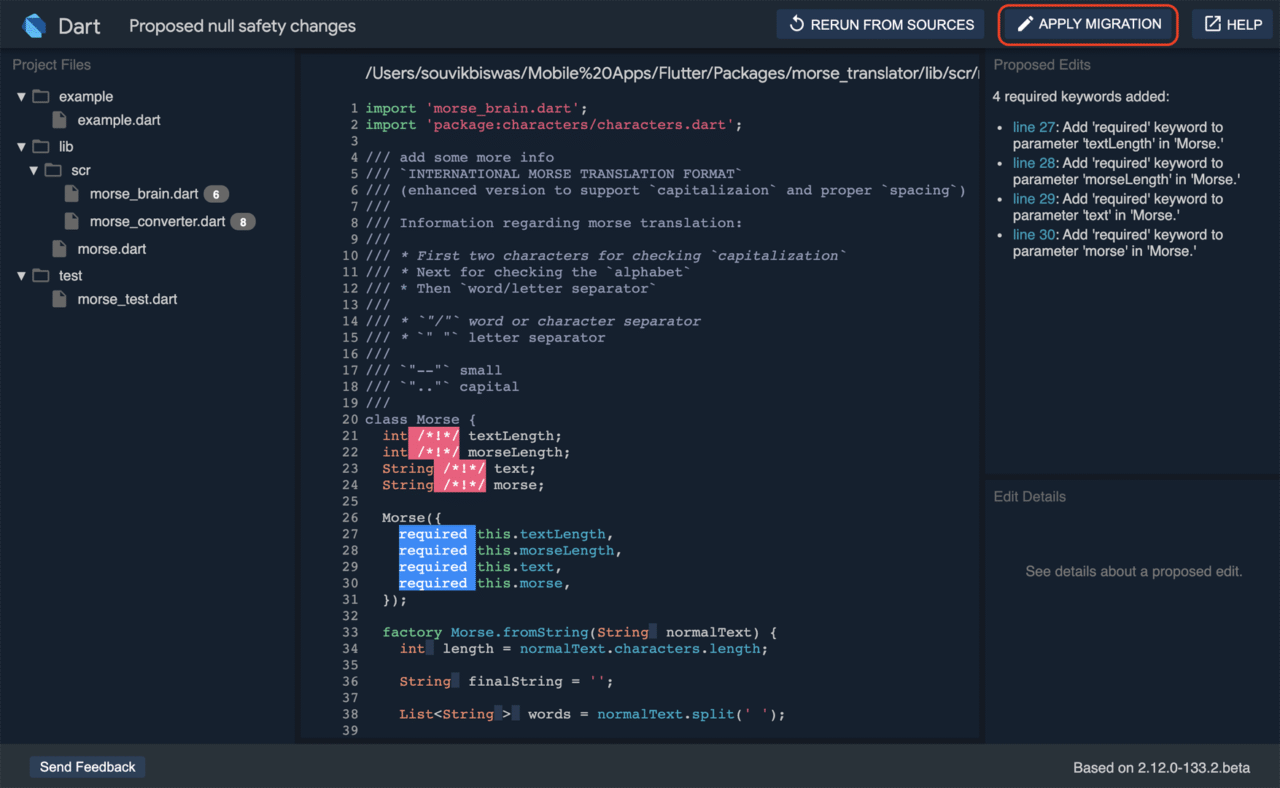
In my case, after opening the link, the following changes are suggested.
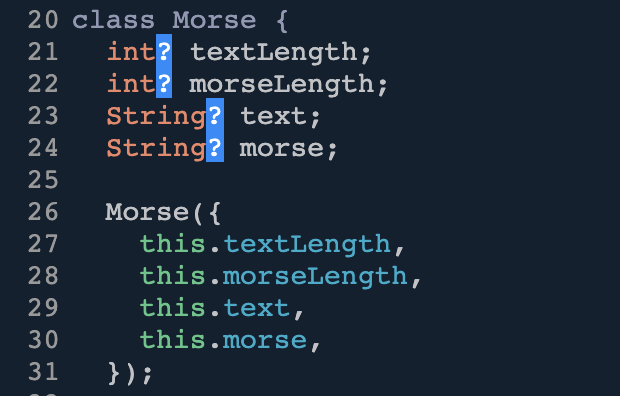
But here, I don’t want these to be nullable. So I can click on a “?”. In the right column, you will see some details related to the proposed change.
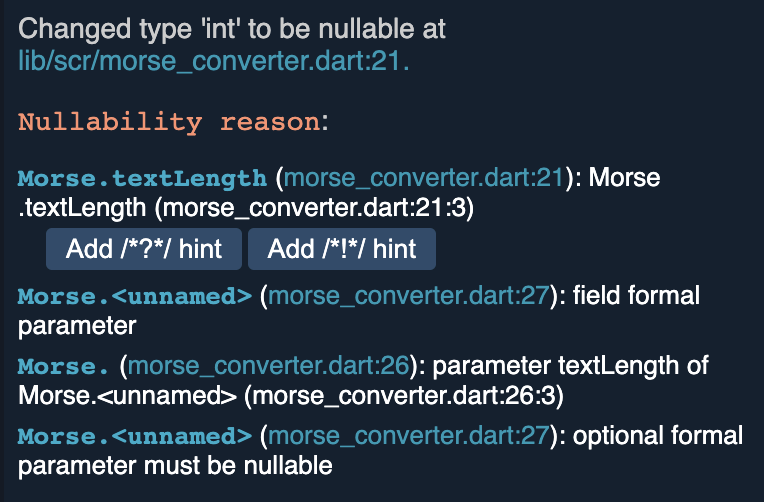
Here, you can click on Add /*!*/ hint to make it non-nullable. Then, click on RERUN WITH CHANGES – this applies the changes and updates all of the code with respect to that.
This will make those fields required to make them non-nullable.
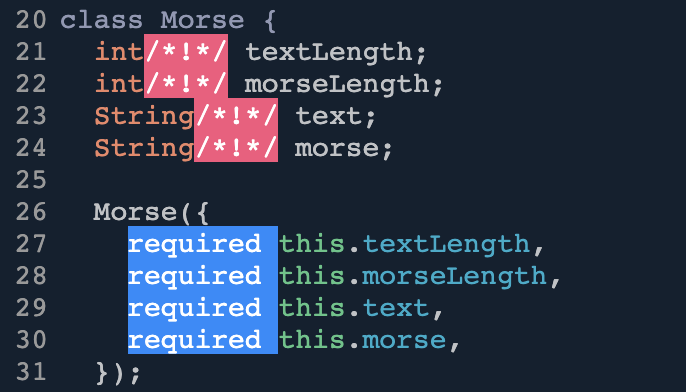
Also, I had some null checks in the fromString and toString factory methods and threw an ArgumentError.

You can remove these unnecessary null checks.

Finally, click on APPLY MIGRATION to accept all the changes.
After applying, if you go to the pubspec.yaml file, you will notice that it has also updated the Dart SDK version.
environment:
  sdk: '>=2.12.0-133.2.beta <3.0.0'
Testing & analysis
Now that you have successfully migrated to sound null-safe mode, you should check whether your tests run successfully.
My previous morse_test.dart file contained two null tests:
void main() {
  test('Text: Fails with null', () {
    expect(() => Morse.fromString(null), throwsArgumentError);
  });

  test('Morse: Fails with null', () {
    expect(() => Morse.toString(null), throwsArgumentError);
  });

  // ...
}
However, we don’t need to test these anymore, as they don’t even accept null values now and will throw an error during compilation. So, remove all tests for null values.
Run the tests using:
dart test # or `flutter test`
Perform a static analysis on your code to ensure that you are following the correct style guidelines and to prevent bugs.
dart analyze # or `flutter analyze`
Publishing
Finally, you have to update the version of the package and include the nullsafety suffix as follows:
version: 1.1.0-nullsafety.0
Update the CHANGELOG.md file with the new changes.
Perform a dry run to check how pub publish will work:
When you’re ready to publish your package, use the following command:
Automate using Codemagic
You can automate the testing and publishing phase of the Dart package by using Codemagic.
Follow the steps below:
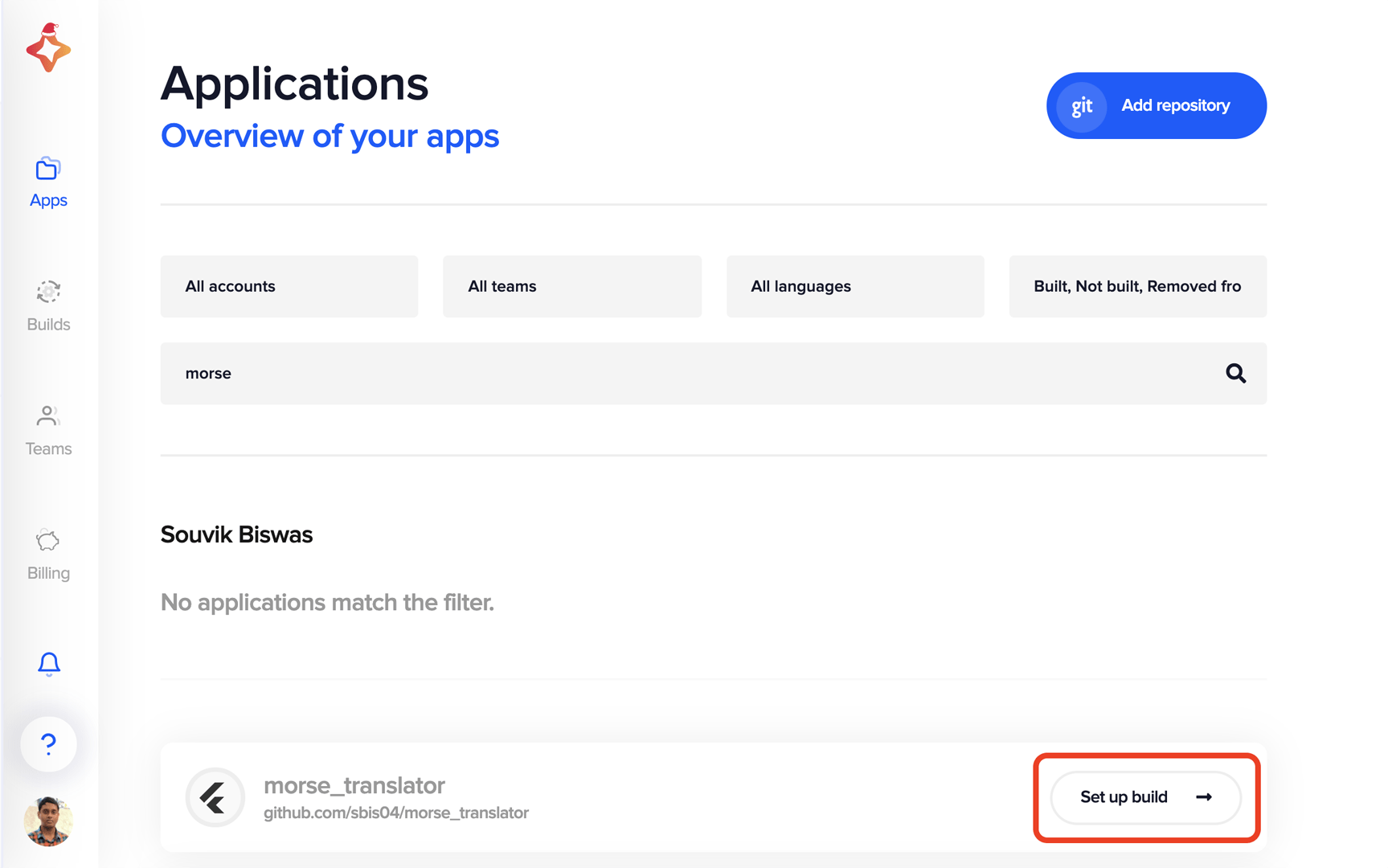
- Select Flutter/Dart Package.
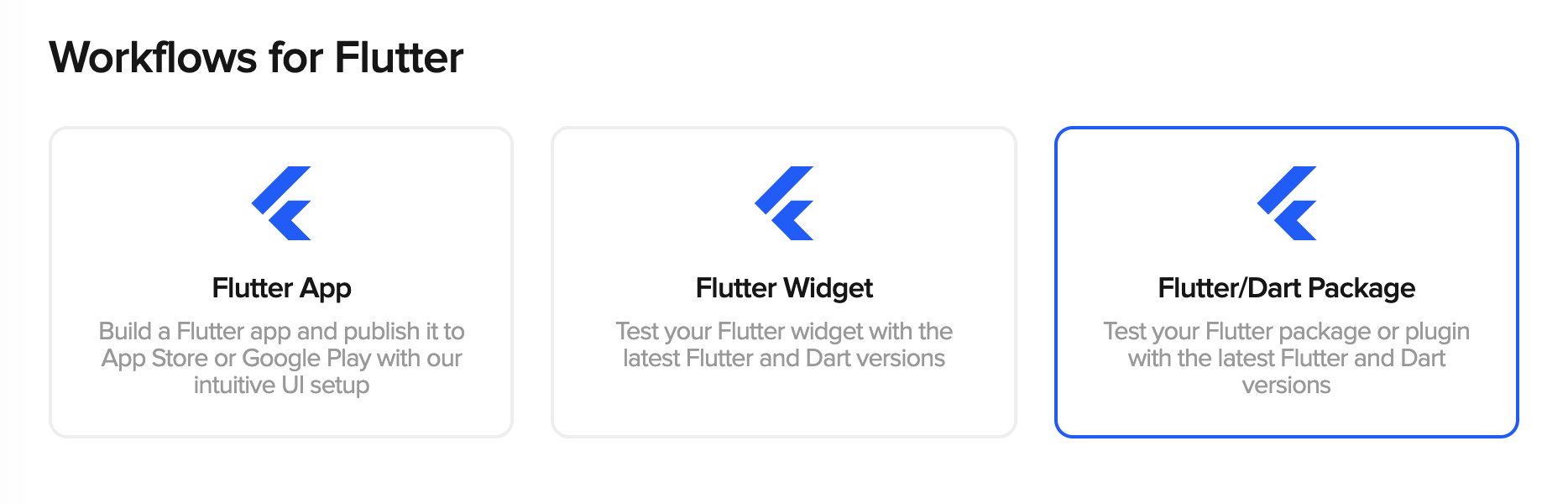
- Download the
codemagic.yamlfile.
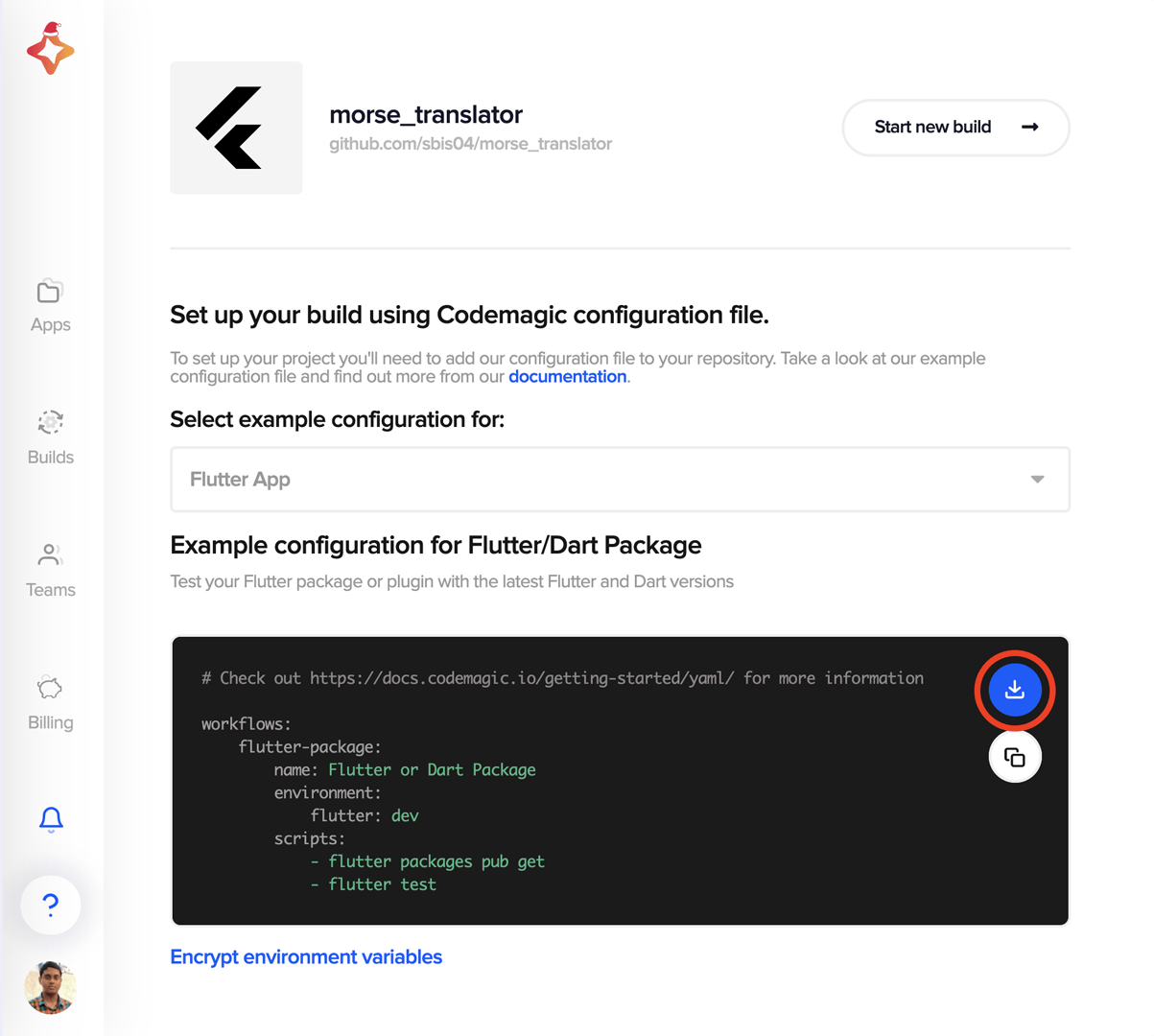
-
Modify the YAML file as follows:
workflows:
  flutter-package:
    name: morse_translator
    environment:
      vars:
        CREDENTIALS: Encrypted(...)
      flutter: beta
    cache:
      cache_paths:
        - $FLUTTER_ROOT/.pub-cache
    scripts:
      - name: Switch to Dart beta
        script: |
          brew unlink dart
          brew install dart-beta
          dart --version
      - name: Testing
        script: |
                    dart test
      - name: Static analysis
        script: |
                    dart analyze
      - name: Check for publishing
        script: |
                    pub publish --dry-run
      - name: Publish to pub.dev
        script: |
          echo $CREDENTIALS | base64 --decode > "$FLUTTER_ROOT/.pub-cache/credentials.json"
          flutter pub publish --dry-run
          flutter pub publish -f
You will need to manually upload the package once to
pub.dev. This will create thecredentials.jsonfile in the pub cache directory (~/.pub-cache/credentials.jsonon macOS and Linux,%APPDATA%PubCachecredentials.jsonon Windows).Encrypt the file from Codemagic and update the value of the
CREDENTIALSenvironment variable. -
Place the YAML file in the root directory of your project, and push it to your repository.
-
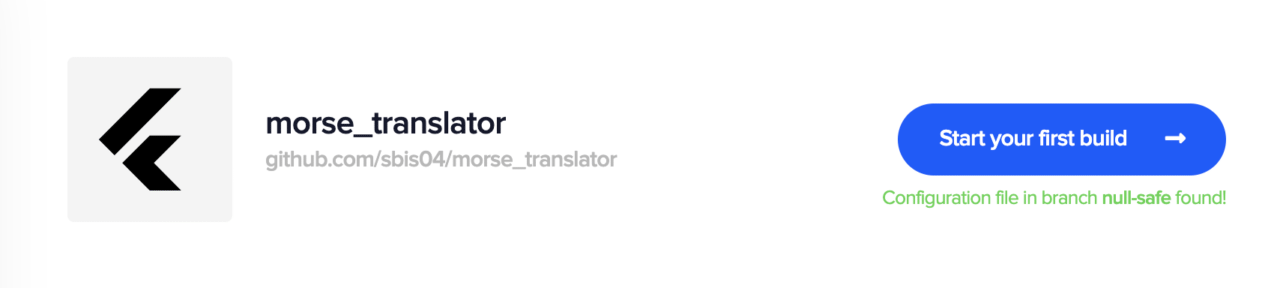
Click on Start new build.

-
Select your branch and workflow, and click on Start new build.
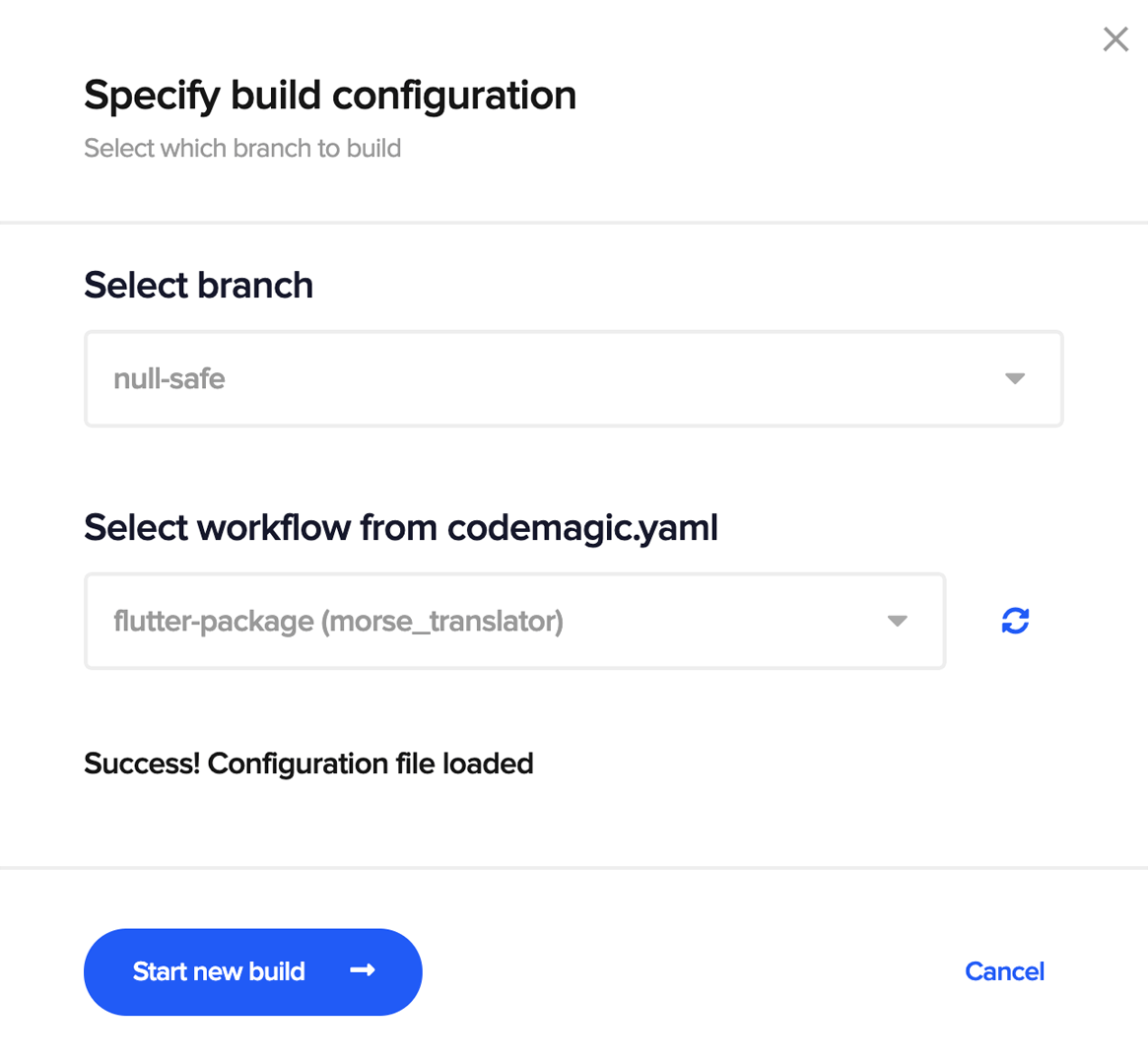
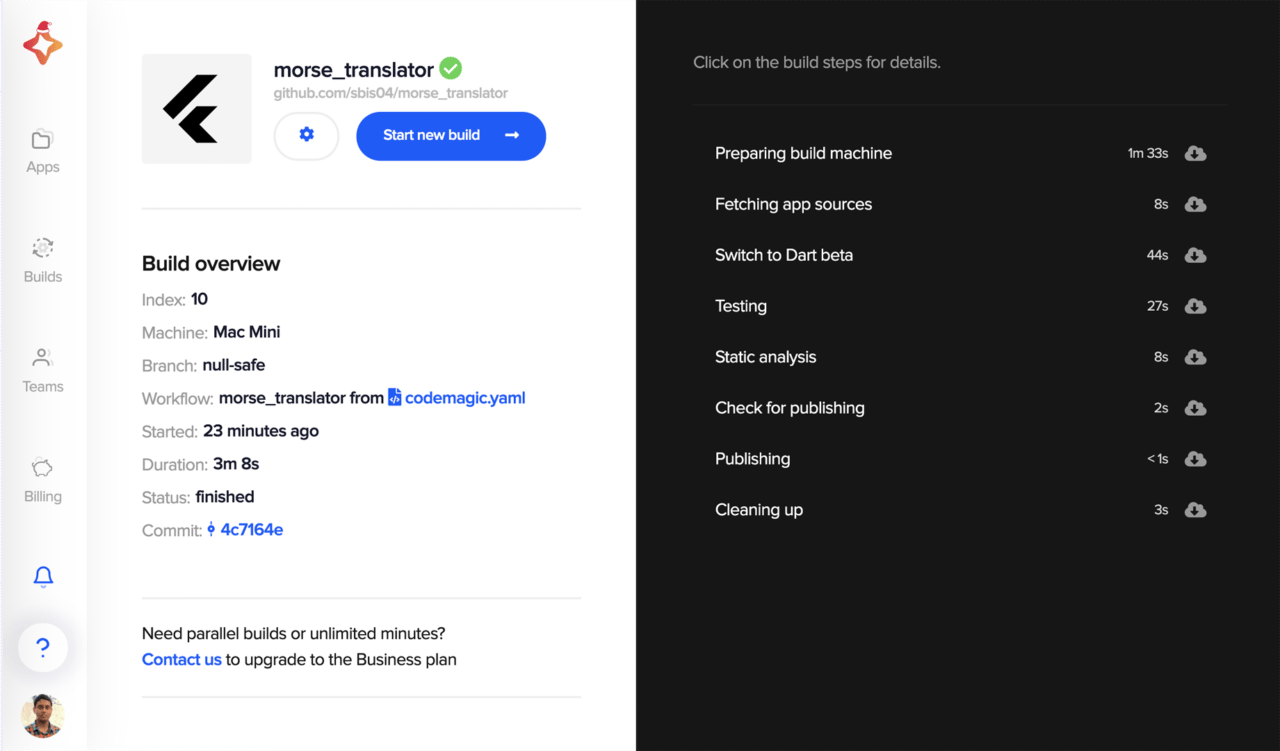
This will start a new build on Codemagic.
Version solving
Now that we have seen the null safety migration process and automated publishing using Codemagic, it is also very important for package authors to know how version solving would work for the end-user.
We will learn to understand this from the perspective of an end-user by taking the characters package as an example.
I am not using the package that we used to learn about the null safety migration process because it is not published to
pub.dev, and using the GitHub repo version of the package won’t properly give you a sense of version solving.
Dart on stable channel
First, we will see how version solving normally works on the stable channel of Dart.
Currently, the pubspec.yaml file of a demo Dart app looks like this:
name: version_demo
description: A sample command-line application.

environment:
  sdk: '>=2.8.1 <3.0.0'

dependencies:
  characters: ^1.0.0

dev_dependencies:
  pedantic: ^1.9.0
  test: ^1.14.4
Here, I have just imported the latest stable version of the characters package.
The caret syntax (^) before the version number helps in making the latest version compatible with the current version (i.e., the version with non-breaking changes). ^1.0.0 is equivalent to >=1.0.0 <2.0.0.
But if the package has not reached the major version (1.0.0), such as if the package is in version 0.6.1, using the caret (^0.6.1) here is equivalent to >=0.6.1 <0.7.0.
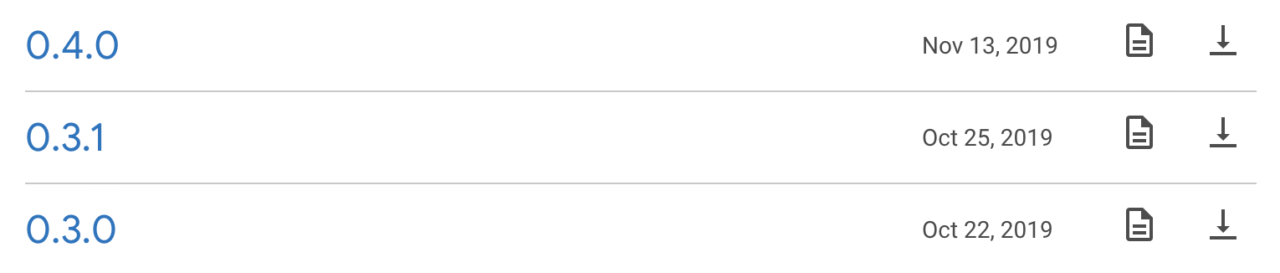
In our case, specifying the version as characters: ^0.3.0 (equivalent to >=0.3.0 <0.4.0) will resolve to 0.3.1. This is because if you check the versions for characters on pub.dev, you will see this:
TIP: You can check the exact version of the package that is being used after running
pub getby going topubspec.lock:characters: dependency: "direct main" description: name: characters url: "https://pub.dartlang.org" source: hosted version: "0.3.1"
Now, you can even skip specifying any version for a particular package by using any:
dependencies:
  characters: any
If you run pub upgrade after this, it will retrieve the latest stable version of the package.
# pubspec.lock
characters:
  dependency: "direct main"
  description:
    name: characters
    url: "https://pub.dartlang.org"
  source: hosted
  version: "1.0.0"
So, as a package author, you should follow the package versioning as discussed above.
Dart on beta channel
At the time of writing this article, Dart null safety is available in beta (so you can’t use any null-safe packages in the stable channel). To use packages with null safety in your app, you first have to update the SDK version:
environment:
  sdk: ">=2.12.0-133.2.beta <3.0.0"
Now, you can use the null-safe version of packages that satisfies the SDK constraint.
dependencies:
  characters: ^1.1.0-nullsafety.5
Here, a similar kind of version syntax also works, but using the caret will retrieve the latest null-safe version of the package – for example, defining ^1.1.0-nullsafety.4 will resolve to 1.1.0-nullsafety.5 (the latest version).
But if you use any as the package version, then it will resolve to the latest stable release (not the null-safe version).
dependencies:
  characters: any
# pubspec.lock
characters:
  dependency: "direct main"
  description:
    name: characters
    url: "https://pub.dartlang.org"
  source: hosted
  version: "1.0.0"
All the concepts discussed above (with respect to a Dart app) are also applicable to a Flutter app.
REMEMBER: For package authors, even if you have migrated your package to null safety, you can still maintain a stable release along with the null-safe prerelease.
Conclusion
You are now ready to migrate your own Flutter/Dart package to null safety and publish it to pub.dev. Hopefully, this article helped you gain insight into the migration process and how version solving works for the end-user.
References
Souvik Biswas is a passionate Mobile App Developer (Android and Flutter). He has worked on a number of mobile apps throughout his journey, and he loves open source contribution on GitHub. He is currently pursuing a B.Tech degree in Computer Science and Engineering from Indian Institute of Information Technology Kalyani. He also writes Flutter articles on Medium – Flutter Community.


Discussion about this post