
• Home
  • Insight
  • Blog
  • Business
  • Entertainment
  • Health
  • Politics
  • Shop
    • Gift Shop
    • Value Shop
    • Store
    • Bargain Shop
    • Discount
  • Sports
  • Tech
  • Travel
  • USA
  • Video
  • World
    • Asia
    • Africa
    • South America
    • North America
    • Europe
    • Oceania
Saturday, August 29, 2026
No Result
View All Result
Subscribe Now
  • Home
  • Insight
  • Blog
  • Business
  • Entertainment
  • Health
  • Politics
  • Shop
    • Gift Shop
    • Value Shop
    • Store
    • Bargain Shop
    • Discount
  • Sports
  • Tech
  • Travel
  • USA

    AI-generated CSAM possession protected by First Amendment court ruling

    Opinion | What It Took to Dismantle the Most Powerful Company in the World

    Trump Brands Anti-Genocide Group “Terrorist”

    Fans in Dollywood react to death of music star, actor and beloved figure Dolly Parton at 80

    Tim Curry’s devilish charm was irresistible

    USS Abraham Lincoln heads to Thailand for brief stop after lengthy deployment at sea

    Immigrant Grocery Store Owners Sue NY Mayor Mamdani over Socialist Grocery Scheme

    Homeless agency has posh digs while ‘clients’ live in squalor

    3 rescued belugas make 2,500-mile journey to SeaWorld San Diego

  • Video
  • World
    • Asia
    • Africa
    • South America
    • North America
    • Europe
    • Oceania
The Insight Post
  • Home
  • Insight
  • Blog
  • Business
  • Entertainment
  • Health
  • Politics
  • Shop
    • Gift Shop
    • Value Shop
    • Store
    • Bargain Shop
    • Discount
  • Sports
  • Tech
  • Travel
  • USA

    AI-generated CSAM possession protected by First Amendment court ruling

    Opinion | What It Took to Dismantle the Most Powerful Company in the World

    Trump Brands Anti-Genocide Group “Terrorist”

    Fans in Dollywood react to death of music star, actor and beloved figure Dolly Parton at 80

    Tim Curry’s devilish charm was irresistible

    USS Abraham Lincoln heads to Thailand for brief stop after lengthy deployment at sea

    Immigrant Grocery Store Owners Sue NY Mayor Mamdani over Socialist Grocery Scheme

    Homeless agency has posh digs while ‘clients’ live in squalor

    3 rescued belugas make 2,500-mile journey to SeaWorld San Diego

  • Video
  • World
    • Asia
    • Africa
    • South America
    • North America
    • Europe
    • Oceania
No Result
View All Result
No Result
View All Result
Home Mobile

How to customize the left and right double-tap controls on your AirPods

by Theinsightpost
December 25, 2022
in Mobile
0 0
0
How to customize the left and right double-tap controls on your AirPods


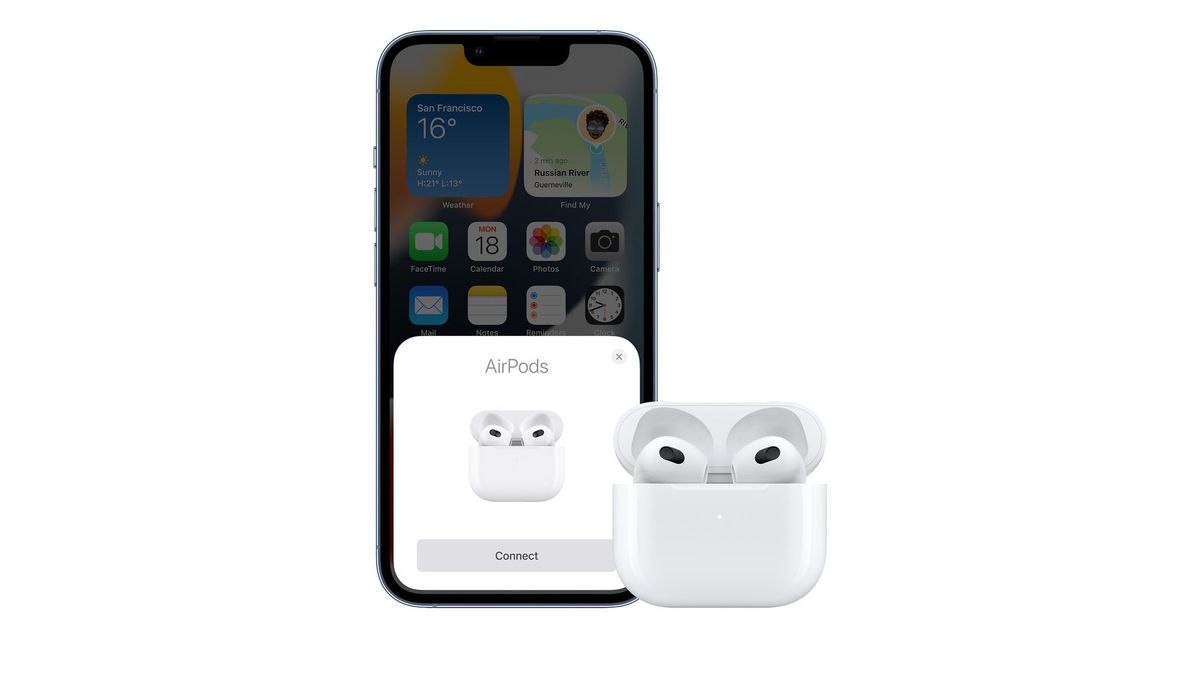
If you own one of the first models of AirPods – these are officially called the 1st gen AirPods (2019) and Apple AirPods (2nd gen) – then you’re able to customize the settings and decide which does what, including playing a previous or next track. 

You get to choose what happens when you double tap one of your AirPods. The great feature here is that you don’t have to assign the same control to both AirPods. For example, you can double-tap the left one for Siri and the right one for skipping between tracks. 

There are different steps to follow and settings to play with depending on which kinds of AirPods you have, so make sure you’ve checked which pair of AirPods you have. 

Read on for everything you need to know about how to customize the left and right double-tap controls on your AirPods.

What features support the AirPods double-tap shortcut?

When you customize your AirPods double-tap shortcut, you can choose from the following options in each ear:

  • Siri
  • Play/Pause
  • Next Track
  • Previous Track

You can also disable the shortcut entirely if you find that you’re triggering it accidentally.

How to customize the left and right double-tap shortcut for AirPods

Your AirPods must be connected to your device in order to customize the double-tap controls. You can set up different controls for each device you use with your AirPods.

  1. Launch the Settings app on your iPhone.
  2. Select Bluetooth.
  3. Tap the info button next to your AirPods. It looks like an i with a circle around it.

Tap Settings, then tap Bluetooth, Tap the info button next to AirPods
  1. Tap Left or Right under Double-Tap on AirPod.
  2. Select from the available double-tap shortcuts.
  3. Tap the back arrow at the top left of the screen.
  4. Select the other AirPod.
  5. Select the same or a different double-tap shortcut (or the same one, if that’s your preference).

Tap left or right, then pick a control

Tap left or right, then pick a control

Once enabled, you’ll be able to immediately use your AirPods with your new double-tap shortcuts.

How to disable the left or right double-tap shortcut for AirPods

If you find yourself skipping tracks or pausing songs because you accidentally double tap your AirPods too often, you can disable the feature on either or both sides.

  1. Launch the Settings app on your iPhone.
  2. Tap Bluetooth.
  3. Tap the info button next to your AirPods. It looks like an i with a circle around it.

Tap Settings, then tap Bluetooth, Tap the info button next to AirPods

Tap Settings, then tap Bluetooth, Tap the info button next to AirPods
  1. Tap Left or Right under Double-Tap on AirPod.
  2. Tap Off.
  3. Tap the back arrow at the top left of the screen.
  4. Select the other AirPod.
  5. Tap Off.

Tap left or right, then tap off

Tap left or right, then tap off

Now you can tap, double-tap, smash, or throw your AirPods (which I don’t recommend) without accidentally triggering a shortcut.

How else can you customize your AirPods?

There are other ways to change the settings on your AirPods and customize them so that they work better for you. Read our guide filled with details about how to customize your AirPods, which includes how to change their name and more. 

Remember there are a different set of steps to follow and settings depending on the kind of AirPods that you have, so check which yours are.

If you’ve read this guide about the 1st and 2nd generation AirPods controls and decided you’d rather have a new pair of earbuds instead, then read our AirPods Pro 2 review and Apple AirPods 3 review.



Source link

ShareTweetSend
Previous Post

Heartwarming Moments That Brought Kenyans Together in 2022

Next Post

Britain’s King Charles salutes the late queen in traditional Christmas speech

Related News

Mobile

Seestar S50 Pro Smart Telescope Launches

August 29, 2026
Mobile

Annual vs Continuous Mobile App Security Testing

August 28, 2026
Mobile

Top 10 AI App Development Companies in 2026?

August 27, 2026
Mobile

Top 10 Apple TV App Development Companies (2026 Ranking)

August 26, 2026
Next Post
Britain’s King Charles salutes the late queen in traditional Christmas speech

Britain's King Charles salutes the late queen in traditional Christmas speech

Discussion about this post

Subscribe To Our Newsletters

    Customer Support


    1251 Wilcrest Drive
    Houston, Texas
    77042 USA
    Call-832.795.1420
    e-mail – news@theinsightpost.com

    Subscribe To Our Newsletters

      Categories

      • Africa
      • Africa-East
      • African Sports
      • American Sports
      • Arts
      • Asia
      • Australia
      • Business
      • Business Asia
      • Business- Africa
      • Canada
      • Defense
      • Education
      • Egypt
      • Energy
      • Entertainment
      • Europe
      • European Soccer
      • Finance
      • Germany
      • Ghana
      • Health
      • Insight
      • International
      • Investing
      • Japan
      • Latest Headlines
      • Life & Living
      • Markets
      • Mobile
      • Movies
      • New Zealand
      • Nigeria
      • Politics
      • Scholarships
      • Science
      • South Africa
      • South America
      • Sports
      • Tech
      • Travel
      • UK
      • USA
      • Weather
      • World
      No Result
      View All Result

      Recent News

      WWE NXT Heatwave 2026 match card, preview and predictions

      August 29, 2026

      iPhone 18 Pro: Two new features I’m excited to upgrade for

      August 29, 2026

      Why would someone lock up money by rolling it into a 401(k)?

      August 29, 2026

      Dog Walking Forecast 8.28.26 | Weather

      August 29, 2026
      • Home
      • Advertise With Us
      • About Us
      • Corporate
      • Consumer Rewards
      • Forum
      • Privacy Policy
      • Social Trends

      Theinsightpost ©2026 | All Rights Reserved. Theinsightpost is an Elnegy LLC company, registered in Texas, USA

      Welcome Back!

      Login to your account below

      Forgotten Password?

      Retrieve your password

      Please enter your username or email address to reset your password.

      Log In

      Add New Playlist

      We are using cookies to give you the best experience on our website.

      You can find out more about which cookies we are using or switch them off in .

      No Result
      View All Result
      • Home
      • Insight
      • Blog
      • Business
      • Entertainment
      • Health
      • Politics
      • Shop
        • Gift Shop
        • Value Shop
        • Store
        • Bargain Shop
        • Discount
      • Sports
      • Tech
      • Travel
      • USA
      • Video
      • World
        • Asia
        • Africa
        • South America
        • North America
        • Europe
        • Oceania

      Theinsightpost ©2026 | All Rights Reserved. Theinsightpost is an Elnegy LLC company, registered in Texas, USA

      The Insight Post
      Powered by  GDPR Cookie Compliance
      Privacy Overview

      This website uses cookies so that we can provide you with the best user experience possible. Cookie information is stored in your browser and performs functions such as recognising you when you return to our website and helping our team to understand which sections of the website you find most interesting and useful.

      Strictly Necessary Cookies

      Strictly Necessary Cookie should be enabled at all times so that we can save your preferences for cookie settings.

      Cookie Policy

      More information about our Cookie Policy