
• Home
  • Insight
  • Blog
  • Business
  • Entertainment
  • Health
  • Politics
  • Shop
    • Gift Shop
    • Value Shop
    • Store
    • Bargain Shop
    • Discount
  • Sports
  • Tech
  • Travel
  • USA
  • Video
  • World
    • Asia
    • Africa
    • South America
    • North America
    • Europe
    • Oceania
Monday, October 19, 2026
No Result
View All Result
Subscribe Now
  • Home
  • Insight
  • Blog
  • Business
  • Entertainment
  • Health
  • Politics
  • Shop
    • Gift Shop
    • Value Shop
    • Store
    • Bargain Shop
    • Discount
  • Sports
  • Tech
  • Travel
  • USA

    4 dead, 39 injured in explosion at Canadian military training base

    Texas Man Found with Pipe Bombs, Guns, Three Illegal Aliens near Border

    Two players to bet on Sunday

    Arcadia surrogacy mansion mom previously fled U.S., prosecutors allege

    Crowds throng New Delhi and wave Indian flags amid escalating protests : NPR

    Jerry Seinfeld mocks pro-Palestinian protesters at Chicago Theatre

    Reflecting on the Trump Era

    California can’t make ICE wear ID, federal appeals court rules

    Pope Leo XIV diagnosed with cancer

  • Video
  • World
    • Asia
    • Africa
    • South America
    • North America
    • Europe
    • Oceania
The Insight Post
  • Home
  • Insight
  • Blog
  • Business
  • Entertainment
  • Health
  • Politics
  • Shop
    • Gift Shop
    • Value Shop
    • Store
    • Bargain Shop
    • Discount
  • Sports
  • Tech
  • Travel
  • USA

    4 dead, 39 injured in explosion at Canadian military training base

    Texas Man Found with Pipe Bombs, Guns, Three Illegal Aliens near Border

    Two players to bet on Sunday

    Arcadia surrogacy mansion mom previously fled U.S., prosecutors allege

    Crowds throng New Delhi and wave Indian flags amid escalating protests : NPR

    Jerry Seinfeld mocks pro-Palestinian protesters at Chicago Theatre

    Reflecting on the Trump Era

    California can’t make ICE wear ID, federal appeals court rules

    Pope Leo XIV diagnosed with cancer

  • Video
  • World
    • Asia
    • Africa
    • South America
    • North America
    • Europe
    • Oceania
No Result
View All Result
No Result
View All Result
Home Mobile

How to use Midjourney: Sign up process, prompts, and more

by Theinsightpost
March 26, 2023
in Mobile
0 0
0
How to use Midjourney: Sign up process, prompts, and more

These days, it’s hard to do anything without hearing about AI art generators. Upon simply giving these complex programs a prompt, they can turn around and generate detailed imagery that matches. Midjourney is one of the most popular options because it offers a free trial, works relatively fast, and can generate art in a wide range of art styles. 

It can be a little confusing to get started with Midjourney since it’s integrated into the chat app Discord. Not sure what to do? Here are step-by-step instructions for setting up Midjourney and using it within Discord. 

Note: There is a lot of controversy around AI art generators like Midjourney because they were trained using real artists’ work, but without the original artists’ permission. Some artists are even suing Midjourney based on copyright violations. Please consider the ethical implications of using AI art generators when using the art that is generated from them. 

How to set up Midjourney’s free trial on Discord

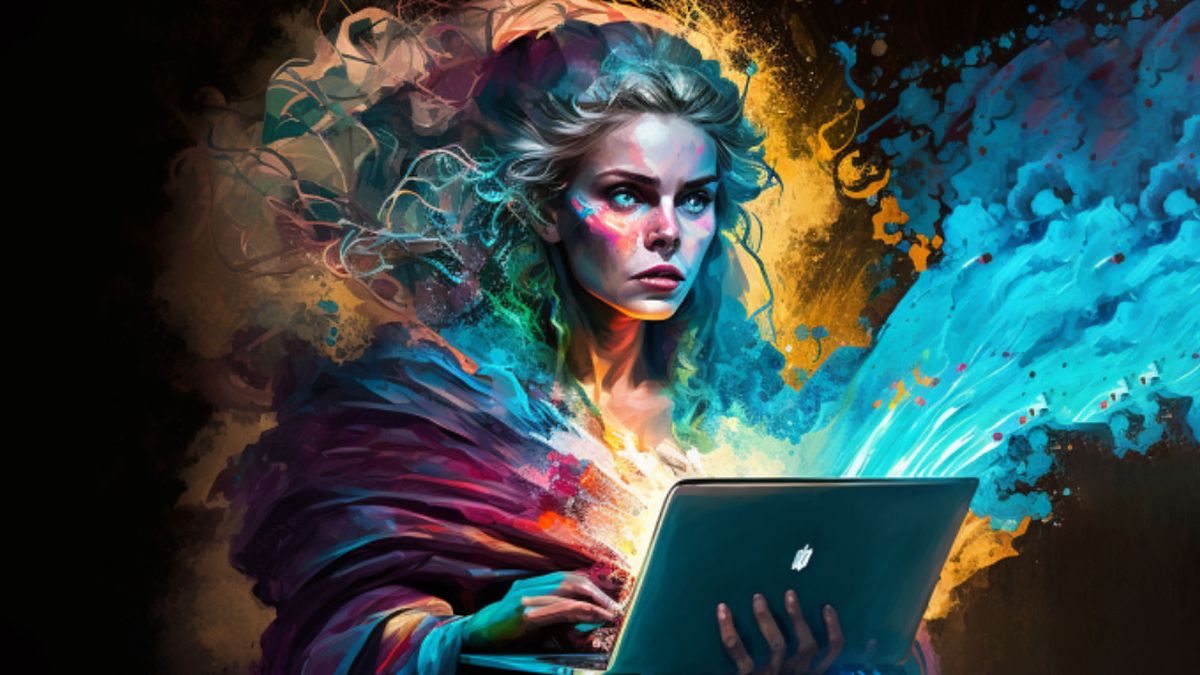
Midjourney: AI Generated image of a magical woman on a Macbook Pro.

Midjourney: AI Generated image of a magical woman on a Macbook Pro.  (Image credit: Midjourney)

Midjourney is an AI image-generating program that works within Discord. So, in order to use it you must first login to Discord or download Discord (opens in new tab) and set up a Discord account. 

Here’s what to do after you’ve gotten your Discord account squared away on iPhone or Macbook:

Midjourney website: Join the Beta

Click “Join the Beta” on Midjourney’s website. (Image credit: iMore)
  1. Navigate to Midjourney.com (opens in new tab) and select Join the Beta on the bottom right side of the screen.

Continue to Midjourney Discord

Continue to Midjourney Discord. (Image credit: iMore)
  1. This screen will pop up. Select Continue to Discord. You’ll need to login to Discord if you currently aren’t.

Click Join Midjourney on Discord.

Click Join Midjourney on Discord. (Image credit: iMore)
  1. Select Join Midjourney.

Complete the Midjourney CAPTCHA test.

Complete the Midjourney CAPTCHA test. (Image credit: iMore)
  1. Complete the CAPTCHA test to verify that you are human.

Midjourney Discord Server: Dismiss guide and Midjourney icon.

Midjourney Discord Server: Dismiss guide and Midjourney icon.  (Image credit: iMore)
  1. A Discord server guide will pop up, and you can either click through it and learn as much as you want or select Dismiss to make it go away.
    • If you’re already part of the Midjourney Discord then you’ll need to click on the Midjourney icon on the left to open the server. It’s a sailboat on a white background.

Midjourney: Click on a Newcomer Room.

Midjourney: Click on a Newcomer Room. (Image credit: iMore)
  1. As part of the free Beta trial, you can make up to 25 free images with prompts. If you want to keep using Midjourney after that, you’ll have to pay for it. Select one of the Rooms under Newcomer Rooms to get started with your free trial. In these rooms, you’ll be able to give Midjourney prompts along with other Midjourney trial users.

Midjourney: Make a prompt box appear by typing

Midjourney: Make a prompt box appear by typing “/imagine” into the chat. (Image credit: iMore)
  1. Type “/imagine” into the command box at the bottom of the screen. Then click on the box that pops up above the command box area to make a prompt box appear.

Midjourney: Write a descriptive prompt in the prompt box.

Midjourney: Write a descriptive prompt in the prompt box. (Image credit: iMore)
  1. Type in any descriptive prompt in the prompt box. Make sure to stay in line with Midjourneys rules, which can be viewed at #rules within the Discord server. The more details you provide in your prompt, the more likely Midjourney is to produce something in the direction and style you want it to. Note that Midjourney’s generated images default to a 1:1 square ratio unless you indicate otherwise.
    • Prompt example 1: Cat fishing in a fish bowl, depth of field, 8k, hyper-realistic, 16:9
    • Prompt example 2: Watercolor illustration of a fruit bat enjoying a peach at night with the moon in the background whimsical art style

Midjourney: Accept Terms of Service.

Midjourney: Accept Terms of Service. (Image credit: iMore)
  1. The first time you use Midjourney to generate art via prompt, a box will pop up telling you that you must accept Midjourney’s Terms of Service (opens in new tab) before you can get to art generating. Read through this and then select Accept ToS if you agree to the terms.

Midjourney: U stands for Upscale, V stands for Variation.

Midjourney: U stands for Upscale, V stands for Variation.  (Image credit: iMore)
  1. Let Midjourney work for a bit and then four images based on your prompt will appear. Scroll down to the most recent posts in the newbie channel to see them. You’ll also notice several boxes underneath the images. Each number corresponds to one of the images above. Here’s what these buttons mean:
    • U1 – U4 (Upscale): Clicking on one of these upscales the image designated with the same number and posts it in the channel.
    • V1 – V4 (Variation): Clicking on one of these will create four different versions of the image selected and posts the images in the newbie channel.
    • Refresh button: This generates four new images based on the original prompt.

Midjourney: Buttons that appear after selecting an Upscale button.

Midjourney: Buttons that appear after selecting an Upscale button.  (Image credit: iMore)
  1. When Midjourney generates an image you like, select the corresponding upscale button (U#) and it will generate a higher-resolution version of that image in the chat. Scroll down to the most recent post to see it. Note that some details might be different from the previous generation. More buttons appear under the image, this is what they do:
    • Make Variations: Generates additional variations that are slightly different from the image above. 
    • Light Upscale Redo: Generates a 1024 x 1024p version of the image, which features more details. 
    • Beta Upscale Redo: Generates a 1024 x 1024p version of the image, but without adding many other details. 
    • Remaster: Improves an older image that was generated in an older Midjourney version by using newer algorithms.  
    • Web: Takes you to the Midjourney website.
    • Bookmark: Literally bookmarks the post with the AI-generated artwork for you to make it easy to find later.

How to get a Midjourney subscription

Midjourney subscription plans.

Midjourney subscription plans. (Image credit: Midjourney)

Midjourney offers three subscription plans (opens in new tab): A Basic plan that is $10 per month (or $8 per month if you purchase a full year), a Standard Plan that is $30 per month (or $24 per month if you purchase a full year), and the Pro Plan which is $60 per month ($48 per month if you purchase a full year). In each case, you’ll be able to have “three concurrent Jobs” going at once and “10 Jobs waiting in queue.” However, the higher the plan you choose, the faster GPU time you get for art generation. 

Here’s how to subscribe to one of these plans. 

  1. Go to https://www.midjourney.com/account/ (opens in new tab).
  2. Click on a newbie channel.
  3. Type “/subscribe” into the chat and then select the box the shows up that reads “Open Subscription page.”
  4. Click on the link that appears. 
  5. A window will pop up detailing the subscription plan details. Select the plan you want and choose whether to pay Yearly or Monthly.
  6. Select Subscribe.
  7. Enter your payment information. 
  8. Select Subscribe to complete the process.

What’s the best way to write a prompt for Midjourney?

To get the results you are looking for in Midjourney’s generated art, you want to write several details in your prompt. You should indicate whether you want it to look realistic or have a specific art style. State what ratio you want the image to be in. Plus, add any other descriptive details like the mood you want the art to have. The more details you give, the more likely Midjourney is to generate the image you’re thinking of. 

If you have the paid version of Midjourney, you can choose Remix mode to generate additional images that are influenced from your first prompt. This will help you get the exact look you’re aiming for. 

Generating art for any prompt

If you’ve never used Discord before then getting started with Midjourney can be a little confusing. However, once you know what to do, you can start issuing AI art prompts and allow Midjourney to handle art generation based on your words. 

The varied art styles and uses of color are some of the reasons why Midjourney is considered one of the best AI art generators out there. You can literally give Midjourney any prompt and it will make something out of it that looks like it was created in one of the best drawing apps. Just remember that it is due to the program being fed actual artists’ work that it is able to generate the art that it does. Laws surrounding AI art generation might change going forward. 
ShareTweetSend
Previous Post

Risks to financial stability have increased, calls for vigilance

Next Post

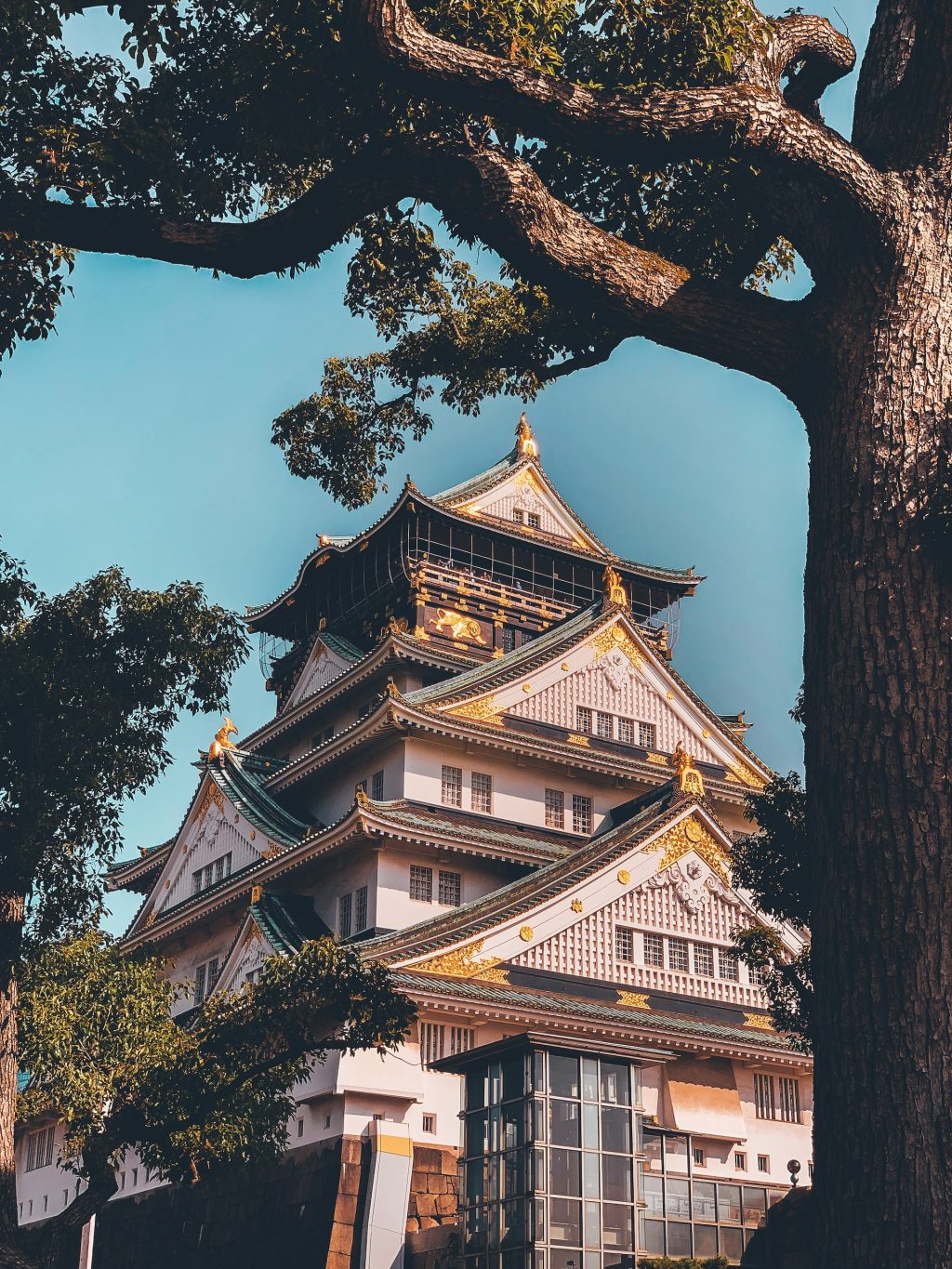
Visiting Japan’s Iconic Osaka Castle

Related News

Mobile

Best React Native OTA Tools in 2026: Hosted and Self-Hosted Options

October 18, 2026
Mobile

Codemagic Patch now supports Ionic Capacitor: OTA updates for your web layer

October 17, 2026
Mobile

YouTube just got a major Instagram-inspired upgrade

October 16, 2026
Mobile

The new Apple Watch Series 10 bands will work with older Apple Watch models

October 15, 2026
Next Post
Visiting Japan’s Iconic Osaka Castle

Visiting Japan's Iconic Osaka Castle

Discussion about this post

Subscribe To Our Newsletters

    Customer Support


    1251 Wilcrest Drive
    Houston, Texas
    77042 USA
    Call-832.795.1420
    e-mail – news@theinsightpost.com

    Subscribe To Our Newsletters

      Categories

      • Africa
      • Africa-East
      • African Sports
      • American Sports
      • Arts
      • Asia
      • Australia
      • Business
      • Business Asia
      • Business- Africa
      • Canada
      • Defense
      • Education
      • Egypt
      • Energy
      • Entertainment
      • Europe
      • European Soccer
      • Finance
      • Germany
      • Ghana
      • Health
      • Insight
      • International
      • Investing
      • Japan
      • Latest Headlines
      • Life & Living
      • Markets
      • Mobile
      • Movies
      • New Zealand
      • Nigeria
      • Politics
      • Scholarships
      • Science
      • South Africa
      • South America
      • Sports
      • Tech
      • Travel
      • UK
      • USA
      • Weather
      • World
      No Result
      View All Result

      Recent News

      “WTF Was That?”: 17 Beloved Rom-Coms That People Think Are Certifiably Terrible, And I’m Actually SHOCKED By A Lot Of These

      October 19, 2026

      4 Dead in ‘Violent’ Fire at a Canadian Military Base

      October 19, 2026

      AI’s Great Big ‘Dumbening’ Effect

      October 19, 2026

      2 Bc Million slot Betsoft Review: Features and Gameplay Overview

      October 18, 2026
      • Home
      • Advertise With Us
      • About Us
      • Corporate
      • Consumer Rewards
      • Forum
      • Privacy Policy
      • Social Trends

      Theinsightpost ©2026 | All Rights Reserved. Theinsightpost is an Elnegy LLC company, registered in Texas, USA

      Welcome Back!

      Login to your account below

      Forgotten Password?

      Retrieve your password

      Please enter your username or email address to reset your password.

      Log In

      Add New Playlist

      We are using cookies to give you the best experience on our website.

      You can find out more about which cookies we are using or switch them off in .

      No Result
      View All Result
      • Home
      • Insight
      • Blog
      • Business
      • Entertainment
      • Health
      • Politics
      • Shop
        • Gift Shop
        • Value Shop
        • Store
        • Bargain Shop
        • Discount
      • Sports
      • Tech
      • Travel
      • USA
      • Video
      • World
        • Asia
        • Africa
        • South America
        • North America
        • Europe
        • Oceania

      Theinsightpost ©2026 | All Rights Reserved. Theinsightpost is an Elnegy LLC company, registered in Texas, USA

      The Insight Post
      Powered by  GDPR Cookie Compliance
      Privacy Overview

      This website uses cookies so that we can provide you with the best user experience possible. Cookie information is stored in your browser and performs functions such as recognising you when you return to our website and helping our team to understand which sections of the website you find most interesting and useful.

      Strictly Necessary Cookies

      Strictly Necessary Cookie should be enabled at all times so that we can save your preferences for cookie settings.

      Cookie Policy

      More information about our Cookie Policy

      Clear examples do more than decorate an explanation: they show how an idea behaves under recognizable conditions. In education and software documentation alike, strong illustrations begin with a defined goal, then reveal the steps, assumptions, and result without unnecessary detail. A practical test example should state the input, expected output, and boundary condition, because these elements show whether a rule works beyond the simplest case. Including a contrasting case also helps readers distinguish a valid application from a tempting but incorrect one, while concise notes explain why the outcomes differ. When examples are updated with current data and checked against the underlying rule, they remain useful across classrooms, product guides, and professional training.
      Bij toegang tot Belgische casino’s via een tablet kunnen spelers accountgegevens, spelvoorwaarden en betaalopties overzichtelijk raadplegen, terwijl informatie over casinos zonder cruks aanvullende context biedt bij het beoordelen van beschikbare toegangsregels. Een stabiele mobiele verbinding en goed leesbare beveiligingsfuncties zijn daarbij belangrijk voor leeftijdscontrole, accountbeheer en verantwoord spelen.