
• Home
  • Insight
  • Blog
  • Business
  • Entertainment
  • Health
  • Politics
  • Shop
    • Gift Shop
    • Value Shop
    • Store
    • Bargain Shop
    • Discount
  • Sports
  • Tech
  • Travel
  • USA
  • Video
  • World
    • Asia
    • Africa
    • South America
    • North America
    • Europe
    • Oceania
Thursday, July 30, 2026
No Result
View All Result
Subscribe Now
  • Home
  • Insight
  • Blog
  • Business
  • Entertainment
  • Health
  • Politics
  • Shop
    • Gift Shop
    • Value Shop
    • Store
    • Bargain Shop
    • Discount
  • Sports
  • Tech
  • Travel
  • USA
    NBA players are ‘being taught’ to flop

    NBA players are ‘being taught’ to flop

    Industry was warned for years about chemical ‘runaway’ dangers. Then came near-catastrophe in O.C.

    Industry was warned for years about chemical ‘runaway’ dangers. Then came near-catastrophe in O.C.

    Trump administration seeks government-wide NDAs to stop leaks : NPR

    Trump administration seeks government-wide NDAs to stop leaks : NPR

    Dog discharges shotgun inside truck, striking woman at Nebraska traffic light

    Dog discharges shotgun inside truck, striking woman at Nebraska traffic light

    Toshifumi Suzuki, Japan’s ‘God’ of Convenience Stores, Dies at 93

    Toshifumi Suzuki, Japan’s ‘God’ of Convenience Stores, Dies at 93

     Judge Sanctioned CoreCivic for Destroying Video in ICE Death Suit

     Judge Sanctioned CoreCivic for Destroying Video in ICE Death Suit

    Suspect dead after opening fire near White House security checkpoint, Secret Service says

    Suspect dead after opening fire near White House security checkpoint, Secret Service says

    Trump trashes Colbert’s high-rated finale as “no ratings”

    Trump trashes Colbert’s high-rated finale as “no ratings”

    Evacuation orders issued in California city over chemical tank: ‘It fails or it blows up’

    Evacuation orders issued in California city over chemical tank: ‘It fails or it blows up’

  • Video
  • World
    • Asia
    • Africa
    • South America
    • North America
    • Europe
    • Oceania
The Insight Post
  • Home
  • Insight
  • Blog
  • Business
  • Entertainment
  • Health
  • Politics
  • Shop
    • Gift Shop
    • Value Shop
    • Store
    • Bargain Shop
    • Discount
  • Sports
  • Tech
  • Travel
  • USA
    NBA players are ‘being taught’ to flop

    NBA players are ‘being taught’ to flop

    Industry was warned for years about chemical ‘runaway’ dangers. Then came near-catastrophe in O.C.

    Industry was warned for years about chemical ‘runaway’ dangers. Then came near-catastrophe in O.C.

    Trump administration seeks government-wide NDAs to stop leaks : NPR

    Trump administration seeks government-wide NDAs to stop leaks : NPR

    Dog discharges shotgun inside truck, striking woman at Nebraska traffic light

    Dog discharges shotgun inside truck, striking woman at Nebraska traffic light

    Toshifumi Suzuki, Japan’s ‘God’ of Convenience Stores, Dies at 93

    Toshifumi Suzuki, Japan’s ‘God’ of Convenience Stores, Dies at 93

     Judge Sanctioned CoreCivic for Destroying Video in ICE Death Suit

     Judge Sanctioned CoreCivic for Destroying Video in ICE Death Suit

    Suspect dead after opening fire near White House security checkpoint, Secret Service says

    Suspect dead after opening fire near White House security checkpoint, Secret Service says

    Trump trashes Colbert’s high-rated finale as “no ratings”

    Trump trashes Colbert’s high-rated finale as “no ratings”

    Evacuation orders issued in California city over chemical tank: ‘It fails or it blows up’

    Evacuation orders issued in California city over chemical tank: ‘It fails or it blows up’

  • Video
  • World
    • Asia
    • Africa
    • South America
    • North America
    • Europe
    • Oceania
No Result
View All Result
No Result
View All Result
Home Mobile

Mobile App Usability for People with Disabilities — Mobile App Development | Design

by Theinsightpost
February 18, 2023
in Mobile
0 0
0
Mobile App Usability for People with Disabilities — Mobile App Development | Design

[ad_1]

People with disabilities face many challenges, not the least of which is accessing the services and information that are available to others. As we continue to shift toward a digital economy, software and apps must be accessible to all users, including those who may have difficulty using a device or operating software for various reasons.

This article discusses accessibility considerations for mobile apps and outlines how developers can make their apps more user-friendly for people with disabilities. Read on for more information about these topics, as well as helpful resources to help you implement accessibility measures in your app

Screen reading software

Some users with vision impairments may find it difficult to read on a screen, particularly if the text is small or if the screen is cluttered with graphics. Screen readers allow users to listen instead of reading. A number of screen reading software programs are available online and in mobile app stores, or you can use a service like Skype or Google Voice to send voice messages to friends or family.
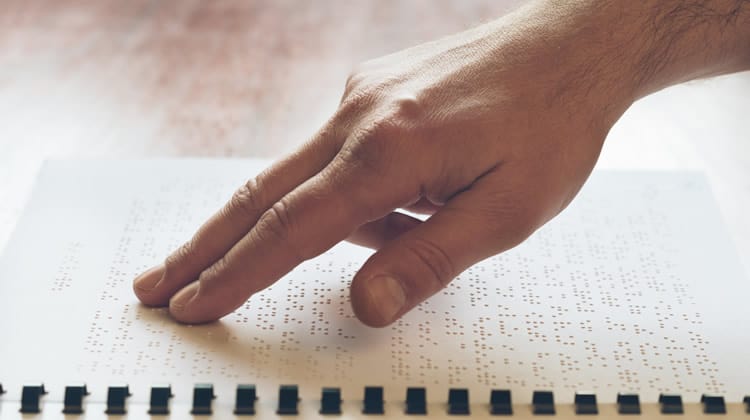
Mobile App Accessibility and Usability for People with Disabilities
Source : Google Images

You may also find that your employees with disabilities prefer to use screen reading software because it allows them to read emails and documents at their own pace. Screen reading software and apps can be helpful for people with some visual impairments or cognitive impairments that cause language difficulties. Some apps also allow users with hearing impairments to read subtitles if the audio is too loud.

Blind users can use screen reading software to read webpages and text documents, but it’s not suitable for watching videos or playing games.

Tap-to-speak feature

Another accessibility feature that can reduce the burden on people with disabilities is a “tap-to-speak” feature, which reads aloud the icon labels on your app’s screen. This is particularly helpful for screen reading software users, who can be confused by the large amount of text in an app’s interface.

A tap-to-speak feature is usually activated by tapping a specific portion of the screen as if you were trying to “taunt” or annoy a person with a disability, who might be trying to use your app. This feature can be annoying to other users, so make sure you turn it off, or disable tapping on specific portions of your app’s interface.

Tap-to-speak is not a substitute for auditory cues such as spoken navigation instructions or sound cues for actions and events. It’s also not suitable for situations where someone is trying to access your app in a noisy environment, such as in a café. However, in some situations, it can be helpful. For example, you can turn on tap-to-speak while the app is loading or while a user is waiting to make a purchase.

Voice feedback and navigation

People with disabilities may also find it helpful to read out-loud the text labels on the screen or have a screen reader read out loud the navigation instructions. This can help people with cognitive disabilities who might otherwise experience a lot of frustration as they try to operate a smartphone or tablet.

Voice feedback and navigation can also be activated by a soft vibration or subtle sound on the device. You can also add voice navigation to your app by downloading an accessibility voice pack from the app store, or by using an Xcode command. Voice feedback is not the same as voice navigation, which allows users to speak instructions and commands to their device.

Voice navigation works only with screen reading software. In order for screen reading software to understand the navigation instructions, your app’s audio should be turned up and the device volume turned up.

Digital narration and navigation

Digital narration is a feature that many screen readers have that reads out the screen’s text, graphics, and images as a narrator reads dialogue aloud. Screen readers for smartphones and tablets can play digital narration as an overlay on top of your interactive app’s visuals.
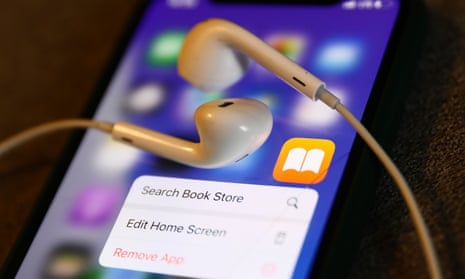
Digital narration and navigation
Source : Google Images

Digital navigation is the same as on a website, except that it’s activated by a soft “click” or “pinch” gesture on your device’s touchscreen, or by a soft button on some devices. This allows the person with a disability to control the navigation and view the app’s visuals at the same time, which can be helpful when operating navigation software while someone is driving a vehicle or operating machinery.

Intermittent soft clicks or pinches also work well when used in conjunction with digital navigation.

User input devices

Some apps and operating systems may require a number of user inputs before your app can be used. For example, in order to open an app on the Apple Watch, the user must first initiate a gesture on the screen, usually by tapping the touchscreen or clicking the Apple Watch’s side button.

Similarly, to use HealthKit app features on an iPhone, the user must first click or tap the HealthKit icon, and to use YouTube on an Android device, the user must tap or click the YouTube icon. While this process may seem tedious and frustrating for a person with a disability, it’s actually an important part of ensuring the app is fully accessible.

If the gesture to open an app on an Apple Watch could be initiated by pressing a single button, there’s a risk that the same gesture could be used to open the app on another device, such as an iPhone or iPad. Similarly, if the YouTube app icon could be tapped or clicked on a device, users with motor impairments would be unable to access YouTube content.

Screen readers for smartphones and tablets

A screen reader is a software that reads the text on the screen out loud for users who have vision impairments, or it can navigate your app’s visuals with voice commands. Phone-based screen readers can be downloaded as an app or accessed by tapping the “123” key on some phones. Tablet-based screen readers are often built into the operating system and accessed via a soft click or tap on the tablet’s touchscreen.
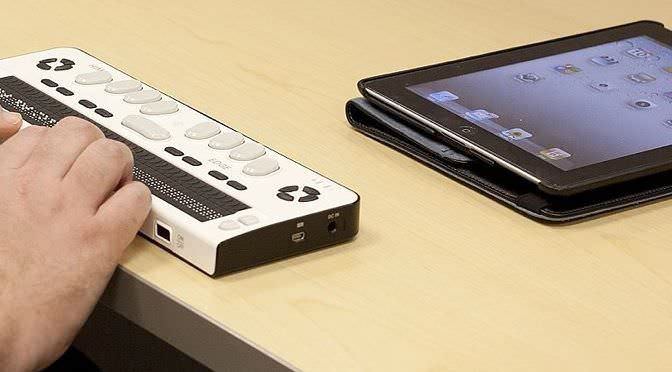
Screen readers for smartphones and tablets
Source : Google Images

Screen readers can be helpful to users with some visual impairments, but they can be confusing and frustrating for those who have cognitive disabilities. Some screen readers may read out loud the navigation instructions, navigation buttons, and visuals, which can be difficult to follow if you don’t want the navigation bar to be visible. Screen readers can also be very noisy, which can be difficult for someone who has motor impairments.

Conclusion

While many apps are now accessible to people with disabilities, it’s important to consider the needs and challenges of your users, particularly those with disabilities. In addition to the features discussed above, you can also consider implementing such accessibility features as language and formatting accessibility, and text-to-speech or speech-to-text audio.

These measures will help make your apps more user-friendly for people with disabilities and ensure that they have access to the services and information available to others.


[ad_2]

Source link

ShareTweetSend
Previous Post

Bank signs MoU with Mombasa County to finance Health, Water … – Kenya News Agency

Next Post

What Does The Tooth Fairy Do With The Teeth?

Related News

React Native OTA Updates: What You Can (and Can’t) Deploy Over the Air
Mobile

React Native OTA Updates: What You Can (and Can’t) Deploy Over the Air

May 28, 2026
Your phone drawer hides an app designed to “exploit developing brains”
Mobile

Your phone drawer hides an app designed to “exploit developing brains”

May 27, 2026
iPhone 16 has a secret charging upgrade Apple didn’t even mention
Mobile

iPhone 16 has a secret charging upgrade Apple didn’t even mention

May 26, 2026
We Want to Hear From Delivery Workers in New York City.
Mobile

We Want to Hear From Delivery Workers in New York City.

May 25, 2026
Next Post
What Does The Tooth Fairy Do With The Teeth?

What Does The Tooth Fairy Do With The Teeth?

Discussion about this post

Subscribe To Our Newsletters

    Customer Support


    1251 Wilcrest Drive
    Houston, Texas
    77042 USA
    Call-832.795.1420
    e-mail – news@theinsightpost.com

    Subscribe To Our Newsletters

      Categories

      • Africa
      • Africa-East
      • African Sports
      • American Sports
      • Arts
      • Asia
      • Australia
      • Business
      • Business Asia
      • Business- Africa
      • Canada
      • Defense
      • Education
      • Egypt
      • Energy
      • Entertainment
      • Europe
      • European Soccer
      • Finance
      • Germany
      • Ghana
      • Health
      • Insight
      • International
      • Investing
      • Japan
      • Latest Headlines
      • Life & Living
      • Markets
      • Mobile
      • Movies
      • New Zealand
      • Nigeria
      • Politics
      • Scholarships
      • Science
      • South Africa
      • South America
      • Sports
      • Tech
      • Travel
      • Travel-Africa
      • UK
      • USA
      • Weather
      • World
      No Result
      View All Result

      Recent News

      React Native OTA Updates: What You Can (and Can’t) Deploy Over the Air

      React Native OTA Updates: What You Can (and Can’t) Deploy Over the Air

      May 28, 2026
      Understanding Cambodia’s Scam Economy, with Jacob Sims – The Diplomat

      Understanding Cambodia’s Scam Economy, with Jacob Sims – The Diplomat

      May 28, 2026
      THE 7TH DIMENSION – Cracking The Vatican’s Matrix | Full SCI-FI THRILLER Movie HD

      THE 7TH DIMENSION – Cracking The Vatican’s Matrix | Full SCI-FI THRILLER Movie HD

      May 28, 2026
      Gayle King’s Ex-Husband Apologizes For Cheating On Her

      Gayle King’s Ex-Husband Apologizes For Cheating On Her

      May 28, 2026
      • Home
      • Advertise With Us
      • About Us
      • Corporate
      • Consumer Rewards
      • Forum
      • Privacy Policy
      • Social Trends

      Theinsightpost ©2026 | All Rights Reserved. Theinsightpost is an Elnegy LLC company, registered in Texas, USA

      Welcome Back!

      Login to your account below

      Forgotten Password?

      Retrieve your password

      Please enter your username or email address to reset your password.

      Log In

      Add New Playlist

      We are using cookies to give you the best experience on our website.

      You can find out more about which cookies we are using or switch them off in .

      No Result
      View All Result
      • Home
      • Insight
      • Blog
      • Business
      • Entertainment
      • Health
      • Politics
      • Shop
        • Gift Shop
        • Value Shop
        • Store
        • Bargain Shop
        • Discount
      • Sports
      • Tech
      • Travel
      • USA
      • Video
      • World
        • Asia
        • Africa
        • South America
        • North America
        • Europe
        • Oceania

      Theinsightpost ©2026 | All Rights Reserved. Theinsightpost is an Elnegy LLC company, registered in Texas, USA

      The Insight Post
      Powered by  GDPR Cookie Compliance
      Privacy Overview

      This website uses cookies so that we can provide you with the best user experience possible. Cookie information is stored in your browser and performs functions such as recognising you when you return to our website and helping our team to understand which sections of the website you find most interesting and useful.

      Strictly Necessary Cookies

      Strictly Necessary Cookie should be enabled at all times so that we can save your preferences for cookie settings.

      Cookie Policy

      More information about our Cookie Policy