








Written by Rody Davis Jr
If you ever wanted to create a canvas in Flutter that needs to be panned in any direction and would allow zoom, you probably tried to create a MultiGestureRecognizer or added onPanUpdate and onScaleUpdate under a GestureDetector and received an error because both can not work at the same time. Even if you have two GestureDetectors, it will still not work as desired and one of them will always win. This is the canvas rendering logic used in https://widget.studio, a live app built with Flutter.
TL;DR: Final source code can be found here and an online demo here.
Multi-touch goal
We want to create an app where:
- the user can pan the canvas with two or more fingers.
- the user can zoom the canvas with two fingers only (pinch/zoom).
- a single finger can interact with a canvas object (selection is detected).
- there’s also bonus trackpad support with similar results.
In order to achieve this we need to use a Listener for the trackpad events and raw touch interactions, and RawKeyboardListener for keyboard shortcuts.
Part 1: project setup
Open your terminal and type in the following code:
mkdir flutter_multi_touch
cd flutter_multi_touch
flutter create .
code .
The last line is optional and only necessary if you have VSCode installed. This command will open the directory inside VSCode.
Part 2: boilerplate code
Here we will:
- remove all comments
- remove extra empty lines
- update the UI
If you run the project right now, you will have this UI:
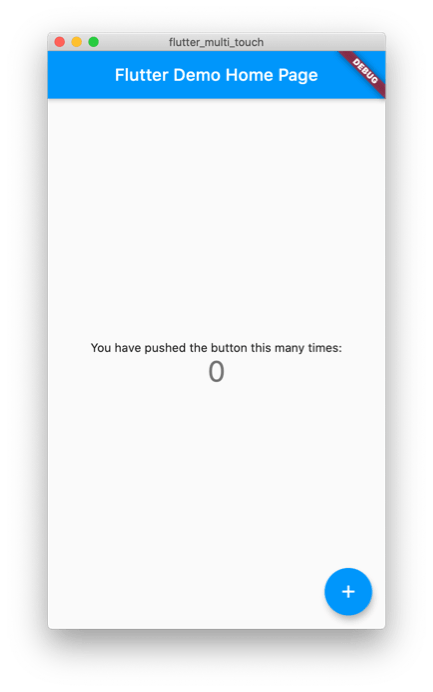
Create a new file located at ui/home/screen.dart and add the following:
import 'package:flutter/material.dart';

class HomeScreen extends StatelessWidget {
  const HomeScreen({Key key}) : super(key: key);

  @override
  Widget build(BuildContext context) {
    return Container();
  }
}
Update main.dart with the following:
import 'package:flutter/material.dart';

import 'ui/home/screen.dart';

void main() => runApp(MyApp());

class MyApp extends StatelessWidget {
  @override
  Widget build(BuildContext context) {
    return MaterialApp(
      debugShowCheckedModeBanner: false,
      title: 'Flutter Demo',
      theme: ThemeData(
        primarySwatch: Colors.blue,
        visualDensity: VisualDensity.adaptivePlatformDensity,
      ),
      darkTheme: ThemeData.dark().copyWith(
        visualDensity: VisualDensity.adaptivePlatformDensity,
      ),
      home: HomeScreen(),
    );
  }
}
You will now get a black screen when you run the application:
Part 3: creating the controller
Now we want to create a class that will act as our controller on the canvas.
Create a new file at src/controllers/canvas.dart and add the following to get started:
import 'dart:async';

/// Control the canvas and the objects on it
class CanvasController {
  // Controller for the stream output
  final _controller = StreamController<CanvasController>();
  // Reference to the stream to update the UI
  Stream<CanvasController> get stream => _controller.stream;
  // Emit a new event to rebuild the UI
  void add([CanvasController val]) => _controller.add(val ?? this);
  // Stop the stream and finish
  void close() => _controller.close();
// Start the stream
  void init() => add();
}
Update the home screen with the following:
import 'package:flutter/material.dart';

import '../../src/controllers/canvas.dart';

class HomeScreen extends StatefulWidget {
  const HomeScreen({Key key}) : super(key: key);

  @override
  _HomeScreenState createState() => _HomeScreenState();
}

class _HomeScreenState extends State<HomeScreen> {
  final _controller = CanvasController();

  @override
  void initState() {
    _controller.init();
    super.initState();
  }

  @override
  void dispose() {
    _controller.close();
    super.dispose();
  }

  @override
  Widget build(BuildContext context) {
    return StreamBuilder<CanvasController>(
      stream: _controller.stream,
      builder: (context, snapshot) {
        if (!snapshot.hasData) {
          return Scaffold(
            appBar: AppBar(),
            body: Center(child: CircularProgressIndicator()),
          );
        }
        final instance = snapshot.data;
        return Scaffold(
          appBar: AppBar(),
          body: Stack(
            children: [
              Positioned(
                top: 20,
                left: 20,
                width: 100,
                height: 100,
                child: Container(color: Colors.red),
              )
            ],
          ),
        );
      },
    );
  }
}
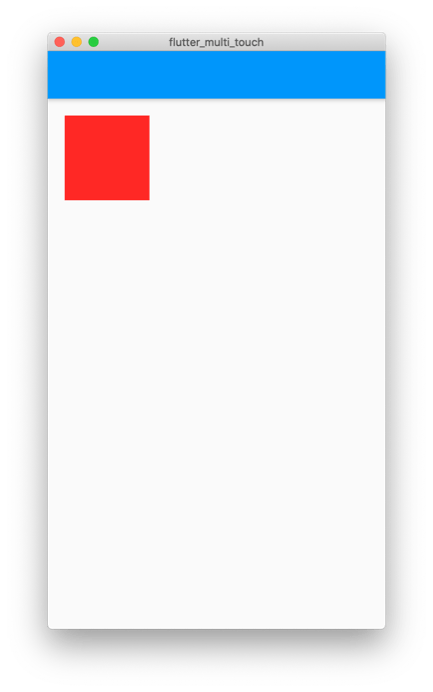
Here we are just adding the basics to rebuild when the controller changes or the screen is finished. We are using a stateful widget here because we want to dispose of the controller and load it only once. We are also using a stack because that’s all we need under the hood. After a quick hot restart you should have the following view:
Part 4: adding canvas objects
Now we need to create a class for the objects that will be stored on the canvas. Create a new file at src/classes/canvas_object.dart and add the following:
import 'dart:ui';

class CanvasObject<T> {
  final double dx;
  final double dy;
  final double width;
  final double height;
  final T child;

  CanvasObject({
    this.dx = 0,
    this.dy = 0,
    this.width = 100,
    this.height = 100,
    this.child,
  });

  CanvasObject<T> copyWith({
    double dx,
    double dy,
    double width,
    double height,
    T child,
  }) {
    return CanvasObject<T>(
      dx: dx ?? this.dx,
      dy: dy ?? this.dy,
      width: width ?? this.width,
      height: height ?? this.height,
      child: child ?? this.child,
    );
  }

  Size get size => Size(width, height);
  Offset get offset => Offset(dx, dy);
  Rect get rect => offset & size;
}
We are using a generic here to not depend on Flutter or material in the class. Update the controller with the following:
import 'dart:async';

import 'package:flutter/material.dart';

import '../classes/canvas_object.dart';

/// Control the canvas and the objects on it
class CanvasController {
  /// Controller for the stream output
  final _controller = StreamController<CanvasController>();

  /// Reference to the stream to update the UI
  Stream<CanvasController> get stream => _controller.stream;

  /// Emit a new event to rebuild the UI
  void add([CanvasController val]) => _controller.add(val ?? this);

  /// Stop the stream and finish
  void close() => _controller.close();

  /// Start the stream
  void init() => add();

  // -- Canvas Objects --

  final List<CanvasObject<Widget>> _objects = [];

  /// Current Objects on the canvas
  List<CanvasObject<Widget>> get objects => _objects;

  /// Add an object to the canvas
  void addObject(CanvasObject<Widget> value) => _update(() {
    _objects.add(value);
  });

  /// Add an object to the canvas
  void updateObject(int i, CanvasObject<Widget> value) => _update(() {
    _objects[i] = value;
  });

  /// Remove an object from the canvas
  void removeObject(int i) => _update(() {
    _objects.removeAt(i);
  });

  void _update(void Function() action) {
    action();
    add(this);
  }
}
We are just adding objects to the canvas and removing them if needed. Update the home screen with the following to use these new objects:
import 'package:flutter/material.dart';

import '../../src/classes/canvas_object.dart';
import '../../src/controllers/canvas.dart';

class HomeScreen extends StatefulWidget {
  const HomeScreen({Key key}) : super(key: key);

  @override
  _HomeScreenState createState() => _HomeScreenState();
}

class _HomeScreenState extends State<HomeScreen> {
  final _controller = CanvasController();

  @override
  void initState() {
    _controller.init();
    _dummyData();
    super.initState();
  }

  void _dummyData() {
    _controller.addObject(
      CanvasObject(
        dx: 20,
        dy: 20,
        width: 100,
        height: 100,
        child: Container(color: Colors.red),
      ),
    );
  }

  @override
  void dispose() {
    _controller.close();
    super.dispose();
  }

  @override
  Widget build(BuildContext context) {
    return StreamBuilder<CanvasController>(
      stream: _controller.stream,
      builder: (context, snapshot) {
        if (!snapshot.hasData) {
          return Scaffold(
            appBar: AppBar(),
            body: Center(child: CircularProgressIndicator()),
          );
        }
        final instance = snapshot.data;
        return Scaffold(
          appBar: AppBar(),
          body: Stack(
            children: [
              for (final object in instance.objects)
                Positioned(
                  top: object.dy,
                  left: object.dx,
                  width: object.width,
                  height: object.height,
                  child: object.child,
                )
            ],
          ),
        );
      },
    );
  }
}
The UI is the same as before but now it is dynamic and we have access to the children of this stack and the position of each child.
Part 5: capture the input
We need to capture the input of the MultiGestureRecognizer, GestureDetector and RawKeyboardListener. Update the canvas controller with the following:
import 'dart:async';

import 'package:flutter/material.dart';

import '../classes/canvas_object.dart';

/// Control the canvas and the objects on it
class CanvasController {
  /// Controller for the stream output
  final _controller = StreamController<CanvasController>();

  /// Reference to the stream to update the UI
  Stream<CanvasController> get stream => _controller.stream;

  /// Emit a new event to rebuild the UI
  void add([CanvasController val]) => _controller.add(val ?? this);

  /// Stop the stream and finish
  void close() {
    _controller.close();
    focusNode.dispose();
  }

  /// Start the stream
  void init() => add();

  // -- Canvas Objects --

  final List<CanvasObject<Widget>> _objects = [];

  /// Current Objects on the canvas
  List<CanvasObject<Widget>> get objects => _objects;

  /// Add an object to the canvas
  void addObject(CanvasObject<Widget> value) => _update(() {
    _objects.add(value);
  });

  /// Add an object to the canvas
  void updateObject(int i, CanvasObject<Widget> value) => _update(() {
    _objects[i] = value;
  });

  /// Remove an object from the canvas
  void removeObject(int i) => _update(() {
    _objects.removeAt(i);
  });

  /// Focus node for listening for keyboard shortcuts
  final focusNode = FocusNode();

  /// Raw events from keys pressed
  void rawKeyEvent(BuildContext context, RawKeyEvent key) {}

  /// Called every time a new finger touches the screen
  void addTouch(int pointer, Offset offsetVal, Offset globalVal) {}

  /// Called when any of the fingers update position
  void updateTouch(int pointer, Offset offsetVal, Offset globalVal) {}

  /// Called when a finger is removed from the screen
  void removeTouch(int pointer) {}

  /// Checks if the shift key on the keyboard is pressed
  bool shiftPressed = false;

  /// Scale of the canvas
  double get scale => _scale;
  double _scale = 1;
  set scale(double value) => _update(() {
    _scale = value;
  });

  /// Max possible scale
  static const double maxScale = 3.0;
  /// Min possible scale
  static const double minScale = 0.2;
  /// How much to scale the canvas in increments
  static const double scaleAdjust = 0.05;

  /// Current offset of the canvas
  Offset get offset => _offset;
  Offset _offset = Offset.zero;
  set offset(Offset value) => _update(() {
    _offset = value;
  });

  void _update(void Function() action) {
    action();
    add(this);
  }
}
Update the home screen with the following:
import 'package:flutter/gestures.dart';
import 'package:flutter/material.dart';

import '../../src/classes/canvas_object.dart';
import '../../src/controllers/canvas.dart';

class HomeScreen extends StatefulWidget {
  const HomeScreen({Key key}) : super(key: key);

  @override
  _HomeScreenState createState() => _HomeScreenState();
}

class _HomeScreenState extends State<HomeScreen> {
  final _controller = CanvasController();

  @override
  void initState() {
    _controller.init();
    _dummyData();
    super.initState();
  }

  void _dummyData() {
    _controller.addObject(
      CanvasObject(
        dx: 20,
        dy: 20,
        width: 100,
        height: 100,
        child: Container(color: Colors.red),
      ),
    );
  }

  @override
  void dispose() {
    _controller.close();
    super.dispose();
  }

  @override
  Widget build(BuildContext context) {
    return StreamBuilder<CanvasController>(
      stream: _controller.stream,
      builder: (context, snapshot) {
        if (!snapshot.hasData) {
          return Scaffold(
            appBar: AppBar(),
            body: Center(child: CircularProgressIndicator()),
          );
        }
        final instance = snapshot.data;
        return Scaffold(
          appBar: AppBar(),
          body: Listener(
            behavior: HitTestBehavior.opaque,
            onPointerSignal: (details) {
              if (details is PointerScrollEvent) {
                GestureBinding.instance.pointerSignalResolver
                    .register(details, (event) {
                  if (event is PointerScrollEvent) {
                    if (_controller.shiftPressed) {
                      double zoomDelta = (-event.scrollDelta.dy / 300);
                      _controller.scale = _controller.scale + zoomDelta;
                    } else {
                      _controller.offset =
                          _controller.offset - event.scrollDelta;
                    }
                  }
                });
              }
            },
            onPointerMove: (details) {
              _controller.updateTouch(
                details.pointer,
                details.localPosition,
                details.position,
              );
            },
            onPointerDown: (details) {
              _controller.addTouch(
                details.pointer,
                details.localPosition,
                details.position,
              );
            },
            onPointerUp: (details) {
              _controller.removeTouch(details.pointer);
            },
            onPointerCancel: (details) {
              _controller.removeTouch(details.pointer);
            },
            child: RawKeyboardListener(
              autofocus: true,
              focusNode: _controller.focusNode,
              onKey: (key) => _controller.rawKeyEvent(context, key),
              child: Stack(
                children: [
                  for (final object in instance.objects)
                    Positioned(
                      top: object.dy,
                      left: object.dx,
                      width: object.width,
                      height: object.height,
                      child: object.child,
                    )
                ],
              ),
            ),
          ),
        );
      },
    );
  }
}
Here, we are just mapping the inputs of the UI to the actions in the controller. Feel free to look through the comments if you are curious how each one of them works. Running the application should still only show the red square.
Part 6: canvas offset and scale
Now we want to start moving the canvas. Let’s first tackle the offset. Update the home screen with the following:
import 'package:flutter/gestures.dart';
import 'package:flutter/material.dart';

import '../../src/classes/canvas_object.dart';
import '../../src/controllers/canvas.dart';

class HomeScreen extends StatefulWidget {
  const HomeScreen({Key key}) : super(key: key);

  @override
  _HomeScreenState createState() => _HomeScreenState();
}

class _HomeScreenState extends State<HomeScreen> {
  final _controller = CanvasController();

  @override
  void initState() {
    _controller.init();
    _dummyData();
    super.initState();
  }

  void _dummyData() {
    _controller.addObject(
      CanvasObject(
        dx: 20,
        dy: 20,
        width: 100,
        height: 100,
        child: Container(color: Colors.red),
      ),
    );
  }

  @override
  void dispose() {
    _controller.close();
    super.dispose();
  }

  @override
  Widget build(BuildContext context) {
    return StreamBuilder<CanvasController>(
      stream: _controller.stream,
      builder: (context, snapshot) {
        if (!snapshot.hasData) {
          return Scaffold(
            appBar: AppBar(),
            body: Center(child: CircularProgressIndicator()),
          );
        }
        final instance = snapshot.data;
        return Scaffold(
          appBar: AppBar(),
          body: Listener(
            behavior: HitTestBehavior.opaque,
            onPointerSignal: (details) {
              if (details is PointerScrollEvent) {
                GestureBinding.instance.pointerSignalResolver
                  .register(details, (event) {
                    if (event is PointerScrollEvent) {
                      if (_controller.shiftPressed) {
                        double zoomDelta = (-event.scrollDelta.dy / 300);
                        _controller.scale = _controller.scale + zoomDelta;
                      } else {
                        _controller.offset =
                            _controller.offset - event.scrollDelta;
                      }
                    }
                });
              }
            },
            onPointerMove: (details) {
              _controller.updateTouch(
                details.pointer,
                details.localPosition,
                details.position,
              );
            },
            onPointerDown: (details) {
              _controller.addTouch(
                details.pointer,
                details.localPosition,
                details.position,
              );
            },
            onPointerUp: (details) {
              _controller.removeTouch(details.pointer);
            },
            onPointerCancel: (details) {
              _controller.removeTouch(details.pointer);
            },
            child: RawKeyboardListener(
              autofocus: true,
              focusNode: _controller.focusNode,
              onKey: (key) => _controller.rawKeyEvent(context, key),
              child: SizedBox.expand(
                child: Stack(
                  children: [
                    for (final object in instance.objects)
                      AnimatedPositioned.fromRect(
                        duration: const Duration(milliseconds: 50),
                        rect: object.rect.adjusted(
                          _controller.offset,
                          _controller.scale,
                        ),
                        child: FittedBox(
                          fit: BoxFit.fill,
                          child: SizedBox.fromSize(
                            size: object.size,
                            child: object.child,
                          ),
                        ),
                      )
                  ],
                ),
              ),
            ),
          ),
        );
      },
    );
  }
}

extension RectUtils on Rect {
  Rect adjusted(Offset offset, double scale) {
    final left = (this.left + offset.dx) * scale;
    final top = (this.top + offset.dy) * scale;
    final width = this.width * scale;
    final height = this.height * scale;
    return Rect.fromLTWH(left, top, width, height);
  }
}
If you use your trackpad to pan with two fingers, you will now see the red square move. But we need to add finger support too. You may notice the FittedBox – that will come in as soon as we add scaling.
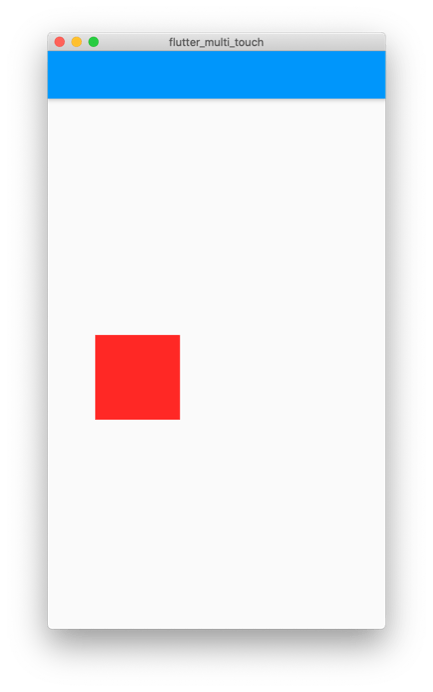
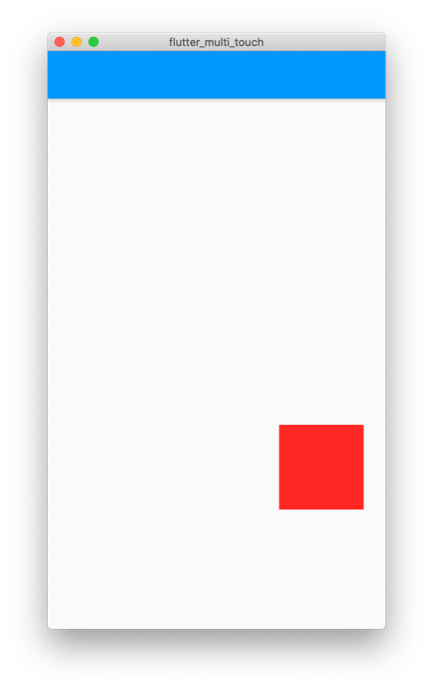
Now if we move the square off the screen, we may need to bring it back. We can add a reset button to the AppBar. Add the following to the canvas controller:
static const double _scaleDefault = 1;
static const Offset _offsetDefault = Offset.zero;

void reset() {
  scale = _scaleDefault;
  offset = _offsetDefault;
}
Update the home screen with the following:
import 'package:flutter/gestures.dart';
import 'package:flutter/material.dart';

import '../../src/classes/canvas_object.dart';
import '../../src/controllers/canvas.dart';

class HomeScreen extends StatefulWidget {
  const HomeScreen({Key key}) : super(key: key);

  @override
  _HomeScreenState createState() => _HomeScreenState();
}

class _HomeScreenState extends State<HomeScreen> {
  final _controller = CanvasController();

  @override
  void initState() {
    _controller.init();
    _dummyData();
    super.initState();
  }

  void _dummyData() {
    _controller.addObject(
      CanvasObject(
        dx: 20,
        dy: 20,
        width: 100,
        height: 100,
        child: Container(color: Colors.red),
      ),
    );
  }

  @override
  void dispose() {
    _controller.close();
    super.dispose();
  }

  @override
  Widget build(BuildContext context) {
    return StreamBuilder<CanvasController>(
      stream: _controller.stream,
      builder: (context, snapshot) {
        if (!snapshot.hasData) {
          return Scaffold(
            appBar: AppBar(),
            body: Center(child: CircularProgressIndicator()),
          );
        }
        final instance = snapshot.data;
        return Scaffold(
          appBar: AppBar(
            actions: [
              IconButton(
                tooltip: 'Reset the Scale and Offset',
                icon: Icon(Icons.restore),
                onPressed: _controller.reset,
              ),
            ],
          ),
          body: Listener(
            behavior: HitTestBehavior.opaque,
            onPointerSignal: (details) {
              if (details is PointerScrollEvent) {
                GestureBinding.instance.pointerSignalResolver
                  .register(details, (event) {
                    if (event is PointerScrollEvent) {
                      if (_controller.shiftPressed) {
                        double zoomDelta = (-event.scrollDelta.dy / 300);
                        _controller.scale = _controller.scale + zoomDelta;
                      } else {
                        _controller.offset =
                            _controller.offset - event.scrollDelta;
                      }
                    }
                });
              }
            },
            onPointerMove: (details) {
              _controller.updateTouch(
                details.pointer,
                details.localPosition,
                details.position,
              );
            },
            onPointerDown: (details) {
              _controller.addTouch(
                details.pointer,
                details.localPosition,
                details.position,
              );
            },
            onPointerUp: (details) {
              _controller.removeTouch(details.pointer);
            },
            onPointerCancel: (details) {
              _controller.removeTouch(details.pointer);
            },
            child: RawKeyboardListener(
              autofocus: true,
              focusNode: _controller.focusNode,
              onKey: (key) => _controller.rawKeyEvent(context, key),
              child: SizedBox.expand(
                child: Stack(
                  children: [
                    for (final object in instance.objects)
                      AnimatedPositioned.fromRect(
                        duration: const Duration(milliseconds: 50),
                        rect: object.rect.adjusted(
                          _controller.offset,
                          _controller.scale,
                        ),
                        child: FittedBox(
                          fit: BoxFit.fill,
                          child: SizedBox.fromSize(
                            size: object.size,
                            child: object.child,
                          ),
                        ),
                      )
                  ],
                ),
              ),
            ),
          ),
        );
      },
    );
  }
}

extension RectUtils on Rect {
  Rect adjusted(Offset offset, double scale) {
    final left = (this.left + offset.dx) * scale;
    final top = (this.top + offset.dy) * scale;
    final width = this.width * scale;
    final height = this.height * scale;
    return Rect.fromLTWH(left, top, width, height);
  }
}
Now when you press the reset button, the canvas animates back to the default offset and scale.
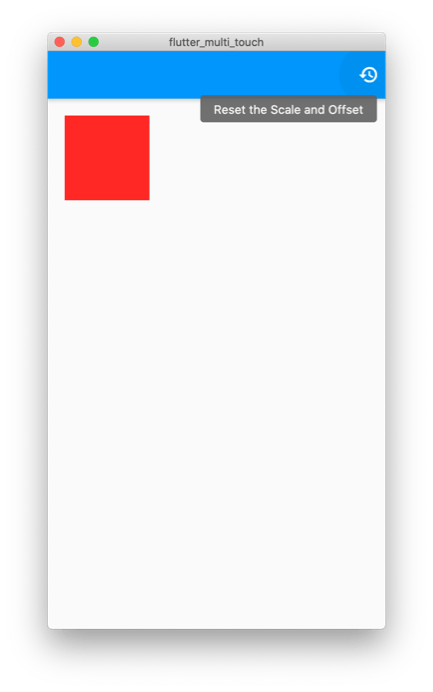
While we are here, we can add actions for zooming in/out and connect them to the controller. Add the following to the canvas controller:
void zoomIn() {
  scale += scaleAdjust;
}

void zoomOut() {
  scale -= scaleAdjust;
}
Add the following to the AppBar actions:
IconButton(
  tooltip: 'Zoom In',
  icon: Icon(Icons.zoom_in),
  onPressed: _controller.zoomIn,
),
IconButton(
  tooltip: 'Zoom Out',
  icon: Icon(Icons.zoom_out),
  onPressed: _controller.zoomOut,
),
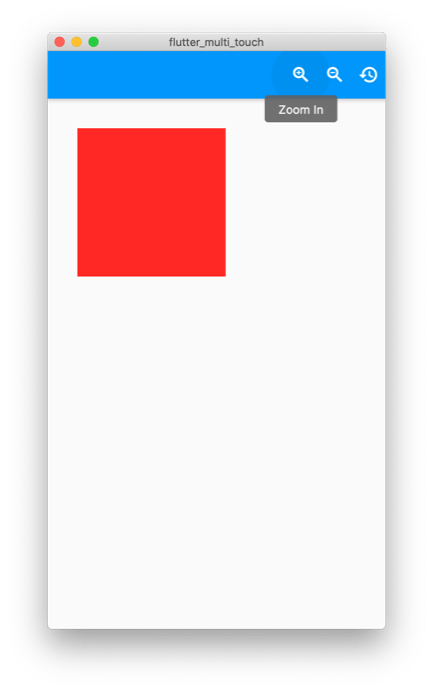
Now when you run the application, you can easily zoom in/out.
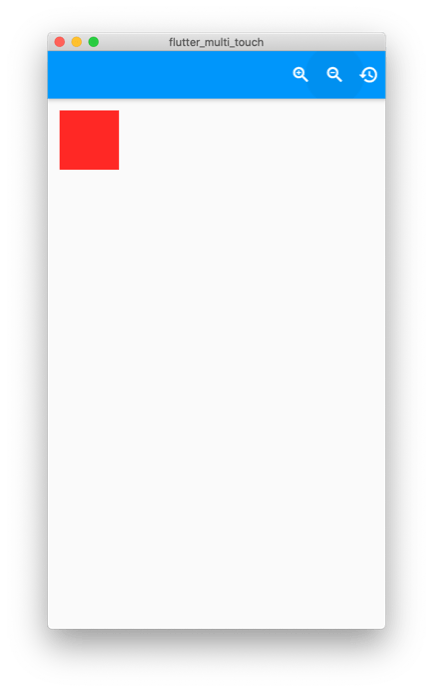
Part 7: keyboard shortcuts
We must capture the keyboard events, so we can move the canvas with the arrow keys and scale with +/- keys. Update the controller with the following:
import 'dart:async';

import 'package:flutter/material.dart';
import 'package:flutter/services.dart';

import '../classes/canvas_object.dart';

/// Control the canvas and the objects on it
class CanvasController {
  /// Controller for the stream output
  final _controller = StreamController<CanvasController>();

  /// Reference to the stream to update the UI
  Stream<CanvasController> get stream => _controller.stream;

  /// Emit a new event to rebuild the UI
  void add([CanvasController val]) => _controller.add(val ?? this);

  /// Stop the stream and finish
  void close() {
    _controller.close();
    focusNode.dispose();
  }

  /// Start the stream
  void init() => add();

  // -- Canvas Objects --

  final List<CanvasObject<Widget>> _objects = [];

  /// Current Objects on the canvas
  List<CanvasObject<Widget>> get objects => _objects;

  /// Add an object to the canvas
  void addObject(CanvasObject<Widget> value) => _update(() {
    _objects.add(value);
  });

  /// Add an object to the canvas
  void updateObject(int i, CanvasObject<Widget> value) => _update(() {
    _objects[i] = value;
  });

  /// Remove an object from the canvas
  void removeObject(int i) => _update(() {
    _objects.removeAt(i);
  });

  /// Focus node for listening for keyboard shortcuts
  final focusNode = FocusNode();

  /// Raw events from keys pressed
  void rawKeyEvent(BuildContext context, RawKeyEvent key) {
    // Scale keys
    if (key.isKeyPressed(LogicalKeyboardKey.minus)) {
      zoomOut();
    }
    if (key.isKeyPressed(LogicalKeyboardKey.equal)) {
      zoomIn();
    }
    // Directional Keys
    if (key.isKeyPressed(LogicalKeyboardKey.arrowLeft)) {
      offset = offset + Offset(offsetAdjust, 0.0);
    }
    if (key.isKeyPressed(LogicalKeyboardKey.arrowRight)) {
      offset = offset + Offset(-offsetAdjust, 0.0);
    }
    if (key.isKeyPressed(LogicalKeyboardKey.arrowUp)) {
      offset = offset + Offset(0.0, offsetAdjust);
    }
    if (key.isKeyPressed(LogicalKeyboardKey.arrowDown)) {
      offset = offset + Offset(0.0, -offsetAdjust);
    }

    _shiftPressed = key.isShiftPressed;

    /// Update Controller Instance
    add(this);
  }

  /// Called every time a new finger touches the screen
  void addTouch(int pointer, Offset offsetVal, Offset globalVal) {}

  /// Called when any of the fingers update position
  void updateTouch(int pointer, Offset offsetVal, Offset globalVal) {}

  /// Called when a finger is removed from the screen
  void removeTouch(int pointer) {}

  /// Checks if the shift key on the keyboard is pressed
  bool get shiftPressed => _shiftPressed;
  bool _shiftPressed = false;

  /// Scale of the canvas
  double get scale => _scale;
  double _scale = 1;
  set scale(double value) => _update(() {
        _scale = value;
      });

  /// Max possible scale
  static const double maxScale = 3.0;

   /// Min possible scale
  static const double minScale = 0.2;

  /// How much to scale the canvas in increments
  static const double scaleAdjust = 0.05;

  /// How much to shift the canvas in increments
  static const double offsetAdjust = 15;

  /// Current offset of the canvas
  Offset get offset => _offset;
  Offset _offset = Offset.zero;
  set offset(Offset value) => _update(() {
        _offset = value;
      });

  static const double _scaleDefault = 1;
  static const Offset _offsetDefault = Offset.zero;

  /// Reset the canvas zoom and offset
  void reset() {
    scale = _scaleDefault;
    offset = _offsetDefault;
  }

  /// Zoom in the canvas
  void zoomIn() {
    scale += scaleAdjust;
  }

  /// Zoom out the canvas
  void zoomOut() {
    scale -= scaleAdjust;
  }

  void _update(void Function() action) {
    action();
    add(this);
  }
}
If you run the application now, you can control the zoom and pan with just a keyboard. This could be useful for a fallback input that would work on a TV or other similar devices.
If you want to see whether it is actually scaling proportionally, add the following to the home screen:
import 'package:flutter/gestures.dart';
import 'package:flutter/material.dart';

import '../../src/classes/canvas_object.dart';
import '../../src/controllers/canvas.dart';

class HomeScreen extends StatefulWidget {
  const HomeScreen({Key key}) : super(key: key);

  @override
  _HomeScreenState createState() => _HomeScreenState();
}

class _HomeScreenState extends State<HomeScreen> {
  final _controller = CanvasController();

  @override
  void initState() {
    _controller.init();
    _dummyData();
    super.initState();
  }

  void _dummyData() {
    _controller.addObject(
      CanvasObject(
        dx: 20,
        dy: 20,
        width: 100,
        height: 100,
        child: Container(color: Colors.red),
      ),
    );
    _controller.addObject(
      CanvasObject(
        dx: 80,
        dy: 60,
        width: 100,
        height: 200,
        child: Container(color: Colors.green),
      ),
    );
    _controller.addObject(
      CanvasObject(
        dx: 100,
        dy: 40,
        width: 100,
        height: 50,
        child: Container(color: Colors.blue),
      ),
    );
  }

  @override
  void dispose() {
    _controller.close();
    super.dispose();
  }

  @override
  Widget build(BuildContext context) {
    return StreamBuilder<CanvasController>(
      stream: _controller.stream,
      builder: (context, snapshot) {
        if (!snapshot.hasData) {
          return Scaffold(
            appBar: AppBar(),
            body: Center(child: CircularProgressIndicator()),
          );
        }
        final instance = snapshot.data;
        return Scaffold(
          appBar: AppBar(
            actions: [
              FocusScope(
                canRequestFocus: false,
                child: IconButton(
                  tooltip: 'Zoom In',
                  icon: Icon(Icons.zoom_in),
                  onPressed: _controller.zoomIn,
                ),
              ),
              FocusScope(
                canRequestFocus: false,
                child: IconButton(
                  tooltip: 'Zoom Out',
                  icon: Icon(Icons.zoom_out),
                  onPressed: _controller.zoomOut,
                ),
              ),
              FocusScope(
                canRequestFocus: false,
                child: IconButton(
                  tooltip: 'Reset the Scale and Offset',
                  icon: Icon(Icons.restore),
                  onPressed: _controller.reset,
                ),
              ),
            ],
          ),
          body: Listener(
            behavior: HitTestBehavior.opaque,
            onPointerSignal: (details) {
              if (details is PointerScrollEvent) {
                GestureBinding.instance.pointerSignalResolver
                    .register(details, (event) {
                  if (event is PointerScrollEvent) {
                    if (_controller.shiftPressed) {
                      double zoomDelta = (-event.scrollDelta.dy / 300);
                      _controller.scale = _controller.scale + zoomDelta;
                    } else {
                      _controller.offset =
                          _controller.offset - event.scrollDelta;
                    }
                  }
                });
              }
            },
            onPointerMove: (details) {
              _controller.updateTouch(
                details.pointer,
                details.localPosition,
                details.position,
              );
            },
            onPointerDown: (details) {
              _controller.addTouch(
                details.pointer,
                details.localPosition,
                details.position,
              );
            },
            onPointerUp: (details) {
              _controller.removeTouch(details.pointer);
            },
            onPointerCancel: (details) {
              _controller.removeTouch(details.pointer);
            },
            child: RawKeyboardListener(
              autofocus: true,
              focusNode: _controller.focusNode,
              onKey: (key) => _controller.rawKeyEvent(context, key),
              child: SizedBox.expand(
                child: Stack(
                  children: [
                    for (final object in instance.objects)
                      AnimatedPositioned.fromRect(
                        duration: const Duration(milliseconds: 50),
                        rect: object.rect.adjusted(
                          _controller.offset,
                          _controller.scale,
                        ),
                        child: FittedBox(
                          fit: BoxFit.fill,
                          child: SizedBox.fromSize(
                            size: object.size,
                            child: object.child,
                          ),
                        ),
                      )
                  ],
                ),
              ),
            ),
          ),
        );
      }.
    );
  }
}

extension RectUtils on Rect {
  Rect adjusted(Offset offset, double scale) {
    final left = (this.left + offset.dx) * scale;
    final top = (this.top + offset.dy) * scale;
    final width = this.width * scale;
    final height = this.height * scale;
    return Rect.fromLTWH(left, top, width, height);
  }
}
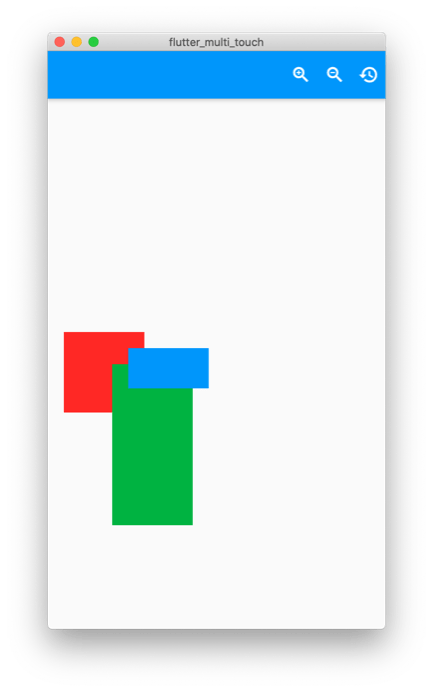
Now you can zoom and all the blocks scale correctly and pan around:
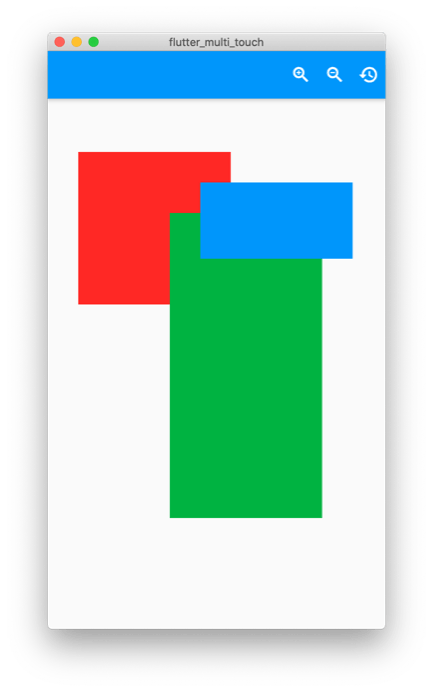
Just press the reset button to start over.
Part 8: multi-touch input
Now it’s time for the fingers. You will need a touchscreen device to test this feature. You can plug in your phone or if you have a touch screen computer, you can run the web version. Update the controller with following code:
import 'dart:async';
import 'dart:math' as math;

import 'package:flutter/gestures.dart';
import 'package:flutter/material.dart';
import 'package:flutter/services.dart';

import '../classes/canvas_object.dart';
import '../classes/rect_points.dart';

/// Control the canvas and the objects on it
class CanvasController {
  /// Controller for the stream output
  final _controller = StreamController<CanvasController>();

  /// Reference to the stream to update the UI
  Stream<CanvasController> get stream => _controller.stream;

  /// Emit a new event to rebuild the UI
  void add([CanvasController val]) => _controller.add(val ?? this);

  /// Stop the stream and finish
  void close() {
    _controller.close();
    focusNode.dispose();
  }

  /// Start the stream
  void init() => add();

  // -- Canvas Objects --

  final List<CanvasObject<Widget>> _objects = [];

  /// Current Objects on the canvas
  List<CanvasObject<Widget>> get objects => _objects;

  /// Add an object to the canvas
  void addObject(CanvasObject<Widget> value) => _update(() {
    _objects.add(value);
  });

  /// Add an object to the canvas
  void updateObject(int i, CanvasObject<Widget> value) => _update(() {
    _objects[i] = value;
  });

  /// Remove an object from the canvas
  void removeObject(int i) => _update(() {
    _objects.removeAt(i);
  });

  /// Focus node for listening for keyboard shortcuts
  final focusNode = FocusNode();

  /// Raw events from keys pressed
  void rawKeyEvent(BuildContext context, RawKeyEvent key) {
    // Scale keys
    if (key.isKeyPressed(LogicalKeyboardKey.minus)) {
      zoomOut();
    }
    if (key.isKeyPressed(LogicalKeyboardKey.equal)) {
      zoomIn();
    }
    // Directional Keys
    if (key.isKeyPressed(LogicalKeyboardKey.arrowLeft)) {
      offset = offset + Offset(offsetAdjust, 0.0);
    }
    if (key.isKeyPressed(LogicalKeyboardKey.arrowRight)) {
      offset = offset + Offset(-offsetAdjust, 0.0);
    }
    if (key.isKeyPressed(LogicalKeyboardKey.arrowUp)) {
      offset = offset + Offset(0.0, offsetAdjust);
    }
    if (key.isKeyPressed(LogicalKeyboardKey.arrowDown)) {
      offset = offset + Offset(0.0, -offsetAdjust);
    }

    _shiftPressed = key.isShiftPressed;
    _metaPressed = key.isMetaPressed;

    /// Update Controller Instance
    add(this);
  }

  /// Trigger Shift Press
  void shiftSelect() {
    _shiftPressed = true;
  }

  /// Trigger Meta Press
  void metaSelect() {
    _metaPressed = true;
  }

  final Map<int, Offset> _pointerMap = {};

  /// Number of inputs currently on the screen
  int get touchCount => _pointerMap.values.length;

  /// Marquee selection on the canvas
  RectPoints get marquee => _marquee;
  RectPoints _marquee;

  /// Dragging a canvas object
  bool get isMovingCanvasObject => _isMovingCanvasObject;
  bool _isMovingCanvasObject = false;

  final List<int> _selectedObjects = [];
  List<int> get selectedObjectsIndices => _selectedObjects;
  List<CanvasObject<Widget>> get selectedObjects =>
      _selectedObjects.map((i) => _objects[i]).toList();
  bool isObjectSelected(int i) => _selectedObjects.contains(i);

  /// Called every time a new input touches the screen
  void addTouch(int pointer, Offset offsetVal, Offset globalVal) {
    _pointerMap[pointer] = offsetVal;

    if (shiftPressed) {
      final pt = (offsetVal / scale) - (offset);
      _marquee = RectPoints(pt, pt);
    }

    /// Update Controller Instance
    add(this);
  }

  /// Called when any of the inputs update position
  void updateTouch(int pointer, Offset offsetVal, Offset globalVal) {
    if (_marquee != null) {
      // Update New Widget Rect
      final _pts = _marquee;
      final a = _pointerMap.values.first;
      _pointerMap[pointer] = offsetVal;
      final b = _pointerMap.values.first;
      final delta = (b - a) / scale;
      _pts.end = _pts.end + delta;
      _marquee = _pts;
      final _rect = Rect.fromPoints(_pts.start, _pts.end);
      _selectedObjects.clear();
      for (var i = 0; i < _objects.length; i++) {
        if (_rect.overlaps(_objects[i].rect)) {
          _selectedObjects.add(i);
        }
      }
    } else if (touchCount == 1) {
      // Widget Move
      _isMovingCanvasObject = true;
      final a = _pointerMap.values.first;
      _pointerMap[pointer] = offsetVal;
      final b = _pointerMap.values.first;
      if (_selectedObjects.isEmpty) return;
      for (final idx in _selectedObjects) {
        final widget = _objects[idx];
        final delta = (b - a) / scale;
        final _newOffset = widget.offset + delta;
        _objects[idx] = widget.copyWith(dx: _newOffset.dx, dy: _newOffset.dy);
      }
    } else if (touchCount == 2) {
      // Scale and Rotate Update
      _isMovingCanvasObject = false;
      final _rectA = _getRectFromPoints(_pointerMap.values.toList());
      _pointerMap[pointer] = offsetVal;
      final _rectB = _getRectFromPoints(_pointerMap.values.toList());
      final _delta = _rectB.center - _rectA.center;
      final _newOffset = offset + (_delta / scale);
      offset = _newOffset;
      final aDistance = (_rectA.topLeft - _rectA.bottomRight).distance;
      final bDistance = (_rectB.topLeft - _rectB.bottomRight).distance;
      final change = (bDistance / aDistance);
      scale = scale * change;
    } else {
      // Pan Update
      _isMovingCanvasObject = false;
      final _rectA = _getRectFromPoints(_pointerMap.values.toList());
      _pointerMap[pointer] = offsetVal;
      final _rectB = _getRectFromPoints(_pointerMap.values.toList());
      final _delta = _rectB.center - _rectA.center;
      offset = offset + (_delta / scale);
    }
    _pointerMap[pointer] = offsetVal;

    /// Update Controller Instance
    add(this);
  }

  /// Called when a input is removed from the screen
  void removeTouch(int pointer) {
    _pointerMap.remove(pointer);

    if (touchCount < 1) {
      _isMovingCanvasObject = false;
    }
    if (_marquee != null) {
      _marquee = null;
      _shiftPressed = false;
    }

    /// Update Controller Instance
    add(this);
  }

  void selectObject(int i) => _update(() {
        if (!_metaPressed) {
          _selectedObjects.clear();
        }
        _selectedObjects.add(0);
        final item = _objects.removeAt(i);
        _objects.insert(0, item);
      });

  /// Checks if the shift key on the keyboard is pressed
  bool get shiftPressed => _shiftPressed;
  bool _shiftPressed = false;

  /// Checks if the meta key on the keyboard is pressed
  bool get metaPressed => _metaPressed;
  bool _metaPressed = false;

  /// Scale of the canvas
  double get scale => _scale;
  double _scale = 1;
  set scale(double value) => _update(() {
    if (value <= minScale) {
      value = minScale;
    } else if (value >= maxScale) {
      value = maxScale;
    }
    _scale = value;
  });

  /// Max possible scale
  static const double maxScale = 3.0;

  /// Min possible scale
  static const double minScale = 0.2;

  /// How much to scale the canvas in increments
  static const double scaleAdjust = 0.05;

  /// How much to shift the canvas in increments
  static const double offsetAdjust = 15;

  /// Current offset of the canvas
  Offset get offset => _offset;
  Offset _offset = Offset.zero;
  set offset(Offset value) => _update(() {
    _offset = value;
  });

  static const double _scaleDefault = 1;
  static const Offset _offsetDefault = Offset.zero;

  /// Reset the canvas zoom and offset
  void reset() {
    scale = _scaleDefault;
    offset = _offsetDefault;
  }

  /// Zoom in the canvas
  void zoomIn() {
    scale += scaleAdjust;
  }

  /// Zoom out the canvas
  void zoomOut() {
    scale -= scaleAdjust;
  }

  void _update(void Function() action) {
    action();
    add(this);
  }

  Rect _getRectFromPoints(List<Offset> offsets) {
    if (offsets.length == 2) {
      return Rect.fromPoints(offsets.first, offsets.last);
    }
    final dxs = offsets.map((e) => e.dx).toList();
    final dys = offsets.map((e) => e.dy).toList();
    double left = _minFromList(dxs);
    double top = _minFromList(dys);
    double bottom = _maxFromList(dys);
    double right = _maxFromList(dxs);
    return Rect.fromLTRB(left, top, right, bottom);
  }

  double _minFromList(List<double> values) {
    double value = double.infinity;
    for (final item in values) {
      value = math.min(item, value);
    }
    return value;
  }

  double _maxFromList(List<double> values) {
    double value = -double.infinity;
    for (final item in values) {
      value = math.max(item, value);
    }
    return value;
  }
}
Update the main.dart with the following code:
import 'package:flutter/material.dart';

import 'ui/home/screen.dart';

void main() => runApp(MyApp());

class MyApp extends StatelessWidget {
  @override
  Widget build(BuildContext context) {
    return MaterialApp(
      debugShowCheckedModeBanner: false,
      title: 'Flutter Demo',
      theme: ThemeData(
        primarySwatch: Colors.blue,
        accentColor: Colors.red,
        visualDensity: VisualDensity.adaptivePlatformDensity,
      ),
      darkTheme: ThemeData.dark().copyWith(
        visualDensity: VisualDensity.adaptivePlatformDensity,
      ),
      home: HomeScreen(),
    );
  }
}
Update the home screen with the following code:
import 'package:flutter/gestures.dart';
import 'package:flutter/material.dart';

import '../../src/classes/canvas_object.dart';
import '../../src/controllers/canvas.dart';

class HomeScreen extends StatefulWidget {
  const HomeScreen({Key key}) : super(key: key);

  @override
  _HomeScreenState createState() => _HomeScreenState();
}

class _HomeScreenState extends State<HomeScreen> {
  final _controller = CanvasController();

  @override
  void initState() {
    _controller.init();
    _dummyData();
    super.initState();
  }

  void _dummyData() {
    _controller.addObject(
      CanvasObject(
        dx: 20,
        dy: 20,
        width: 100,
        height: 100,
        child: Container(color: Colors.red),
      ),
    );
    _controller.addObject(
      CanvasObject(
        dx: 80,
        dy: 60,
        width: 100,
        height: 200,
        child: Container(color: Colors.green),
      ),
    );
    _controller.addObject(
      CanvasObject(
        dx: 100,
        dy: 40,
        width: 100,
        height: 50,
        child: Container(color: Colors.blue),
      ),
    );
  }

  @override
  void dispose() {
    _controller.close();
    super.dispose();
  }

  @override
  Widget build(BuildContext context) {
    return StreamBuilder<CanvasController>(
      stream: _controller.stream,
      builder: (context, snapshot) {
        if (!snapshot.hasData) {
          return Scaffold(
            appBar: AppBar(),
            body: Center(child: CircularProgressIndicator()),
          );
        }
        final instance = snapshot.data;
        return Scaffold(
          appBar: AppBar(
            actions: [
              FocusScope(
                canRequestFocus: false,
                child: IconButton(
                  tooltip: 'Selection',
                  icon: Icon(Icons.select_all),
                  color: instance.shiftPressed
                    ? Theme.of(context).accentColor
                    : null,
                  onPressed: _controller.shiftSelect,
                ),
              ),
              FocusScope(
                canRequestFocus: false,
                child: IconButton(
                  tooltip: 'Meta Key',
                  color: instance.metaPressed
                    ? Theme.of(context).accentColor
                    : null,
                  icon: Icon(Icons.category),
                  onPressed: _controller.metaSelect,
                ),
              ),
              FocusScope(
                canRequestFocus: false,
                child: IconButton(
                  tooltip: 'Zoom In',
                  icon: Icon(Icons.zoom_in),
                  onPressed: _controller.zoomIn,
                ),
              ),
              FocusScope(
                canRequestFocus: false,
                child: IconButton(
                  tooltip: 'Zoom Out',
                  icon: Icon(Icons.zoom_out),
                  onPressed: _controller.zoomOut,
                ),
              ),
              FocusScope(
                canRequestFocus: false,
                child: IconButton(
                  tooltip: 'Reset the Scale and Offset',
                  icon: Icon(Icons.restore),
                  onPressed: _controller.reset,
                ),
              ),
            ],
          ),
          body: Listener(
            behavior: HitTestBehavior.opaque,
            onPointerSignal: (details) {
              if (details is PointerScrollEvent) {
                GestureBinding.instance.pointerSignalResolver
                    .register(details, (event) {
                  if (event is PointerScrollEvent) {
                    if (_controller.shiftPressed) {
                      double zoomDelta = (-event.scrollDelta.dy / 300);
                      _controller.scale = _controller.scale + zoomDelta;
                    } else {
                      _controller.offset =
                        _controller.offset - event.scrollDelta;
                    }
                  }
                });
              }
            },
            onPointerMove: (details) {
              _controller.updateTouch(
                details.pointer,
                details.localPosition,
                details.position,
              );
            },
            onPointerDown: (details) {
              _controller.addTouch(
                details.pointer,
                details.localPosition,
                details.position,
              );
            },
            onPointerUp: (details) {
              _controller.removeTouch(details.pointer);
            },
            onPointerCancel: (details) {
              _controller.removeTouch(details.pointer);
            },
            child: RawKeyboardListener(
              autofocus: true,
              focusNode: _controller.focusNode,
              onKey: (key) => _controller.rawKeyEvent(context, key),
              child: SizedBox.expand(
                child: Stack(
                  children: [
                    for (var i = 0; i < instance.objects.length; i++)
                      Positioned.fromRect(
                        rect: instance.objects[i].rect.adjusted(
                          _controller.offset,
                          _controller.scale,
                        ),
                        child: Container(
                          decoration: BoxDecoration(
                              border: Border.all(
                            color: instance.isObjectSelected(i)
                              ? Colors.grey
                              : Colors.transparent,
                          )),
                          child: GestureDetector(
                            onTapDown: (_) => _controller.selectObject(i),
                            child: FittedBox(
                              fit: BoxFit.fill,
                              child: SizedBox.fromSize(
                                size: instance.objects[i].size,
                                child: instance.objects[i].child,
                              ),
                            ),
                          ),
                        ),
                      ),
                    if (instance?.marquee != null)
                      Positioned.fromRect(
                        rect: instance.marquee.rect
                            .adjusted(instance.offset, instance.scale),
                        child: Container(
                          color: Colors.blueAccent.withOpacity(0.3),
                        ),
                      ),
                  ],
                ),
              ),
            ),
          ),
        );
      },
    );
  }
}

extension RectUtils on Rect {
  Rect adjusted(Offset offset, double scale) {
    final left = (this.left + offset.dx) * scale;
    final top = (this.top + offset.dy) * scale;
    final width = this.width * scale;
    final height = this.height * scale;
    return Rect.fromLTWH(left, top, width, height);
  }
}
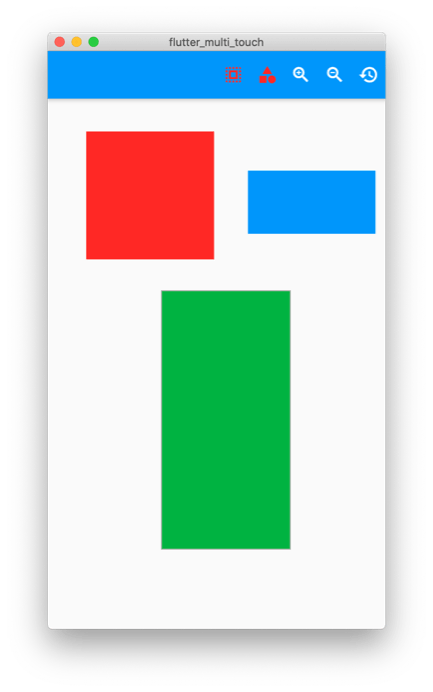
Now you can move any object on the canvas just by clicking and dragging it. You can zoom with 2 fingers and pan with 2 or 3 fingers. If you hold down the Shift key, you can use a marquee to select multiple elements, and if you hold down the Meta/Command key, you can select multiple elements by tapping each of them.
Conclusion
If you are on a device without a keyboard, you can tap the new icons to turn on the keyboard key actions. When the object is selected, there is a grey border around it.
Now you can add any widget to your canvas and pan and zoom them!
Rody Davis Jr is a professional full stack developer in both enterprise and personal applications. He creates apps for App Store, Google Play, Web and Desktop using the latest frameworks. Rody loves Flutter, Web and all things creative and writes Flutter articles on Medium. He hopes to reach as many people as possible with his applications and show what can be done with the latest tech.









Discussion about this post